19EN
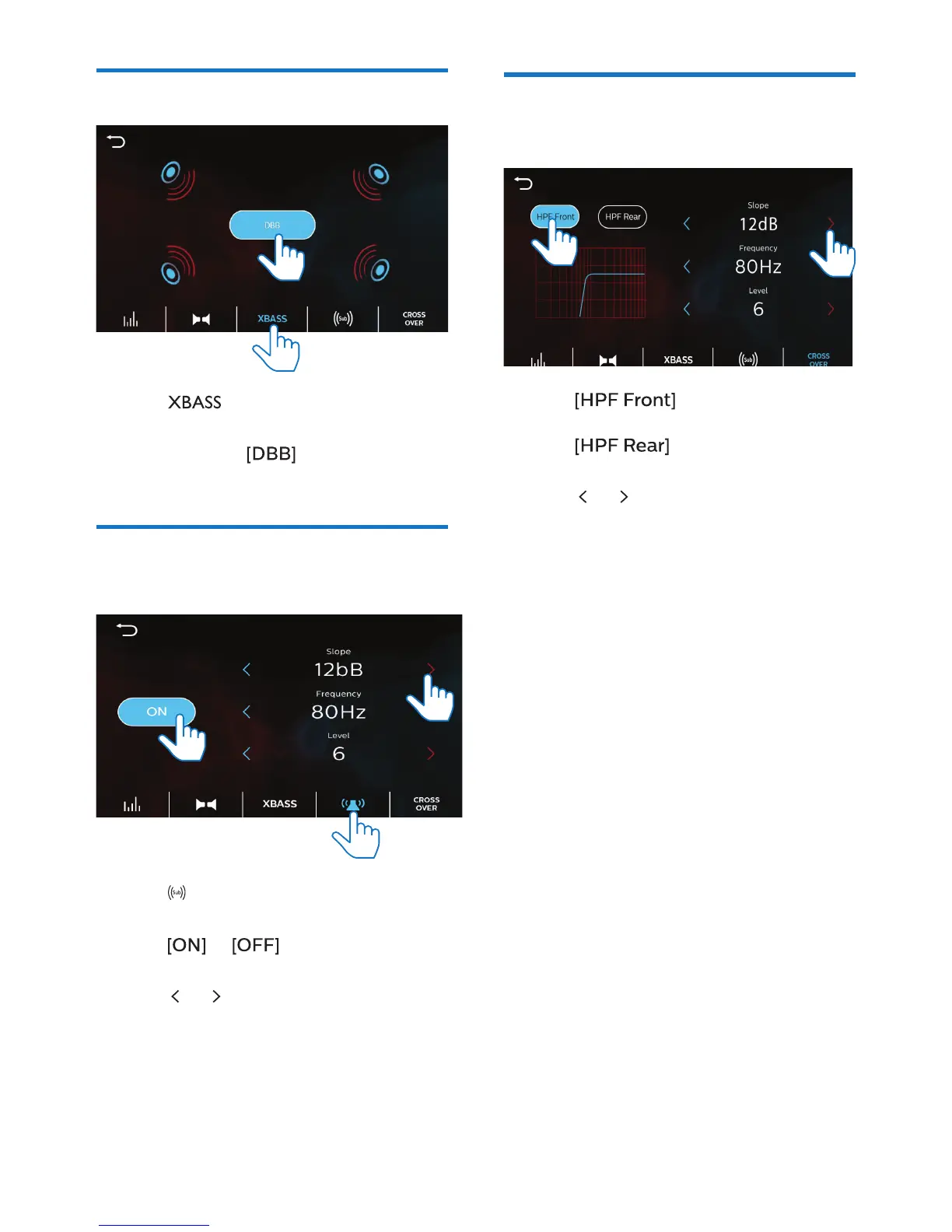
Select the Bass settings
1 Tap to enter the option list of
Bass settings.
2 Tap to select (Dynamic Bass
Boost).
Select the sub-woofer
settings
1 Tap to enter the option list of
sub-woofer settings.
2 Tap or to switch the sub-
woofer on or o.
3 Tap or to select an option.
Select the crossover
settings
1 Tap to switch on or o
the high pass lter of front speakers.
Tap to switch on or o
the high pass lter of rear speakers.
2 Tap or to select an option.



 To Next Page