19
EN
Note
• If no DivX Player is installed on your computer,
download it from www.divx.com for free.
• If you have no DivX Account, create one for free
through DivX Player that is installed on your computer.
On your computer through DivX Player
1 With the DivX® VOD code, register this
product under your DivX Account.
• After the registration, previous videos
that you rented or purchased with the
same DivX Account can be played on
this product.
2 Rent or purchase DivX® VOD videos with
your DivX Account.
3 Transfer the DivX® VOD videos to a
supported recordable disc.
On your product
Play the DivX® VOD videos from the disc.
Note
• Go to www.divx.com to learn more about
downloading and playing DivX videos.
Play non-VOD DivX videos
1 Transfer the videos and subtitle les onto
a supported recordable disc, USB storage
device, or SD/SDHC card.
2 Play the video les from the disc, USB
storage device, or SD/SDHC card.
Note
• To play a DivX DRM protected le, transfer it to a
compatible disc rst.
• The subtitle lename has to be the same as the
lename of the DivX video (the le extension
excluded).
• The DivX video le and its subtitle le must be saved
under the same directory.
• This product supports subtitle les in the following
formats: .srt and .sub.
6 Listen to radio
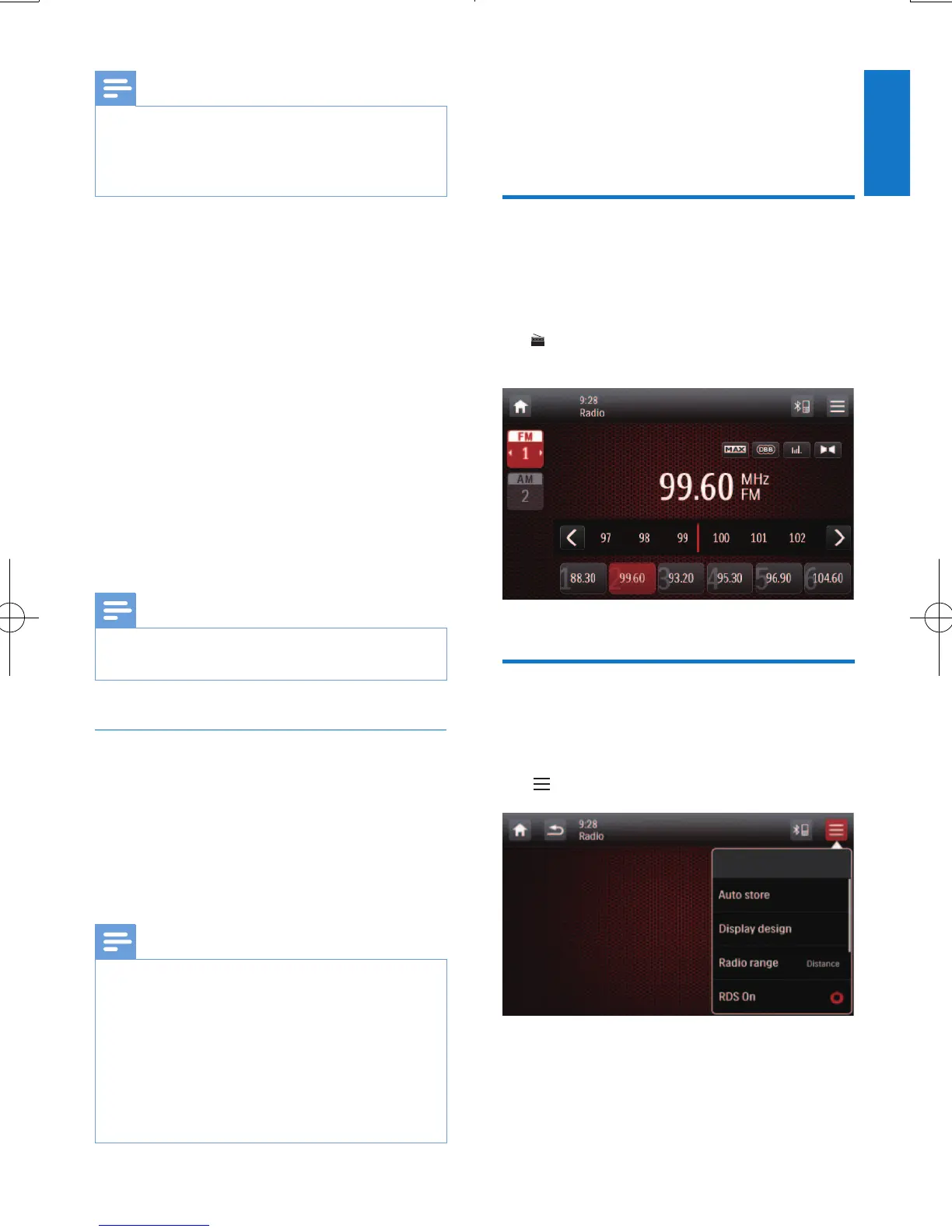
Switch to radio mode
After the boot-up at the rst time, the system
switches to radio mode automatically.
To switch the source back to radio afterwards,
tap [Radio] on the home menu.
» The interface for radio is displayed.
Set up
Before you search for radio stations, make prior
setup.
Tap to display the setup menus.



 To Next Page