22 EN
Item Program
type
Description
26 NATION M National Music
27 OLDIES Oldies Music
28 FOLK M Folk Music
29 DOCUMENT Documentary
30 TEST Alarm Test
31 ALARM Alarm
Use alternate frequencies
If the signal of an RDS station is poor, enable
the AF (Alternate Frequency) function. The
system searches for a strong station that
broadcasts the same program.
Tap AF to enable or disable the AF function.
• AF (highlighted): The function is enabled.
• AF (in gray): The function is disabled.
7 Use the
navigation
system
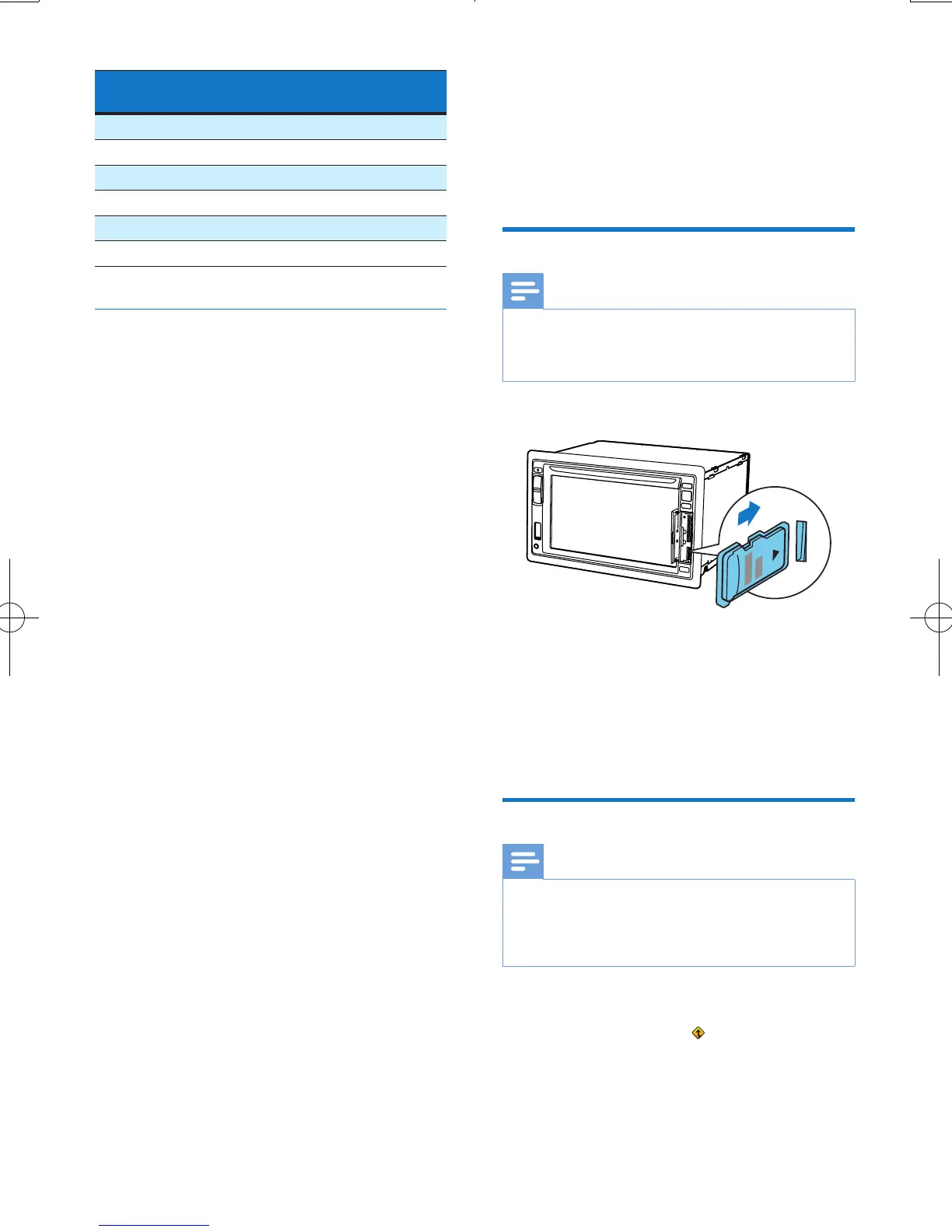
Insert the map data card
Note
• The map data card is not included in the packaging.
• Before using the map data card, update the map data
if necessary.
1 Flip up the protective cover.
2 Insert the map data card into the MAP slot
until you hear a "click".
3 Close the protective cover.
Navigate your road trip
Note
• Risk of trafc accident! Never operate the navigation
system during drive. Complete the setting of your
destination and other navigation specications before
you drive.
1 Press NAVI.
• You can also tap on the home menu
to access the navigation system.
» The navigation interface is displayed in
a few seconds.
2 Follow the user manual of the navigation
map to set navigation specications.



 To Next Page