16 EN
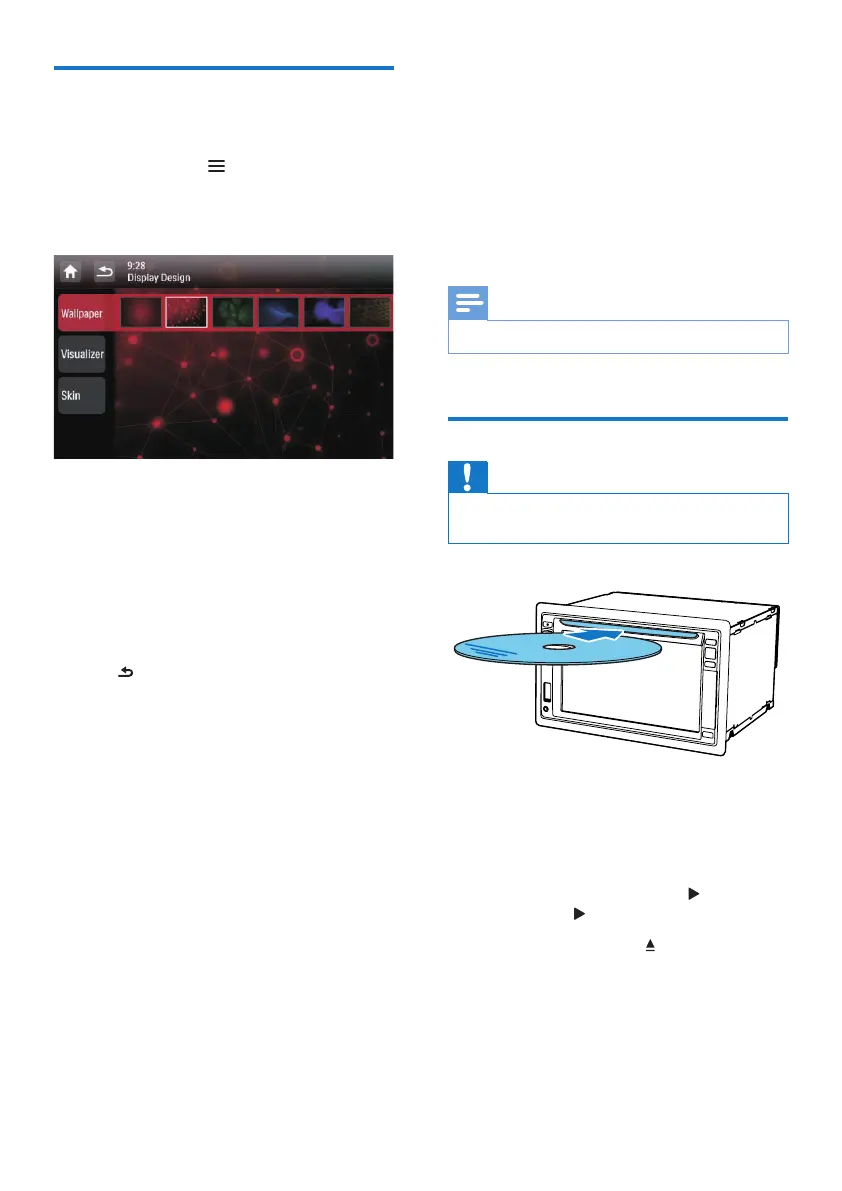
Switch display designs
Select a preset display design.
1 In FM mode, tap , and then [Display
Design].
» The [Display Design] interface is
displayed.
2 Tap a setting to display the options.
• [Wallpaper]: Select a wallpaper.
• [Visualizer]: Select a motional
visualization effect.
• [Skin]: Select a background color for
on-screen icons.
3 Tap an option to select it.
4 Tap to return to the previous mode.
5 Play from hard
media
You can use this system to listen to audio, watch
videos, and view photos that are stored on a
disc, USB storage device, or SD/SDHC card.
Note
• Before use, check for compatible media.
Load a disc
Caution
• Never insert any object other than a disc of 12-cm
diameter into the disc slot.
1 Insert the disc into the disc slot with the
label side facing up.
» Play starts automatically.
• If play does not start automatically, tap
the screen to display the
icon, and
then tap to start play.
2 To eject the disc, press .
» When the disc is ejected, the system
switches to the previous source or
radio mode.
Region code



 To Next Page