18 EN
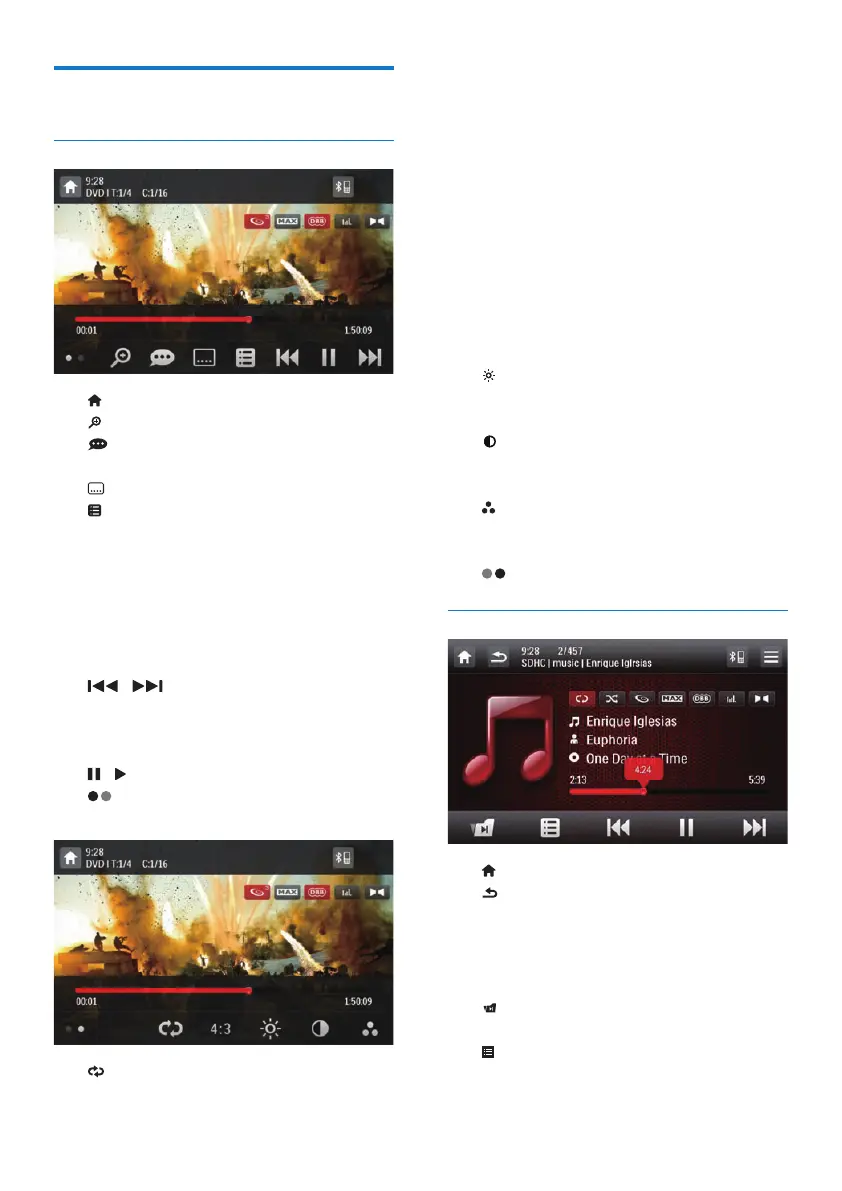
Control play
Videos
• : Return to the home menu.
• : Zoom in or out of the image.
• : Select an available audio channel or
audio language.
• : Select an available subtitle.
•
• For DVD, return to the disc menu or
root menu.
• For recorded les, return to the list of
les or folders (see 'Browse recorded
les' on page 21).
• PBC: For VCD/SVCD only, enable or
disable the PBC (Playback Control) feature.
• / : Skip to the previous or next
title, chapter, track, or le.
• To search forward fast or rewind the
track, tap on the progress bar.
• / : Start, pause, or resume play.
• : Display control icons on the second
page.
• : Select a repeat mode.
• DVD: [Repeat chapter] (repeat the
current chapter), [Repeat title] (repeat
the current title), [Repeat all] (repeat
all chapters and titles), or [Repeat off]
(cancel repeat play).
• VCD/SVCD: [Repeat one] (repeat the
current track) or [Repeat all] (repeat
all tracks).
• Recorded les: [Repeat one] (repeat
the current video le), [Repeat folder]
(repeat all video les in the current
folder), or [Repeat all] (repeat all video
les).
• [16:9]/[4:3]: Select an aspect ratio.
• : Tap to display the brightness bar, and
then tap on the bar to adjust the screen
brightness.
• : Tap to display the contrast bar, and
then tap on the bar to adjust the image
contrast.
• : Tap to display the saturation bar, and
then tap on the bar to adjust the image
saturation.
• : Display control icons on the rst page.
Audios
• : Return to the home menu.
•
• Press once to access the track list.
• Press twice to access the folder list.
• Press repeatedly to return to the
playback interface.
• : For recorded les only, skip to the next
audio folder.
• : Return to the list of tracks or folders
(see 'Browse recorded les' on page 21).



 To Next Page