12
If the car battery is not disconnected, •
to avoid short-circuit, ensure that
bare wires do not touch each other.
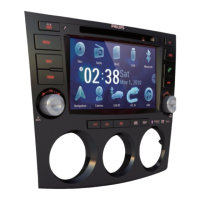
2 Ensure that car dashboard opening is
within these measurements:
Since the unit cannot be used if the •
dashboard opening’s slant angle
is above 20 degrees: Ensure that
the horizontal slant of the car
dashboard opening is between 0
and 20 degrees.
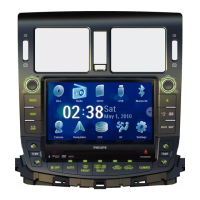
3 Slide the unit into the dashboard until a
click sound is heard.
4 Attach the trim plate.
3.5mm
116 mm
187 mm
2 Stick the other end of the GPS antenna to
a metal surface of the car.
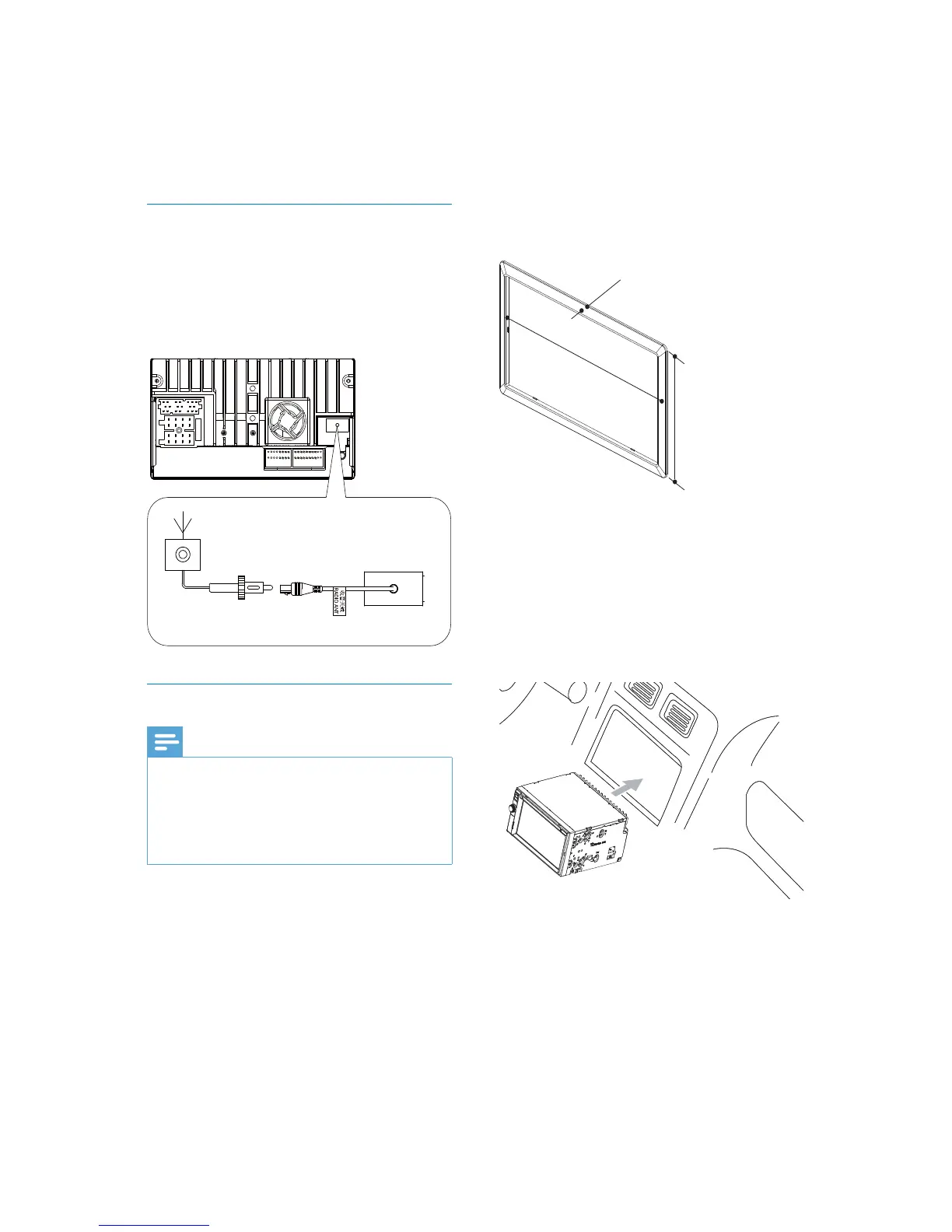
Connect radio antenna
If your car has built-in radio antenna, connect
it to the radio antenna of the system for
better radio signal.
1 Connect the radio antenna to the car
antenna.
Mount in the dashboard
Note
Check wire connection before you mount the •
unit into a car.
If preset radio stations are lost when the
•
ignition key is turned OFF and then back ON,
reconnect the red leads crosswise to the
yellow ones.
1 If the car does not have an on-board
drive or navigation computer, disconnect
the negative terminal of the car battery.
If you disconnect the car battery in •
a car that has an on-board drive or
navigation computer, the computer
may lost its memory.
EN


 To Next Page