18
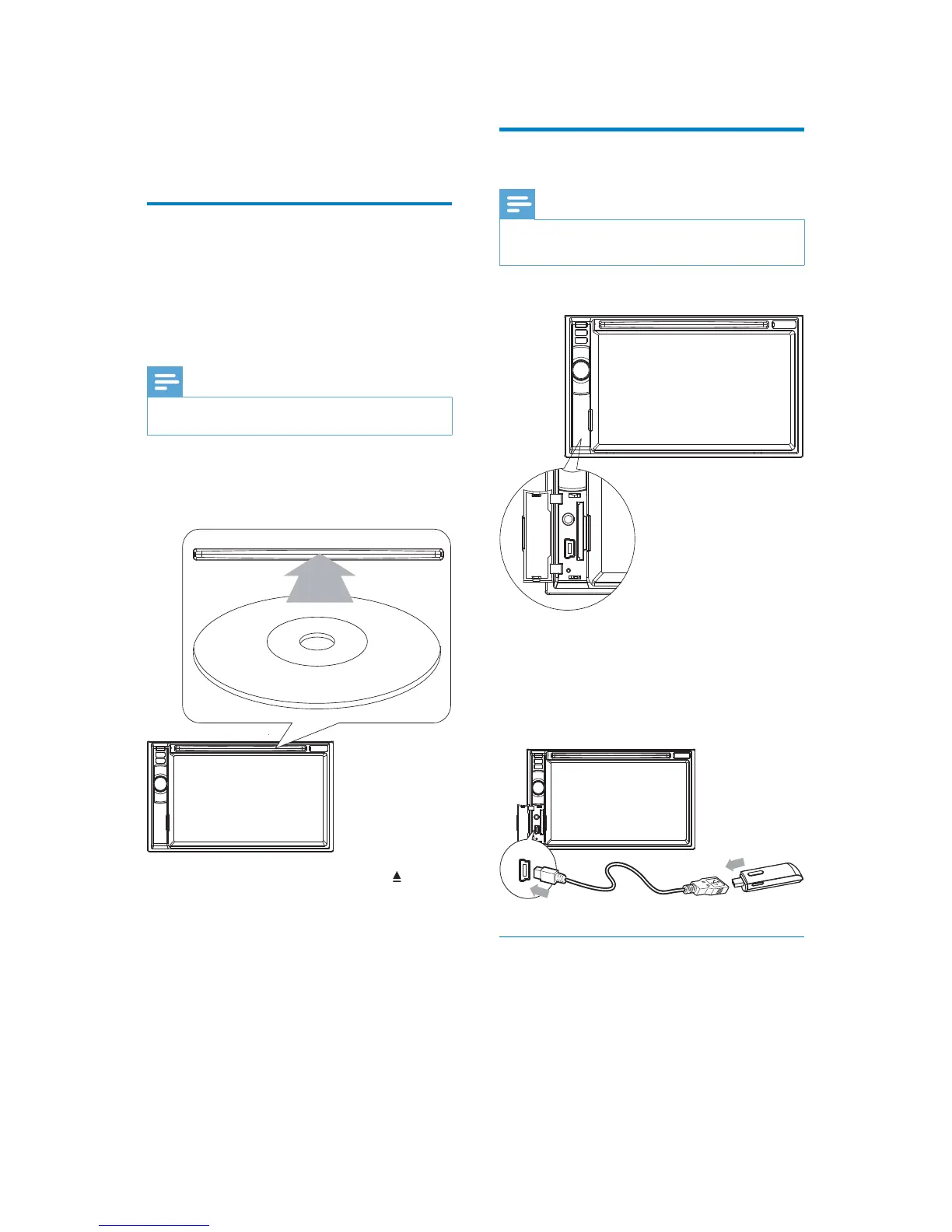
Connect USB device
Note
Ensure that the device contains playable •
content.
1 Open the USB door.
2 Insert the small end of the supplied USB
cable to the USB socket, then connect
the other end of the USB cable to your
USB device.
Play starts automatically. »
Remove the USB device
1 Press SOURCE to switch to another
source.
2 Remove the USB device.
5 Play
Load discs
You can play video, audio or images stored on
the following discs:
DVD video, DVD-R, DVD-RW•
VCD•
Audio CD, CD-R, CD-RW•
Note
Ensure that the disc contains playable content. •
1 Insert the disc into the disc slot with label
side facing up.
Play starts automatically. »
To remove the disc, press the » button.
When the disc is ejected, the unit »
switches to the previous source,
if connected. Otherwise, the
unit switches to [Radio] mode
automatically.
P
r
i
n
t
i
n
g
i
n
C
h
i
n
a
P
r
i
n
t
i
n
g
i
n
C
h
i
n
a
EN


 To Next Page