31
English
EN
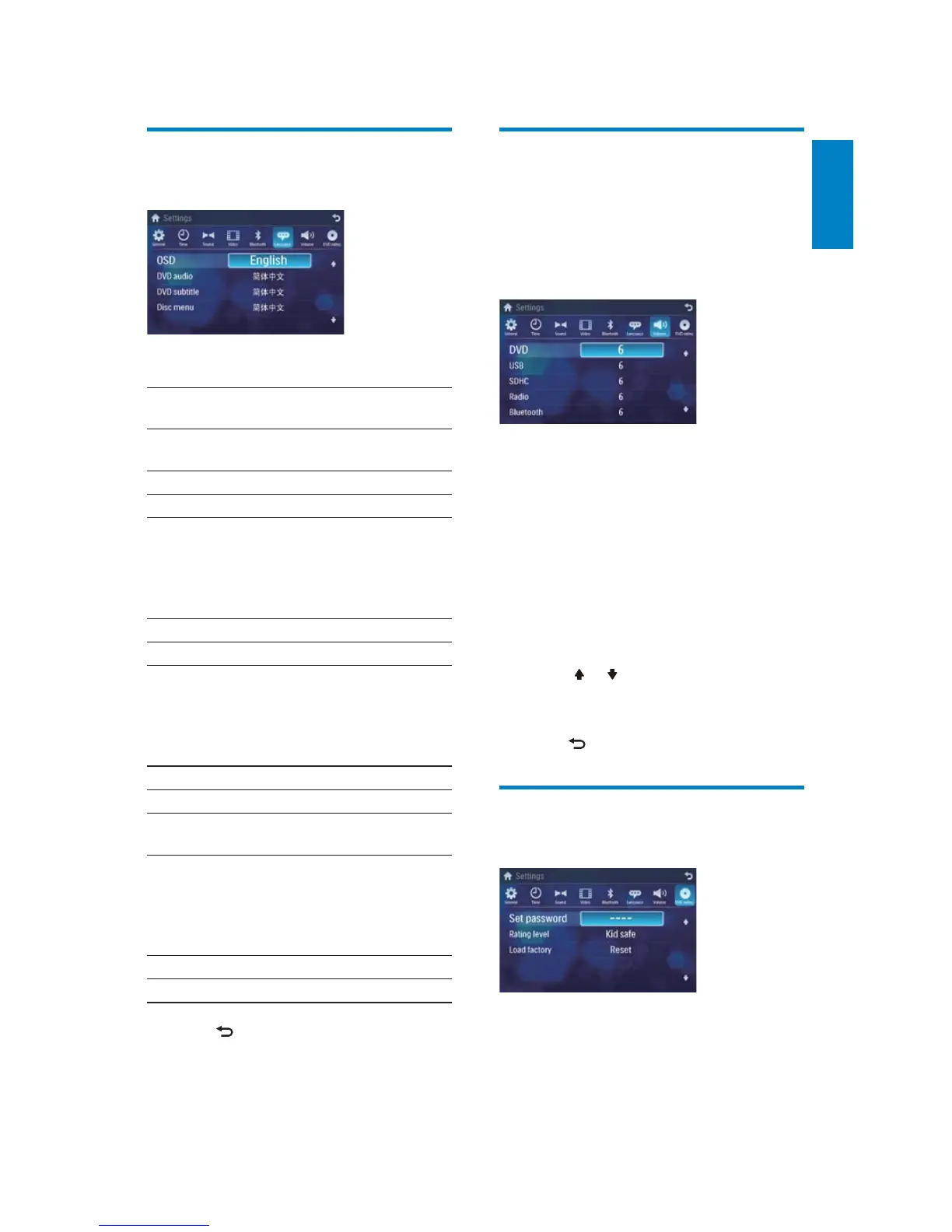
Adjust volume settings
You can set different volume for different
modes.
1 Touch [Volume].
The volume setting sub-menu is »
displayed.
2 Touch on a source.
• [DVD]
• [USB]
• [SDHC]
• [Radio]
• [Bluetooth]
• [AV-IN1]
• [AV-IN2]
• [CDC]
• [TV]
• [Navigation]
3 Touch or to assign value: 0 to 12.
When switches to the source, the »
volume increases automatically.
4 Press to exit.
Adjust DVD rating
1
Touch [DVD rating].
2 Touch an option repeatedly to select:
Adjust language settings
1
Touch [Language].
2 Touch an option repeatedly to select:
Language
settings
Options Description
[OSD] [English] Select on-screen-
display language.
[ࡩᇓ໗]
[ْᇓ໗]
[DVD
audio]
[English] Select DVD audio
language. Options
available are
depends on
DVD disc.
[ࡩᇓ໗]
[ْᇓ໗]
[DVD
subtitle]
[English] Select DVD subtitle
language. Options
available are
depends on
DVD disc.
[ࡩᇓ໗]
[ْᇓ໗]
[Off] Turn off subtitle
language display.
[Disc
menu]
[English] Select DVD menu
language. Options
available are
depends on
DVD disc.
[ࡩᇓ໗]
[ْᇓ໗]
3 Press to exit.



 To Next Page