10 EN
5 Play from hard
media
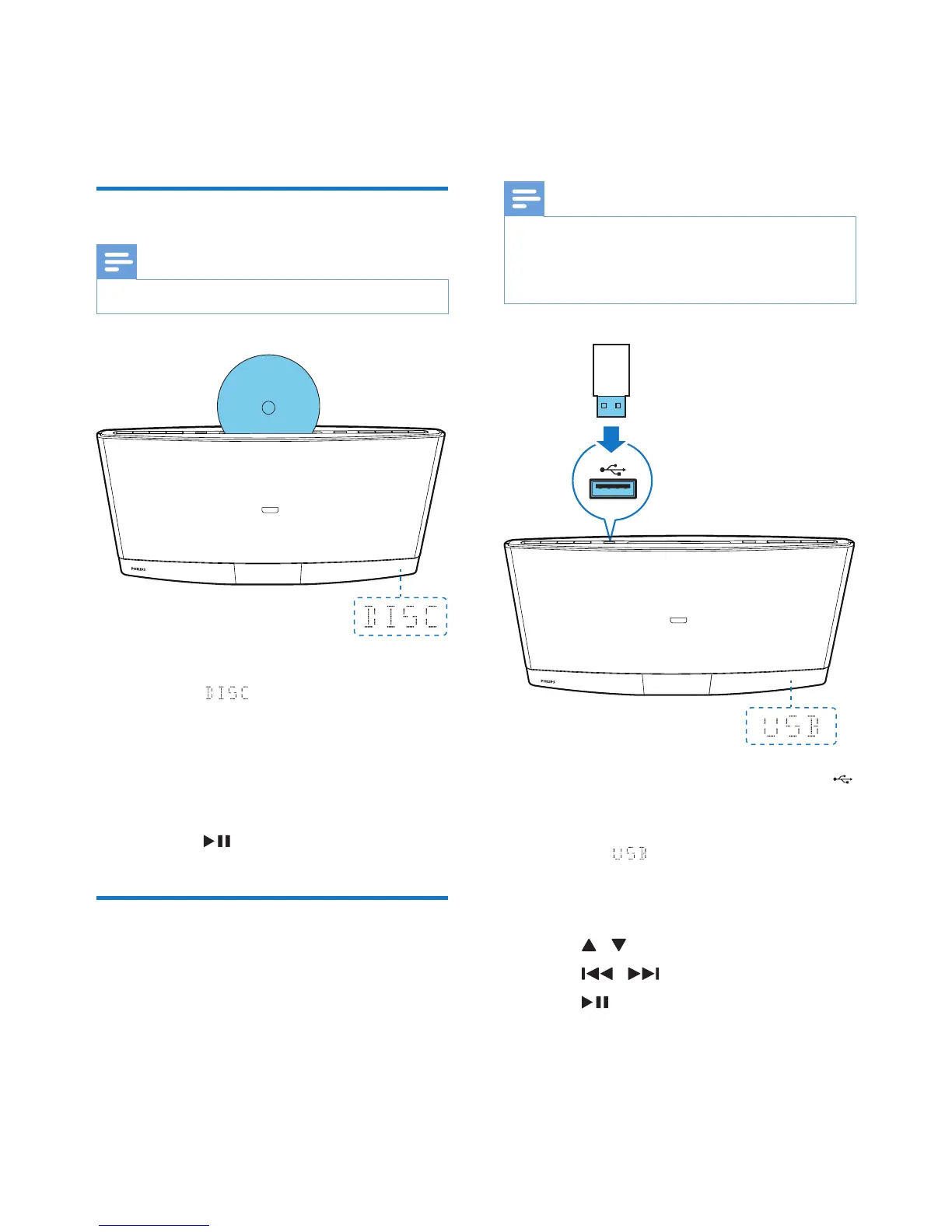
Play a disc
Note
• Make sure that the disc contains playable audio content.
1 Press CD or SOURCE to switch the
source to .
2 Insert a disc into the disc compartment
with the printed side facing you.
» Play starts automatically after a few
seconds.
» If play does not start automatically,
press to start play.
Play from a USB storage
device
This product can play .mp3 les that are copied
onto a compatible USB storage device.
• Flash drive
• Memory card reader
• HDD: hard disc drive (This product
can detect only a portable HDD with
USB power peak current no more than
500 mA.)
Note
• WOOX Innovations does not guarantee compatibility
with all USB storage devices.
• FAT16 and FAT 32 le systems are supported, and
NTFS (New Technology File System) not.
1 Connect the USB storage device to the
socket.
2 Press USB or SOURCE to switch the
source to .
» Play starts automatically.
If play does not start automatically,
1 Press / to select a folder.
2 Press / to select a le.
3 Press to start play.



 To Next Page