18 EN
Deactivate/Re-activate the alarm
timer
In standby mode, press SLEEP/TIMER.
» If TIMER disappears, the alarm timer is
deactivated.
» If TIMER is displayed, the alarm timer is
activated.
Stop an alarm
When an alarm rings, press or SLEEP/TIMER
to stop it.
Note
• If you do not stop an alarm, it keeps ringing for 30
minutes, and then the product automatically switches to
normal standby mode.
Use the sleep timer
You can set a period of time after which the
product automatically switches to normal
standby mode.
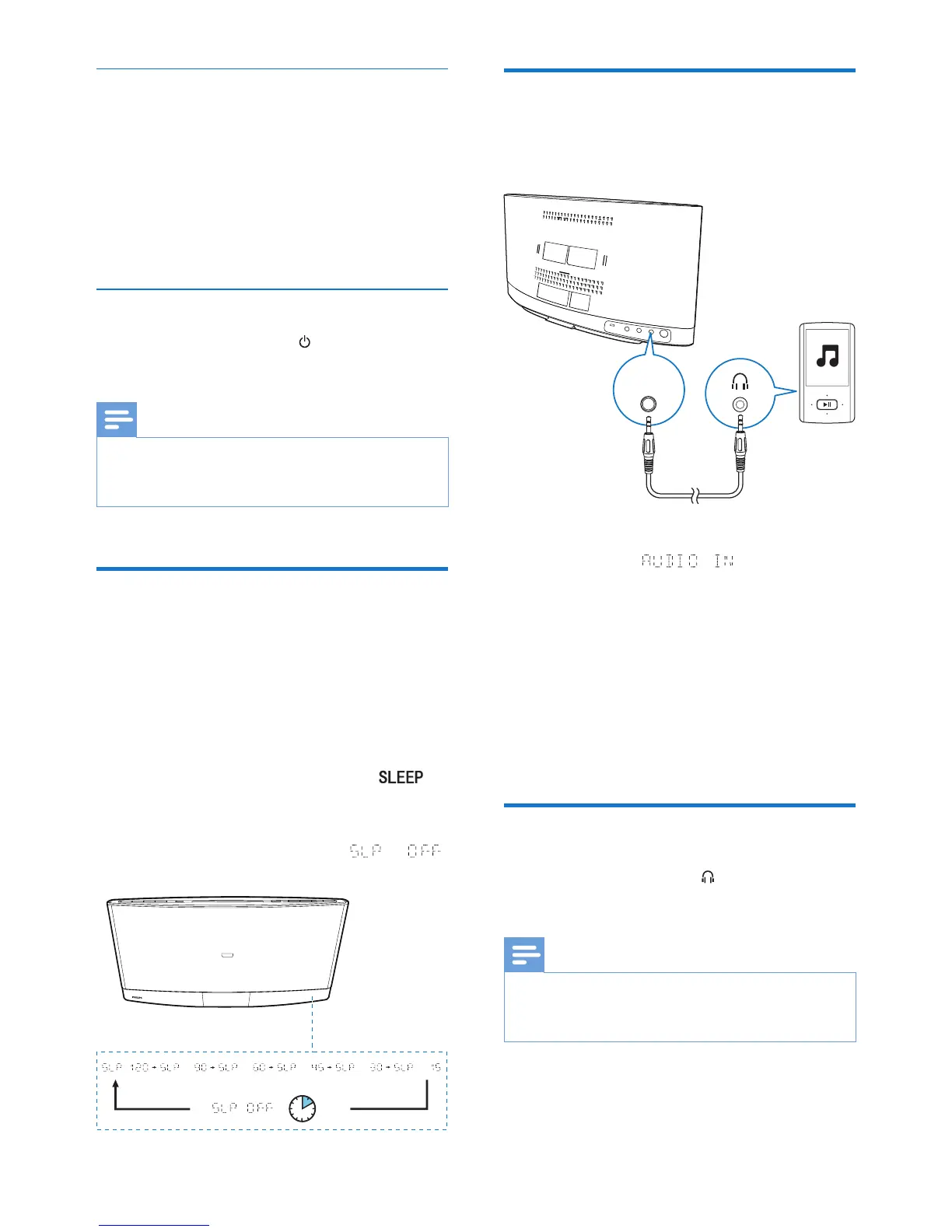
In working mode, press SLEEP/TIMER
repeatedly to select a preset period (120, 90,
60, 45, 30, or 15 minutes).
» When the sleep timer is activated, is
displayed.
• To deactivate the sleep timer, press
SLEEP/TIMER repeatedly until
is displayed.
Listen to an external device
You can also listen to an external audio device,
for example, MP3 player, through this product.
1 Press AUDIO IN or SOURCE to switch
the source to .
2 Connect an audio input cable with 3.5 mm
plug on both ends between
• the AUDIO IN socket on the back
panel of this product, and
• the headphone socket on the external
device.
3 Play audio on the external device (refer to
its user manual).
Listen through headphone
Plug a headphone into the socket on the
front panel of main unit.
Note
• No audio output from the headphone socket when
you listen to the docked iPod/iPhone/iPad. Listen
through the speakers instead.
AUDIO
IN



 To Next Page