11EN
6 Use the dock
You can enjoy audio from iPod/iPhone/iPad
through this product.
Note
• There is no audio output from the headphone socket
of the connected iPod/iPhone/iPad.
Compatible iPod/iPhone/iPad
models
This product supports the following iPod,
iPhone, and iPad models.
• iPod nano (2nd, 3rd, 4th, 5th, 6th, and 7th
generation)
• iPod touch (1st, 2nd, 3rd, 4th, and 5th
generation)
• iPod classic
• iPhone 5S
• iPhone 5C
• iPhone 5
• iPhone 4S
• iPhone 4
• iPhone 3GS
• iPhone 3G
• iPhone
• iPad mini
• iPad 4th generation
• iPad 3rd generation
• iPad 2
• iPad
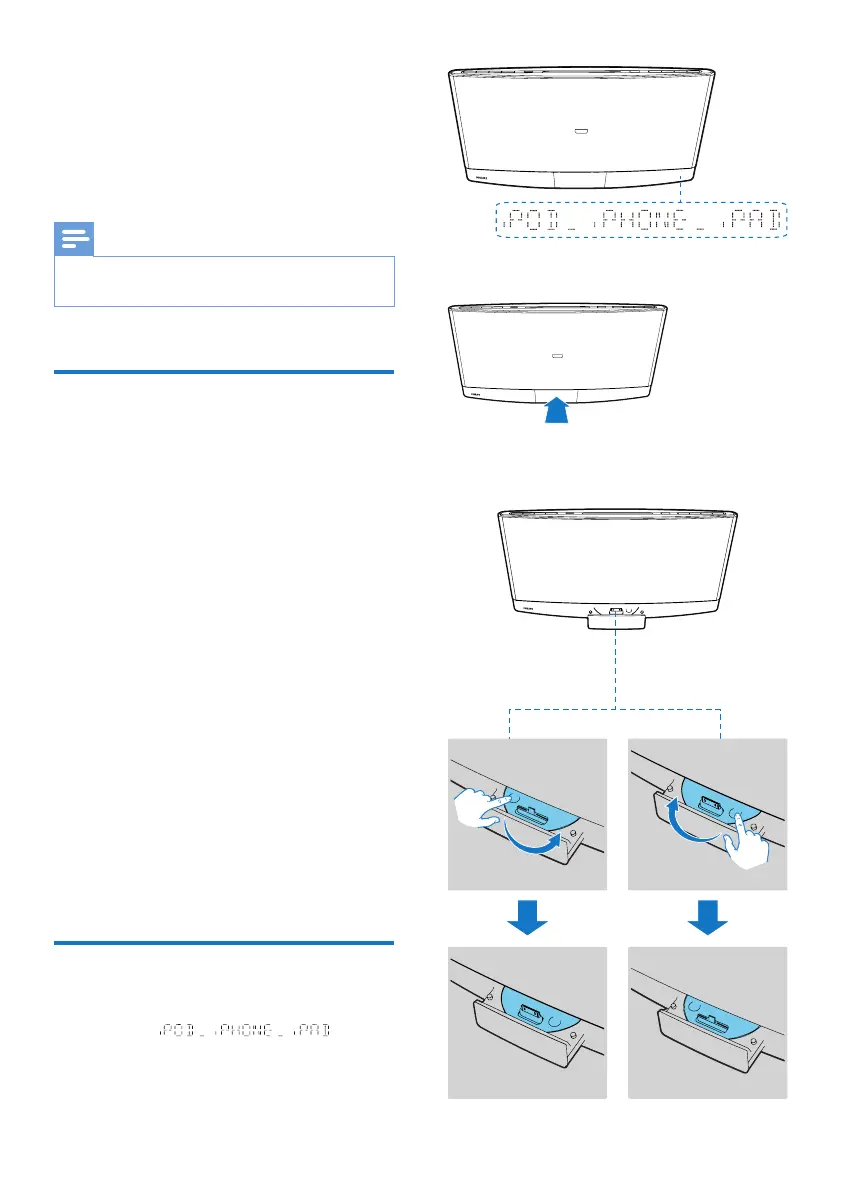
Enjoy audio through the dock
1 Press DOCK or SOURCE to switch the
source to .
2 Eject the dock.
3 Turn the dock tray to select a connector
that matches your iPod/iPhone/iPad.



 To Next Page