18 EN
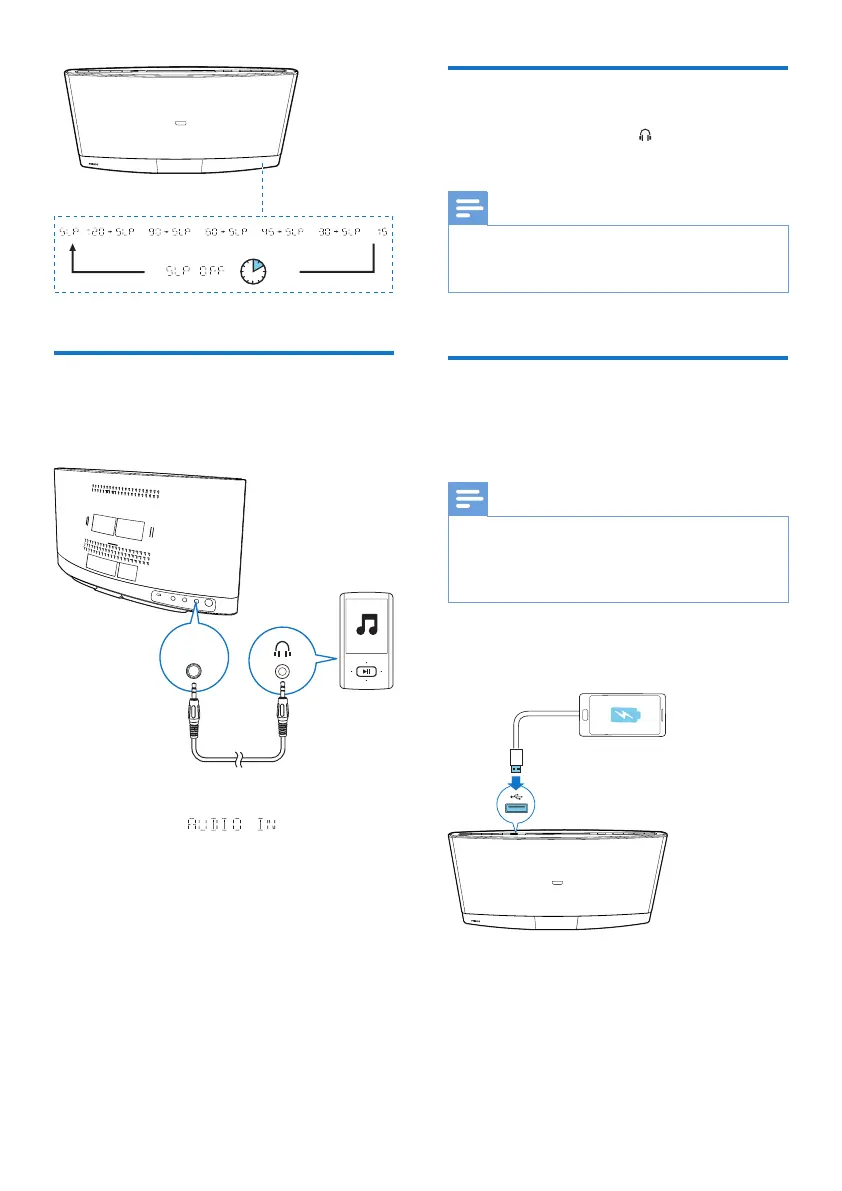
Listen to an external device
You can also listen to an external audio device,
for example, MP3 player, through this product.
1 Press AUDIO IN or SOURCE to switch
the source to .
2 Connect an audio input cable with 3.5 mm
plug on both ends between
• the AUDIO IN socket on the back
panel of this product, and
• the headphone socket on the external
device.
3 Play audio on the external device (refer to
its user manual).
AUDIO
IN
Listen through headphone
Plug a headphone into the socket on the
front panel of main unit.
Note
• No audio output from the headphone socket when
you listen to the docked iPod/iPhone/iPad. Listen
through the speakers instead.
Charge your USB device
You can charge your USB device, for example,
smart phone, with this product.
Note
• The output voltage through the USB socket is 5 V with
output currency 0.5 A.
• WOOX Innovations does not guarantee the
compatibility with all USB devices.
Connect your USB device to this product with
USB cable.



 To Next Page