Direction of Use
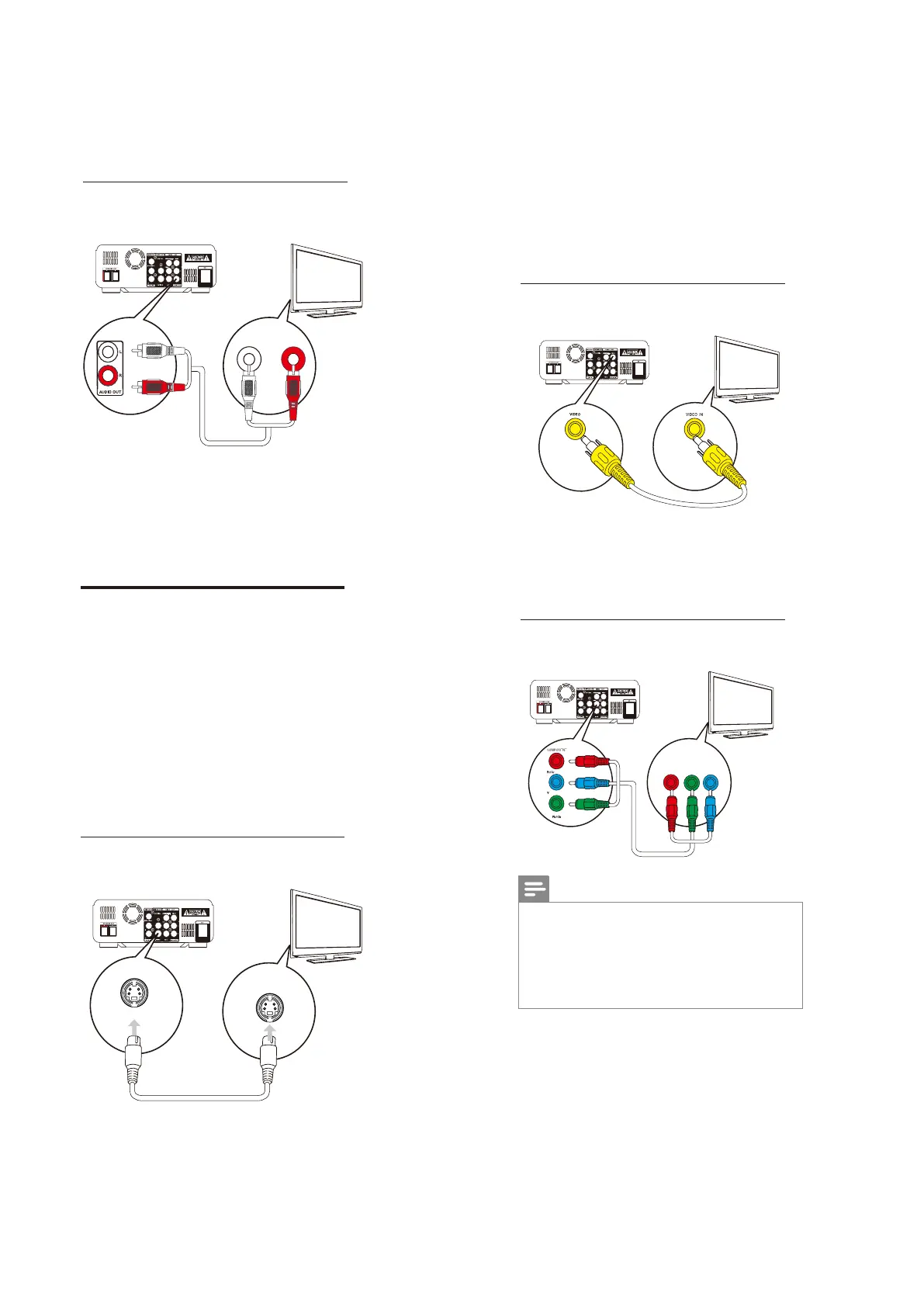
Option 2: Connect through analog
audio cables
TV
L LINE IN R
1 Connect an audio cable (red/white ends)
to:
the AUDIOOUT (LandR)sockets
on this unit.
the audio input sockets on the audio
device.
Connect video cables
You can select the best video connection that
yourTV supports.
Option 1:Connect through an S-Video
cable (for a standard TV).
Option 2:Connect through a composite
video (CVBS) cable (for a standard TV).
Option 3:Connect through component
video cables (for a standard TV or
Progressive Scan TV).
Option 4: Connect through theiPhone/
iPodsocket (for a standard TV).
Option 1: Connect through an
S-Video cable
1 Connect an S-video cable (not supplied)
to:
the S-Videosocket on this unit.
the S-VideosocketontheTV.
TV
S-VIDEO IN
S-VIDEO
Option 2: Connect through a
composite video cable
1 Connect the composite video cable
(supplied) to:
the VIDEO socket on this unit.
thevideoinputsocketontheTV.
Option 3: Connect through
component video cables
TV
TV
COMPONENT VIDEO INPUT
Pr/Cr Pb/Cb Y
Note
The progressive scan video quality is only
available when a progressive scan TV is
connected.
If your TV does not support progressive scan,
youcannotviewthepicture.
For how to activate progressive scan on your
TV,refertotheTVusermanual.
Connect a progressive scan TV through
componentvideo forhigherqualityvideo.
7-4



 To Next Page