10 EN
Turn on
Press .
» The unit switches to the last selected
source.
Note
•
To select a source, press SOURCE repeatedly or the
source selection buttons on the remote control.
Switch to standby mode
Press again to switch the unit to standby
mode.
» Theclock(ifset)appearsonthedisplay
panel.
Set clock
1
In standby mode, press and hold CLOCK
SET on the remote control for two
seconds.
» [SET CLOCK] (setclock)scrollson
the display.
2 Press CLOCK SET again.
» The 12 or 24 hour format blinks.
3 Press / repeatedly to select an hour
format.
4 Press CLOCK SETtoconrm.
» The hour digits blink.
5 Repeat steps 3-4 to set the hour and
minute respectively.
Note
•
If the system is idle for 90 seconds, the unit exits clock
setting mode automatically.
4 Play
Play disc
1
Press to open the disc compartment.
2 Insert a disc with the printed side facing up.
3 Press to close the disc compartment.
4 Press CD on the remote control to select
the disc source.
» [Reading](reading)blinksfora
moment, then CD starts playing
automatically. If not, press
.
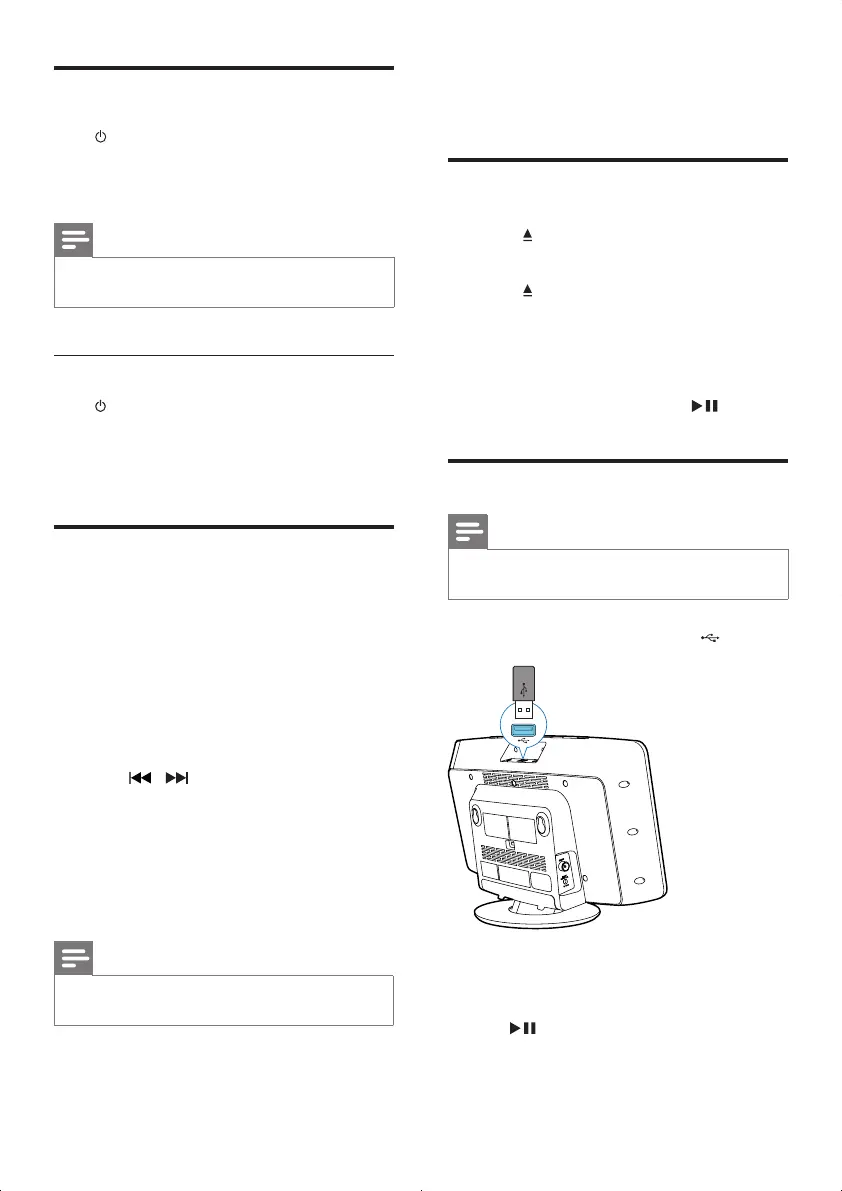
Play from USB
Note
•
Make sure that the USB device contains playable audio
content.
1 Insert the USB device into the socket.
2 Press USB on the remote control to select
the USB source.
» Play starts automatically. If not, press
.
DCM2060_79_UM_V1.0.indd 10 6/1/2012 10:53:53 AM



 To Next Page