11EN
4 Play
Play a disc
1
Press SOURCE repeatedly to select CD
source.
2 Press to open the disc compartment.
3 Insert a disc with the printed side facing
upward.
4 Press to close the disc compartment.
5 Play starts automatically.If not, press .
Play from USB
Note
Ensure that the USB device contains playable audio
content.
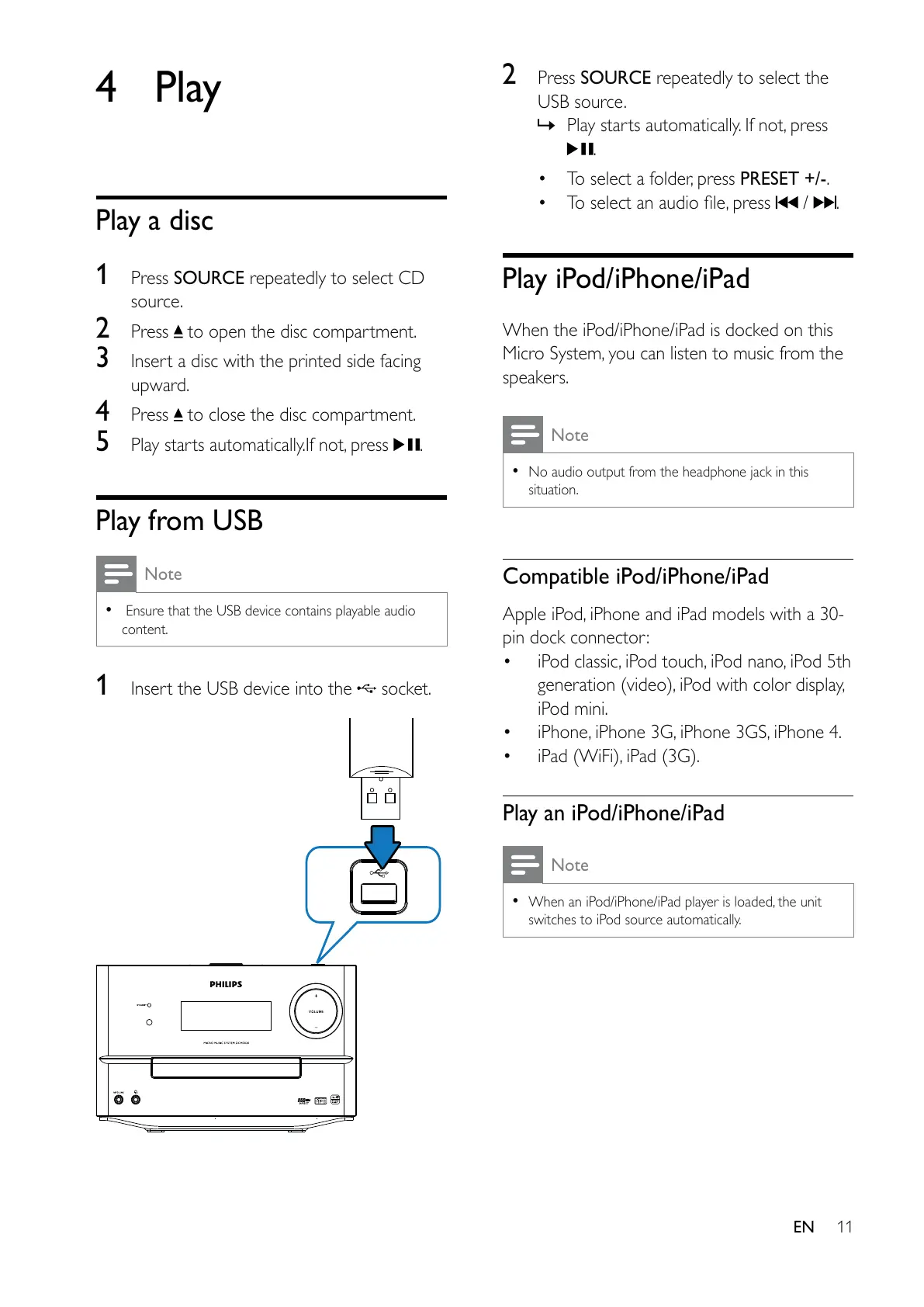
1 Insert the USB device into the socket.
2 Press SOURCE repeatedly to select the
USB source.
» Play starts automatically. If not, press
.
To select a folder, press PRESET +/-.
/ .
Play iPod/iPhone/iPad
When the iPod/iPhone/iPad is docked on this
Micro System, you can listen to music from the
speakers.
Note
No audio output from the headphone jack in this
situation.
Compatible iPod/iPhone/iPad
Apple iPod, iPhone and iPad models with a 30-
pin dock connector:
iPod classic, iPod touch, iPod nano, iPod 5th
iPod mini.
iPhone, iPhone 3G, iPhone 3GS, iPhone 4.
Play an iPod/iPhone/iPad
Note
When an iPod/iPhone/iPad player is loaded, the unit
switches to iPod source automatically.



 To Next Page