5EN
Overview of the main unit
Top and front view
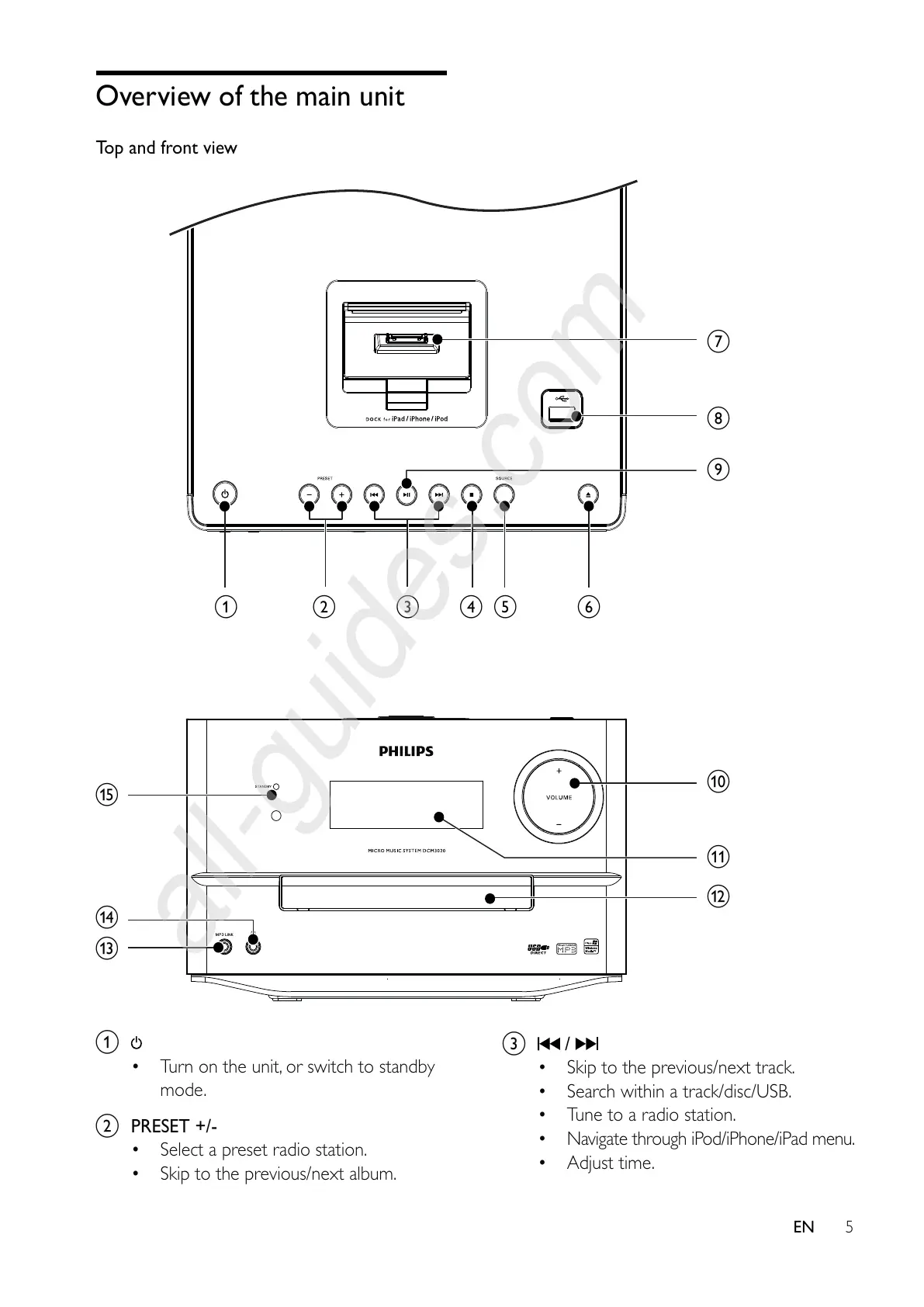
a
Turn on the unit, or switch to standby
mode.
b PRESET +/-
Select a preset radio station.
Skip to the previous/next album.
abcdef
h
i
j
k
l
m
n
o
g
c /
Skip to the previous/next track.
Search within a track/disc/USB.
Tune to a radio station.
Navigate through iPod/iPhone/iPad menu.
Adjust time.



 To Next Page