11
English
EN
Note
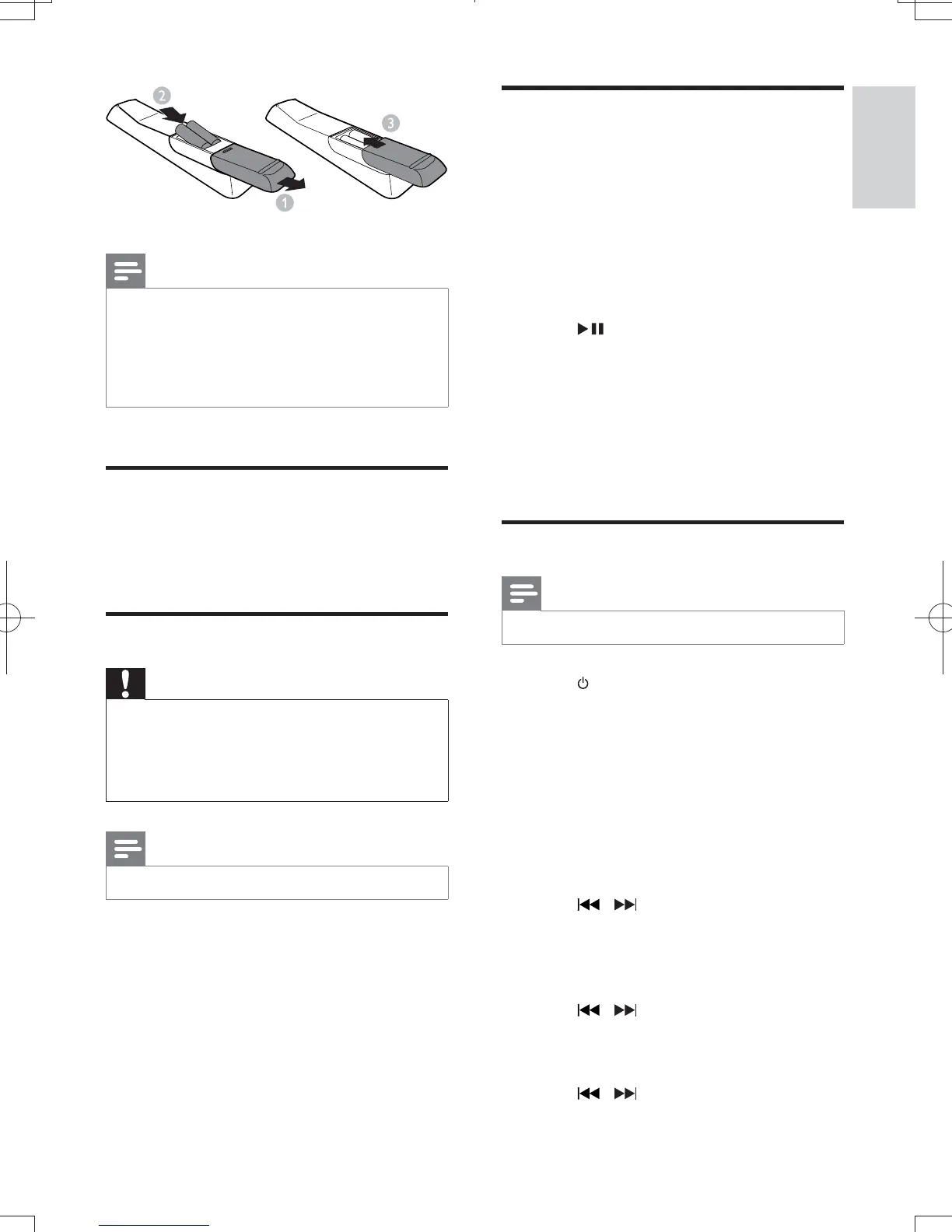
If you are not going to use the remote control for a
long time, remove the batteries.
Do not use old and new or different types of batteries
in combination.
Batteries contain chemical substances, so they should
be disposed of properly.
Connect FM antenna
Connect the supplied FM antenna to the
FM connector on the back of the main unit.
Connect power
Caution
Risk of product damage! Make sure that the power
supply voltage corresponds to the voltage printed on
the rear of the main unit.
Before connecting the AC cord, make sure that you
have completed all other connections.
Note
The type plate is located on the rear of the main unit.
Connect the AC power cable to the AC
outlet.
Auto install radio stations
When you connect power and no radio
stations are stored, the unit automatically begins
to store radio stations.
Connect the unit to the power supply.
» [
](auto install - press play key) is
displayed.
Press on the main unit to start
installation.
» The unit automatically stores radio
» When all the available radio stations
is broadcast automatically.
Set clock
Note
You can set the clock in standby mode only.
Press to switch the unit to standby.
Make sure that --:-- (or clock) is
displayed (see "Turn on" > "Switch to
standby").
Press and hold to
activate the clock setting mode.
» SET CLOCK is displayed.
» The 12 hour or 24 hour format is
displayed.
3 Press to select 12 hour or 24
hour format.
Press .
» The hour digits begin to blink.
5 Press to set the hour.
Press .
» The minute digits begin to blink.
Press to set the minute.
DCM3065_51_UM_V1.0.indb 11 3/2/2012 2:08:12 PM



 To Next Page