Phonebook
13
Phonebook
30 names and numbers can be stored in the built-in phonebook of the handset.The
names are stored in alphabetical order.
✦ Adding a new entry
Each entry contains a name (12 characters) and a number (24 digits).
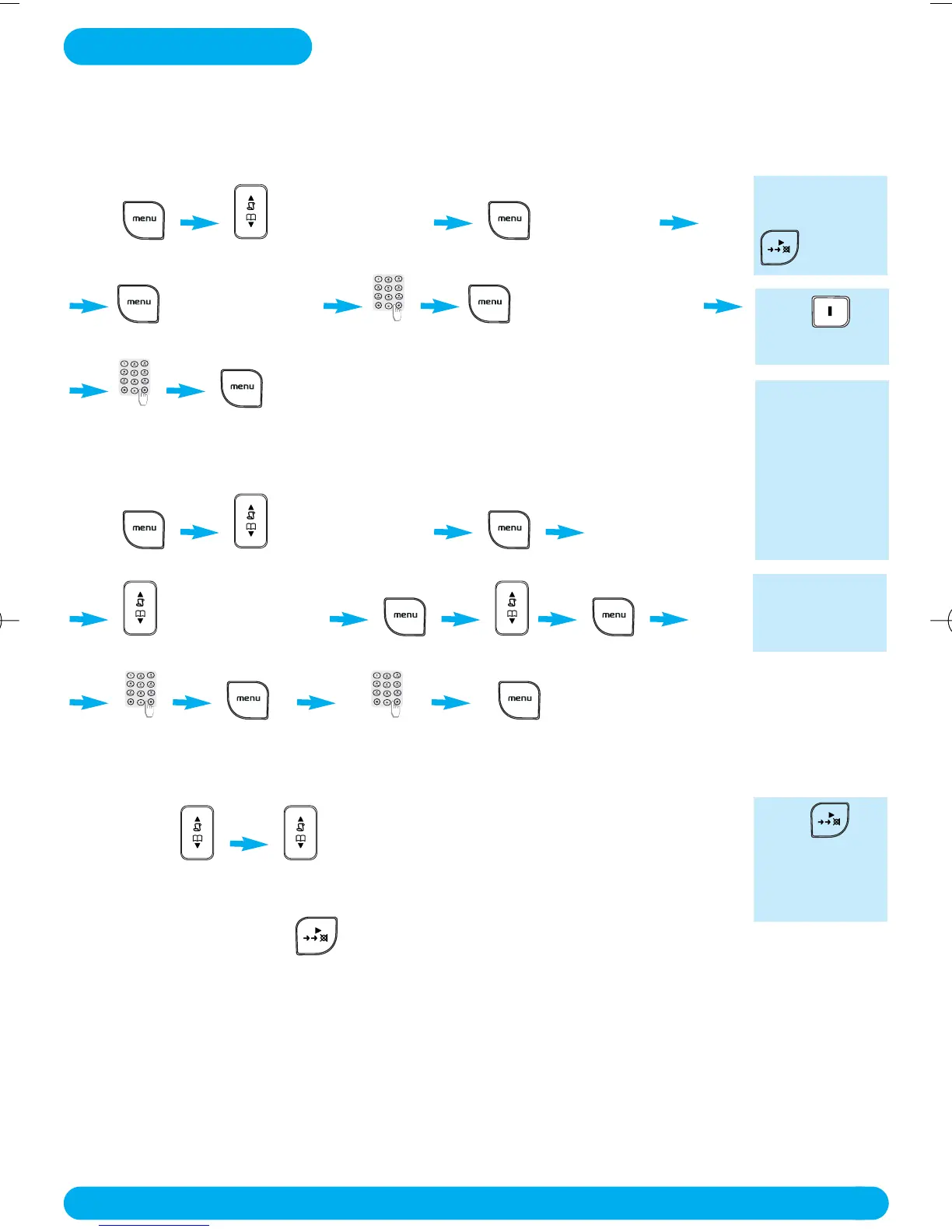
Press PHONEBOOK ADD NUM
in idle mode press Down 2 times
ENTER NAME ENTER NUMBER
enter the name
to confirm.
enter the number
✦ Changing a phonebook name or number
Press PHONEBOOK
in idle mode press Down 2 times
EDIT NUMBER
press Down 1 time scroll to select view the name
to confirm.
enter new name view number enter new number
✦ Viewing the phonebook list
Press Down
in idle mode scroll Up/Down in the list
To view the details : Press
You can also
create an
entry from the
redial list and
the call log
(subscription
dependent).
Press for
spacing.
To delete a
character use
BACK.
Press
BACK to
return to idle
mode.
Text and num-
ber entry see
page 10.
DECT122_GBIE_09.qxd 27.09.2005 17:06 Seite 13



 To Next Page