Personal Settings
19
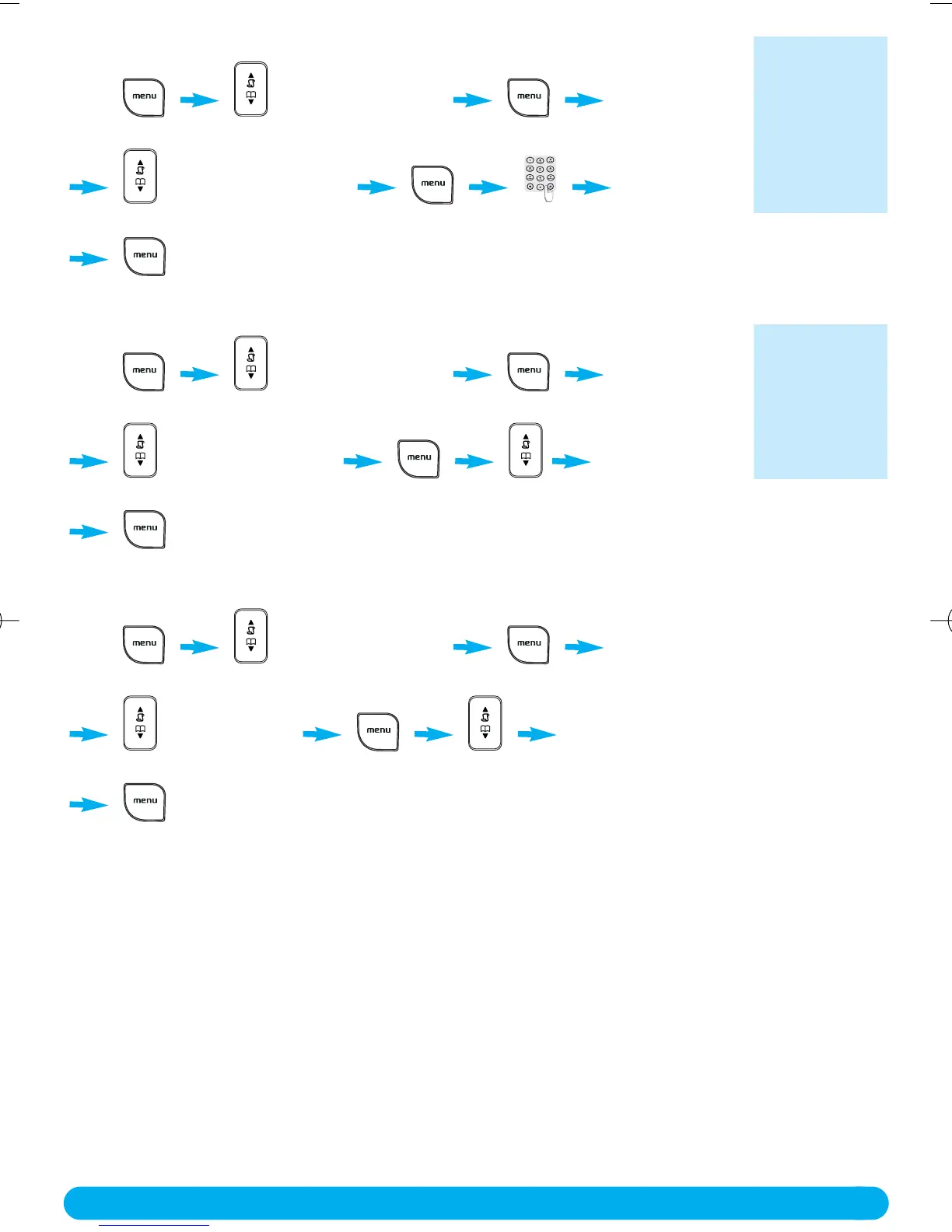
✦ To rename the handset
Press PERSONAL SET
press Down 2 times
HANDSET NAME
press Down 1 time enter the name
to confirm.
✦ To activate / deactivate the auto answer mode
Press PERSONAL SET
press Down 2 times
AUTO ANSWER
press Down 2 times scroll to select ON or OFF
to confirm.
✦ To change the display language
Press PERSONAL SET
press Down 2 times
LANGUAGE
press Down 3 times scroll to select your language
to confirm.
The default
name is :
PHILIPS.
You can enter
10 characters
for the hand-
set name.
If ON you take
the line by lif-
ting the hand-
set from the
charge cradle.
DECT122_GBIE_09.qxd 27.09.2005 17:06 Seite 19



 To Next Page