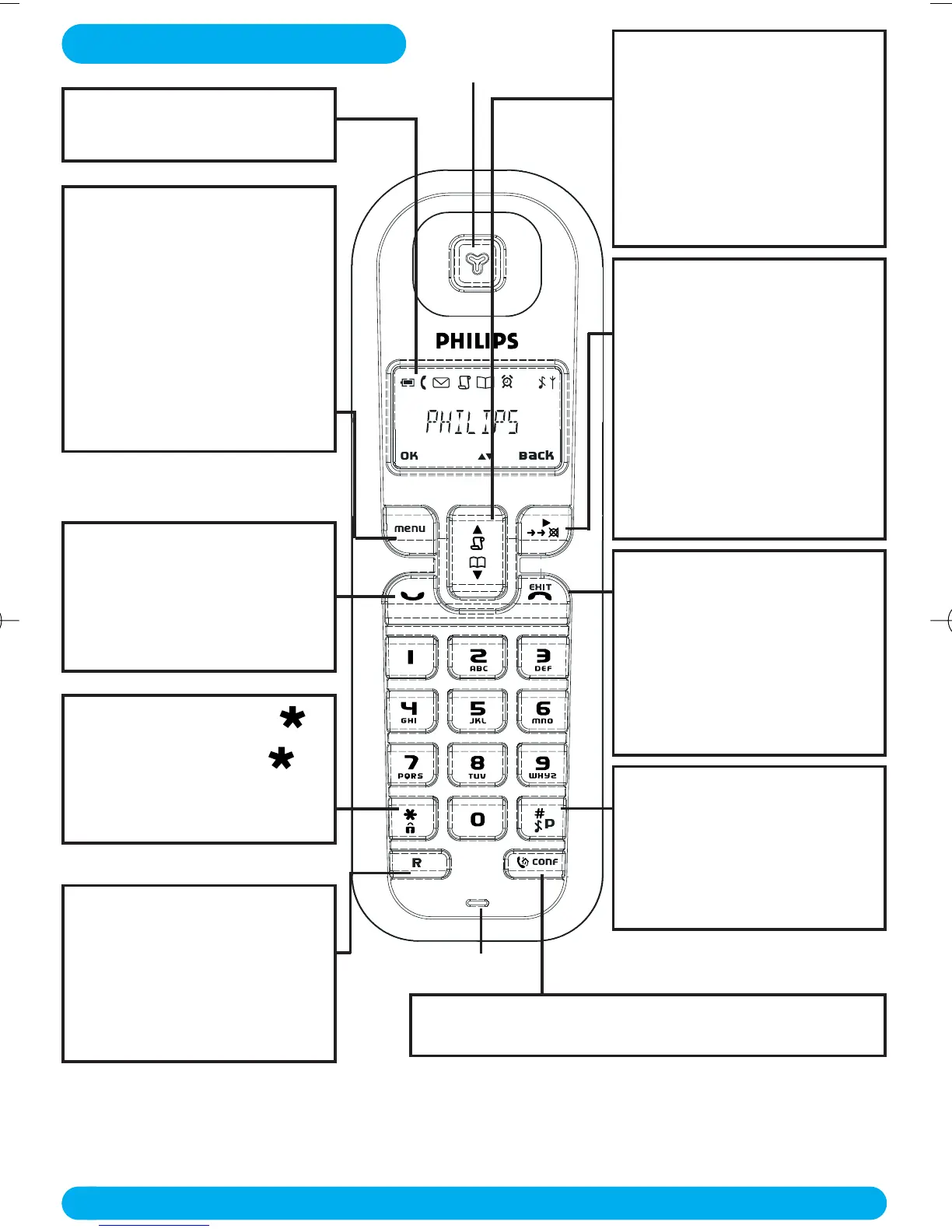
DECT 122 Handset
4
Redial list, mute key &
Softkey Back
- In idle mode, short press to
access the Redial list.
- In talk mode, to mute/
unmute the handset
microphone.
- In edit mode, to cancel last
digit.
- In phonebook mode, to view
number and name.
Ringer ON/OFF & Insert #
- Short press to insert #.
- Long press to insert a pause
(P) when dialling.
- Long press to turn the ringer
ON/OFF.
Recall key
- In idle mode, to switch from
Date/Time display to handset
name display.
- To insert R for operator
services when on line.
Hang-up key
- A short press to hang-up the
line or to exit (return to idle
mode).
- A long press to power off the
handset.
- To exit Edit & Phonebook
mode.
Display
Icons see page 5
Navigation keys
- Scroll up/down to move to
the next or previous record in
the Call log or Phonebook.
- Scroll up to access the Call
log from idle mode.
- Scroll down to access the
Phonebook from idle mode.
Menu key & Softkey OK
- In idle mode, short press to
access the main menu.
- Short press to select next
menu level.
- In Edit & Phonebook mode,
short press to confirm OK or
view selected phonebook
record.
Pick-up key
- In idle mode, press to take
the line and answer a call.
- In Phonebook mode, press to
dial the selected number.
Keypad lock & insert
- Short press to insert
- Long press to lock/unlock
the keypad in idle mode.
DECT 122 Handset
Intercom
- Short press to initiate an internal call.
Earpiece
Microphone
DECT122_GBIE_09.qxd 27.09.2005 17:06 Seite 4



 To Next Page