Favourite
1 Favourite1
2 Favourite2
3 Favourite3
4 Favourite4
5 Favourite6
7 Favourite7
8 Favourite8
3
O
Rename
Favourite1
ABCDEF
GHI J KL
MN O P Q R
STUVWX
YZ01 23
456789
SP
CAPS
?<-OK
Del OK
This menu allows you to protect menu and channel, and
change the Password.
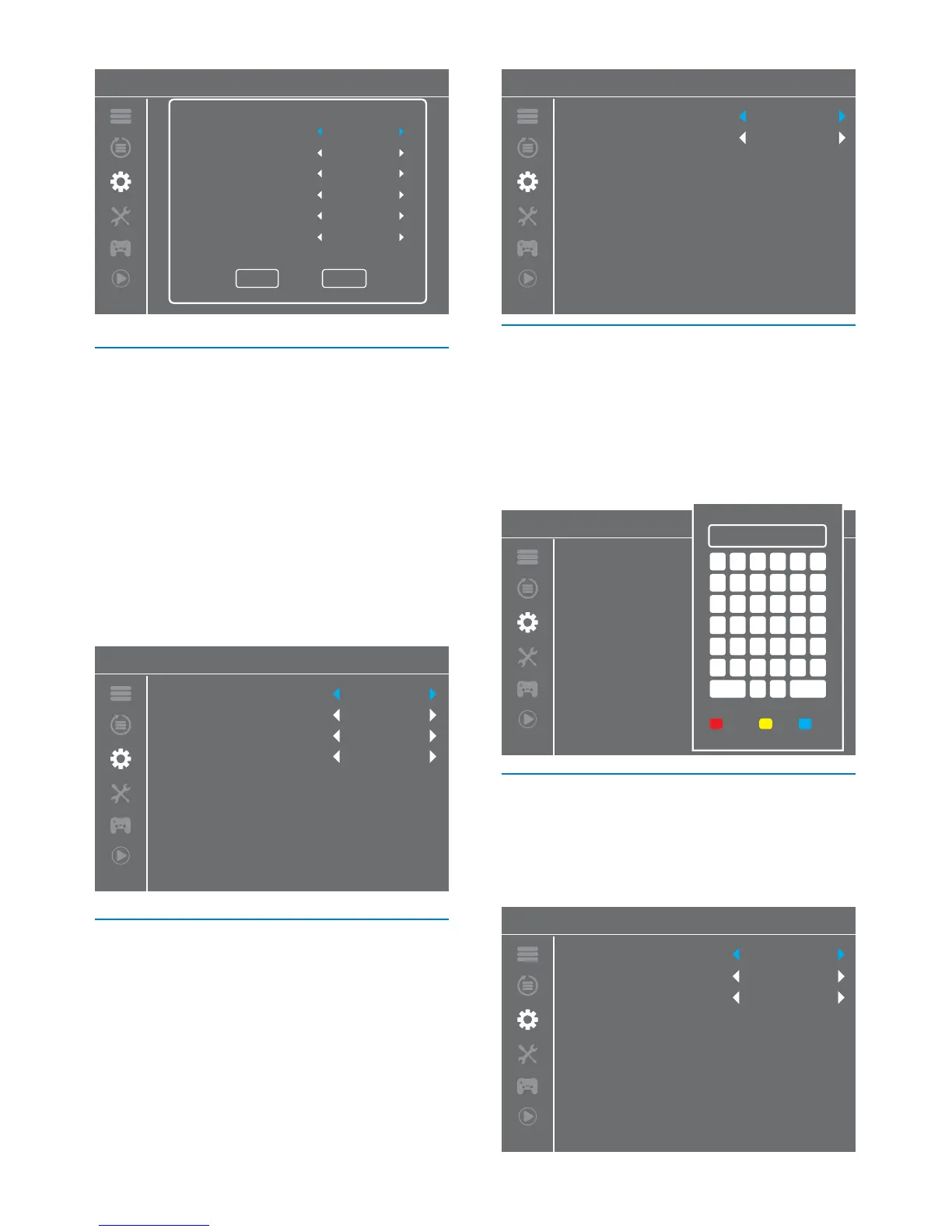
Timer Setting
1
2
3
4
5
6
7
8
15:31 12/04/2015
Save
Cancel
Timer Mode
Timer Service
Wakeup Channel
Wakeup Date
Wakeup Time
Duration
O
Channel
Film4
11/06/2015
18:20
02:00
Parental Lock
1
2
In "System Setup" menu, select "Parental Lock" and press
"OK" button,you are asked to input a password(the default
password is"0044" or "3327").
After inputting the correct password by pressing numeric
buttons, the parental lock menu appears.
To lock the Edit channel/ Installation menu.
When you want to enter these menus, you
must input the password.
You can set menu lock to on/o.
O / AGE 4 / AGE5 / AGE6 / AGE7 / AGE8 /
AGE9 /AGE10 / AGE11 / AGE12 / AGE13 /
AGE14 / AGE15 / AGE16 / AGE17 / AGE18
To change the password.
To conrm the new password.
Menu Lock:
Rating Lock
New Password
Confirm Password
This menu allows you to set OSD Timeout and OSD
Transparency .
OSD(Open Screen Display) Setting
1-10
To set the OSD transparency to O / 10% /
20% / 30% / 40%.
OSD Timeout:
OSD Transparency:
1
2
3
In Channel menu, select "Favorite", press "OK" button to
enter Favourite menu.
Select desired group, press "OK" button to open the
simulation keypad.Input letter and numeric one by one by
pressing the cursor button and press "OK" button to conrm.
After nishing input, highlight "OK" on mock keypad to
conrm, you change Favorite group name successfully.
Press "EXIT" button to quit the group rename menu.
Favourite
This menu allows you to rename the favorite group.
Audio Description Setting
This menu allows us to set AD Service, Use AD as default and
AD Volume Oset:
On/O
On/O
-3~3
AD Service:
Use AD as default:
AD Volume Oset:
Parental Lock
Menu Lock
Parental rating
New Password
Conrm Password
O
O
----
----
OSD Setting
OSD Timeout
OSD Transparency
3
O
Audio Description Setting
AD Service
Use AD as default
AD Volume Oset
O
O
0
18


 To Next Page