16
English
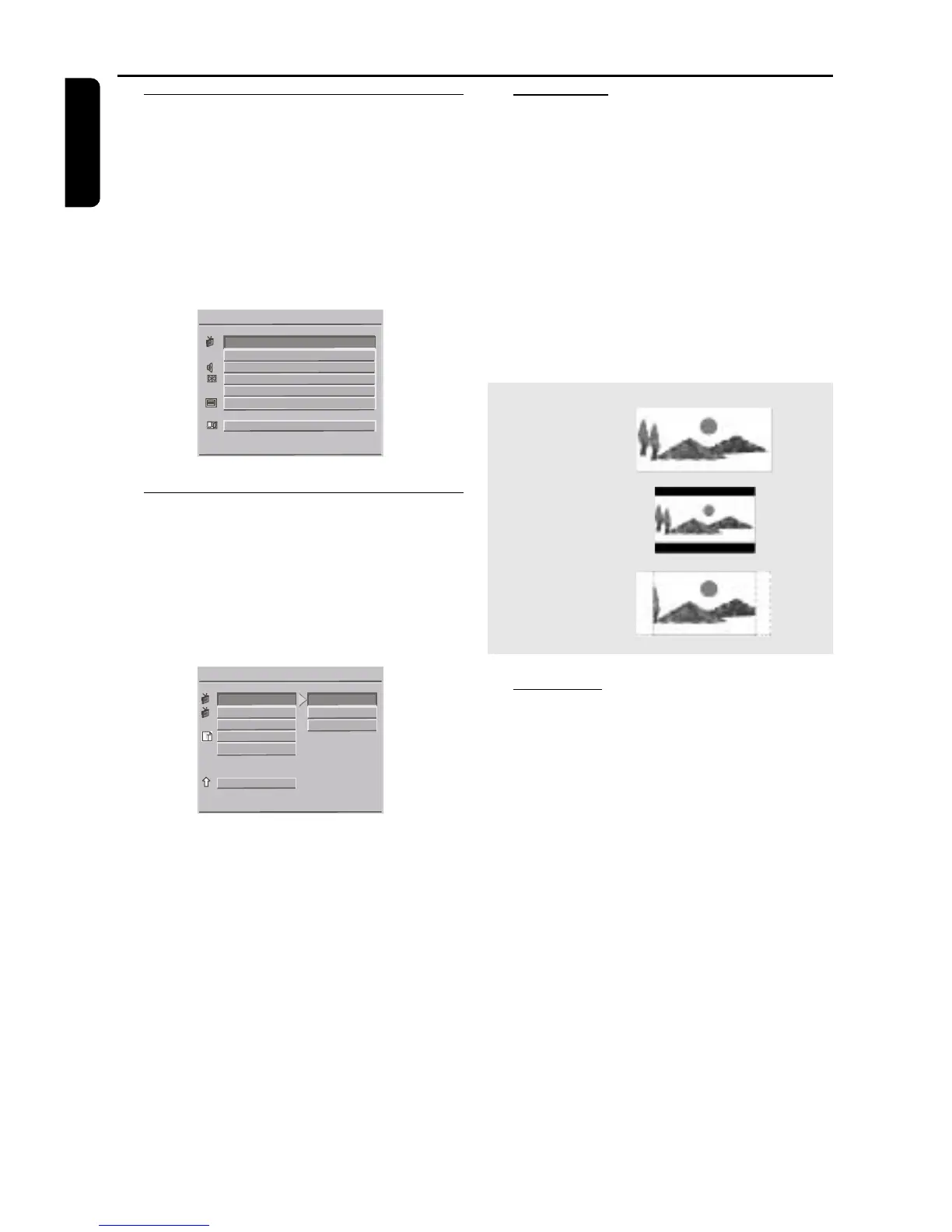
16:9
4:3
Normal LB
4:3
Normal PS
Setup Menu
Basic Operations
1 Press SYSTEM MENU to enter the Setup menu.
➜ Setup menu appears on the TV screen.
2 Use the 1 2 3 4 keys to toggle through the
functions and select your preferred option.
3 Press OK to confirm a highlighted selection.
4 Press SYSTEM MENU again or move 4 key to
EXIT SETUP MENU on the screen and press
OK to quit.
SETUP MENU - - MAIN PAGE
VIDEO OUT SETUP
General Setup Menu
1 Press 3 4 keys to choose GENERAL SETUP
menu.
2 Press OK to confirm a selection.
➜ Setting for GENERAL SETUP appears on the
TV screen.
3 Select MAIN PAGE to exit to default screen.
- - GENERAL PAGE - -
TV Display
Select the aspect ratio of the TV to be
connected.
16:9 (WIDE) ➜ when you connect a wide-
screen TV to the DVD player.
4:3 NORMAL/LB ➜ when you connect a
normal TV to the DVD player. Displays a wide
picture with bands displayed on the upper and
lower portions of the TV screen.
4:3 NORMAL/PS ➜ when you connect a
normal TV to the DVD player. Displays the wide
picture on the whole TV screen with a portion
automatically cut off.
PIC mode
In this menu, you can choose one picture mode
to personalize the effect of the picture on your
TV.
Auto: Images are automatically set to standard
settings.
Hi-Res: Images are sharper and clearer to achive
a high quality resolution mode.
N-Flicker: Images are set to flickerless mode.



 To Next Page