6
English
Introduction
Before Getting Started
COAXIAL
OPT
ICAL
VID
E
O
S-VIDEO
Y
Pr/Cr
Pb/Cb
12V
FL
SL Cen
t
e
r
FR
SR
S
u
b
-
W
o
o
f
er
M
u
l
t
i
-
5.
1
1
CO
AXIAL
O
PT
ICAL
V
I
D
EO
S-V
I
DE
O
Y
P
r/
C
r
P
b
/
C
b
12
V
F
LS
L
C
e
n
t
e
r
F
R
S
R
S
u
b
-
W
o
o
f
er
M
u
l
t
i
-
5.
1
2
C
O
A
X
IA
L
OP
T
IC
A
L
V
IDEO
S
-
V
I
D
E
O
Y
P
r
/Cr
P
b
/
Cb
1
2
V
F
L
S
L
C
ente
r
F
R
S
R
S
u
b
-Woof
e
r
M
u
l
ti
-
5
.
1
3
DVD player
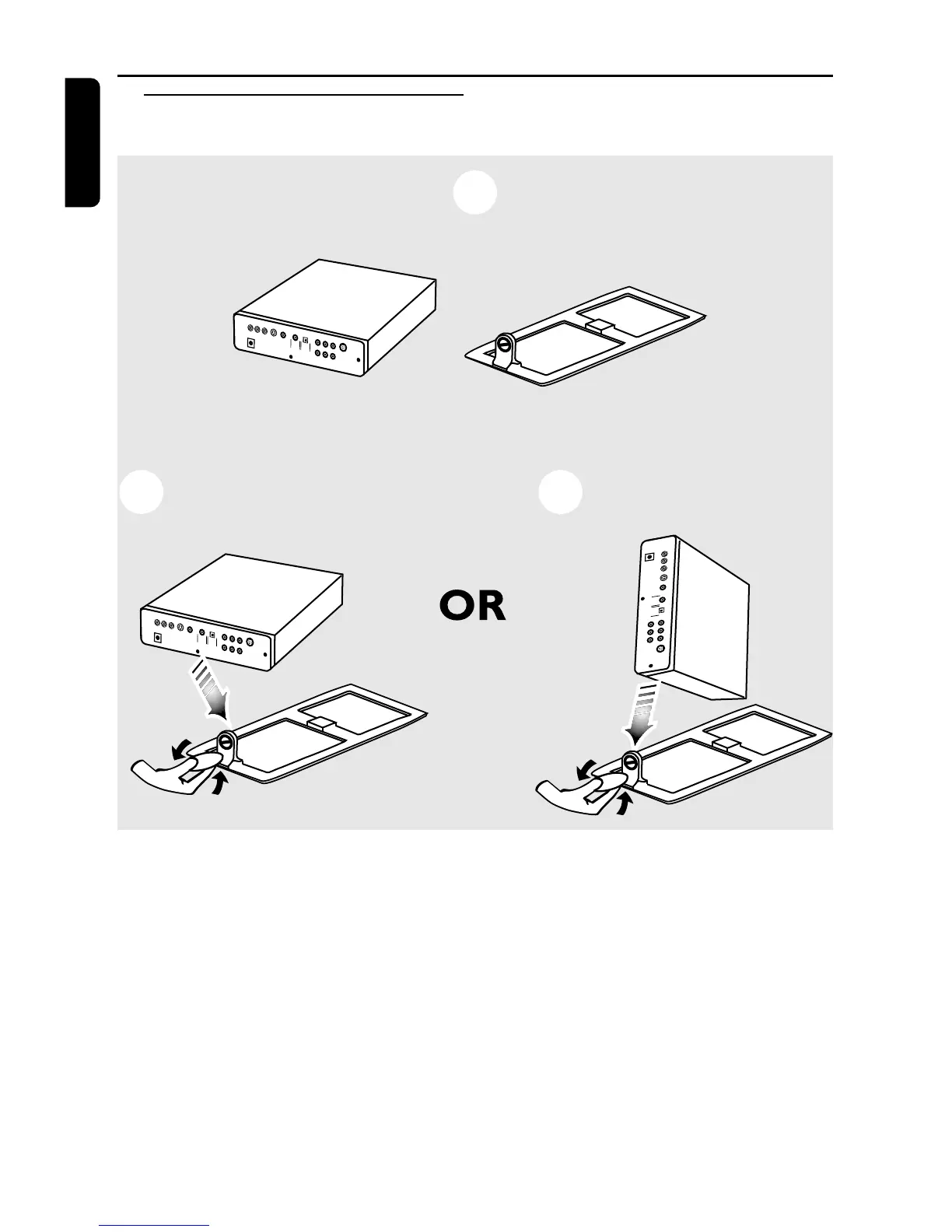
Stand to support the DVD player
You can place your DVD player in two positions
as the following:
Horizontal Position
1 Place the DVD player on the DVD stand in
horizontal position.
2 Use a coin and adjust the screw to the DVD
player rear panel to lock the horizontal position.
Vertical Position
1 Place the DVD player on the DVD stand in
vertical position.
2 Use a coin and adjust the screw to the DVD
player rear panel to lock the vertical position.



 To Next Page