8
English
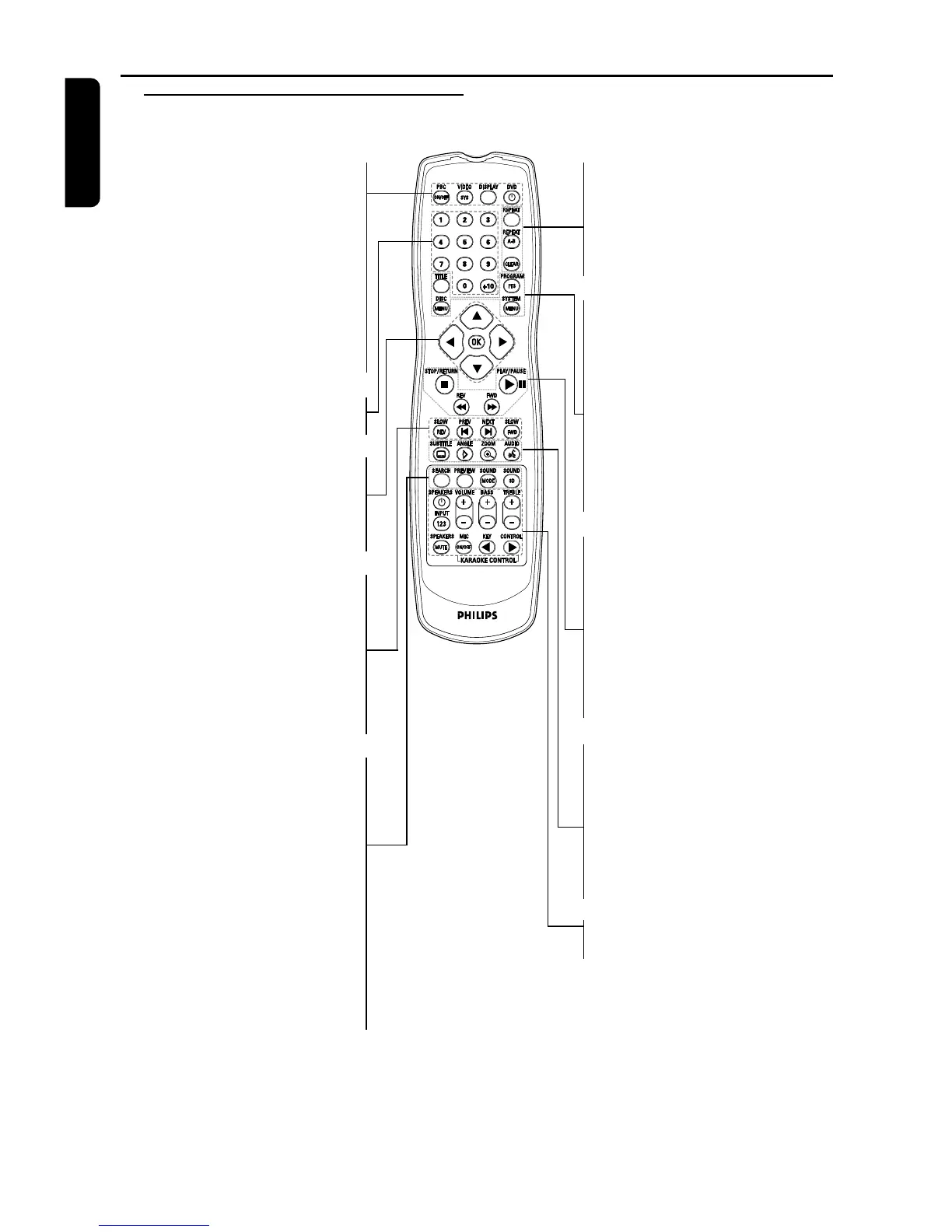
Functional Overview
Remote Control
PBC ON/OFF
– to switch on or off PBC mode
VIDEO SYS
– to select between MULIT/
NTSC/PAL system
DISPLAY
– to display time information
during playback
DVD B
– switch DVD ON or go to
standby-on mode
0 to +10 numerical key pad
– select numbered items in a menu
1 2 3 4
– (left/right/up/down) select an
item in the menu
OK
– acknowledge menu selection
SLOW REV
– to go backward in slow motion
PREV ( ¡ )
– go to previous chapter or track
NEXT ( ™ )
– go to next chapter or track
SLOW FWD
– to go forward in slow motion
SEARCH
– playback at any choosen time
on CD or VCD
– playback at any choosen chapter
or time on DVD
PREVIEW
– display the content of a track or
whole disc
SOUND MODE
– to select between left, right and
stereo in CD/VCD mode
SOUND 3D
– to select the desired sound
effect
REPEAT
– repeat chapter, track, title, disc
REPEAT (A-B)
– repeat a specific segment
CLEAR
– to delete actions not needed
TITLE
– display title menu during
playback
DISC MENU
– access menu of a DVD disc
SYSTEM MENU
– access or remove player’s
system menu
PROGRAM FTS
– to store your favourite tracks of
a disc in the player memory.
STOP/RETURN ( 9 )
– go back to previous menu / to
stop playback
REV 5 (REVERSE)
– to go backward in fast motion
FWD 6 (FORWARD)
– to go forward in fast motion
PLAY/PAUSE (2;)
– to start or interrupt playback
SUBTITLE
– subtitle language selector
ANGLE
– select DVD camera angle
ZOOM
– enlarge video image
AUDIO
– audio language selector
For Speaker and Karaoke, see
next page



 To Next Page