English
18
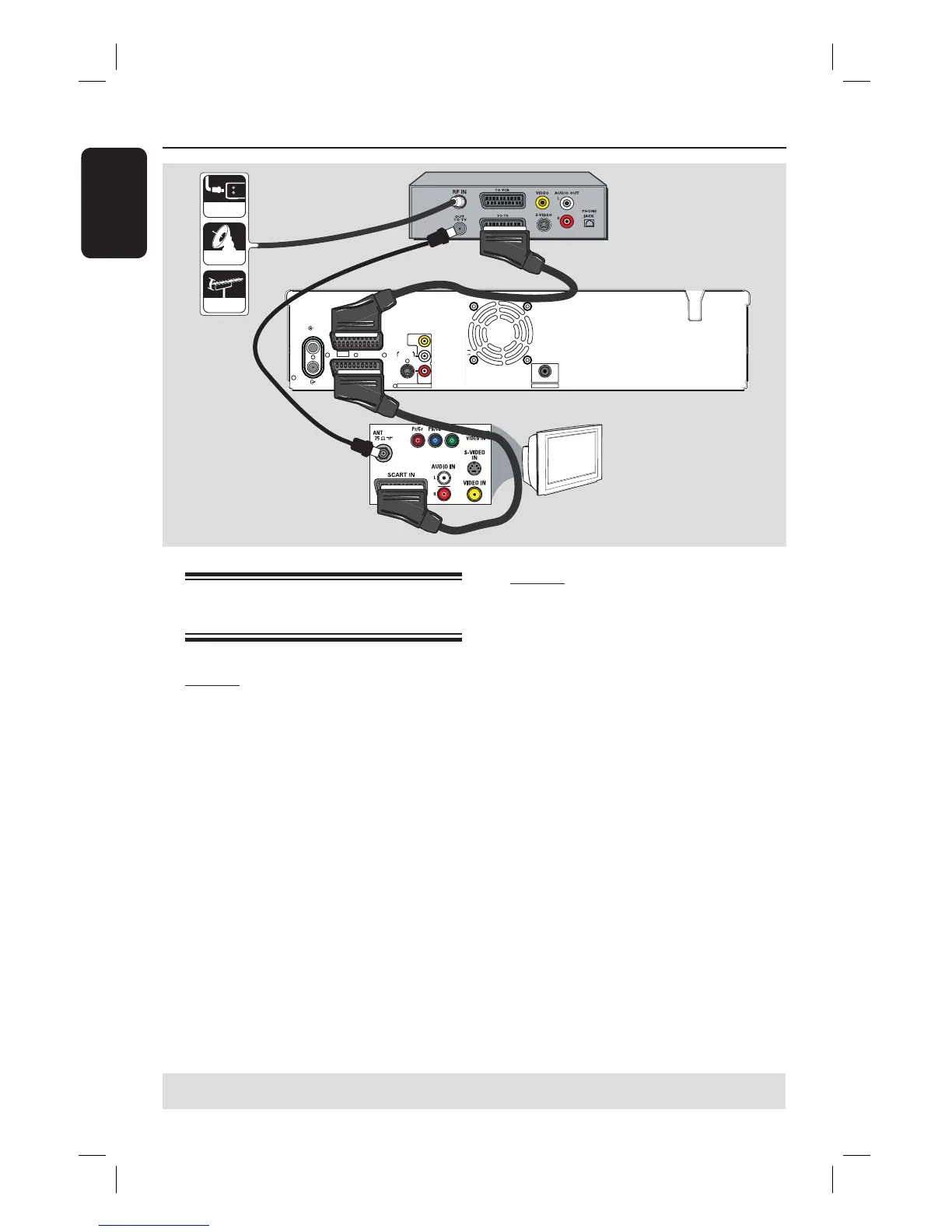
Step 2: Optional Connections
Connecting to a Cable Box or
Satellite Receiver
Option 1
If your Cable Box/Satellite Receiver
has only an antenna output socket
(RF OUT or TO TV),
see “Step 1: Basic Recorder Connections
– Connecting the antenna cables” for the
complete connections to your TV.
Option 2
If your Cable Box/Satellite Receiver
has a SCART output socket
A
Keep the existing antenna connection
from the Cable Box/Satellite Receiver to
your TV.
B
Use the SCART cable to connect the
EXT1 TO TV-I/O socket on the
recorder to the corresponding SCART
input socket on the TV.
C
Use another SCART cable to connect the
EXT2 AUX-I/O socket on the recorder
to the SCART output socket (or labelled
as TV OUT or TO TV) on the Cable
Box/Satellite Receiver.
To start playback, select the TV channel
directly on the Cable Box/Satellite
Receiver. To view picture from a
connected external device, press the
TV/VIDEO button on the remote
control.
TIPS: Refer to the respective connected device’s user manual for other possible connections.
B
C
~
MAINS
TO TV - I
/
O
EXT1
AUX - I
/
O
EXT2
S-VIDEO
(Y/C)
AUDIO
AUDIO
COMPONENT
VIDEO
R
L
P
R
P
B
Y
AUDIO / VIDEO OUT
AUDIO / VIDEO OUT 1
VIDEO
(
CVBS
)
COAXIAL
DIGITAL AUDIO OUT
ANTENNA
TV
TV
Rear of a Cable Box
or Satellite Receiver
(Example only)
cable
satellite
antenna
A













 To Next Page