Searching by time
This option allows you to skip to a
specic point in the current disc.
A Move to { TT Time / CH Time / Disc
Time / Track Time } in the display menu
and press .
B Use the numeric keypad 0-9 to enter
the time where playback should start (eg.
0:34:27).
Playback skips to the selected time.
Viewing playing time
It shows the remaining/elapsed time
display of the current disc.
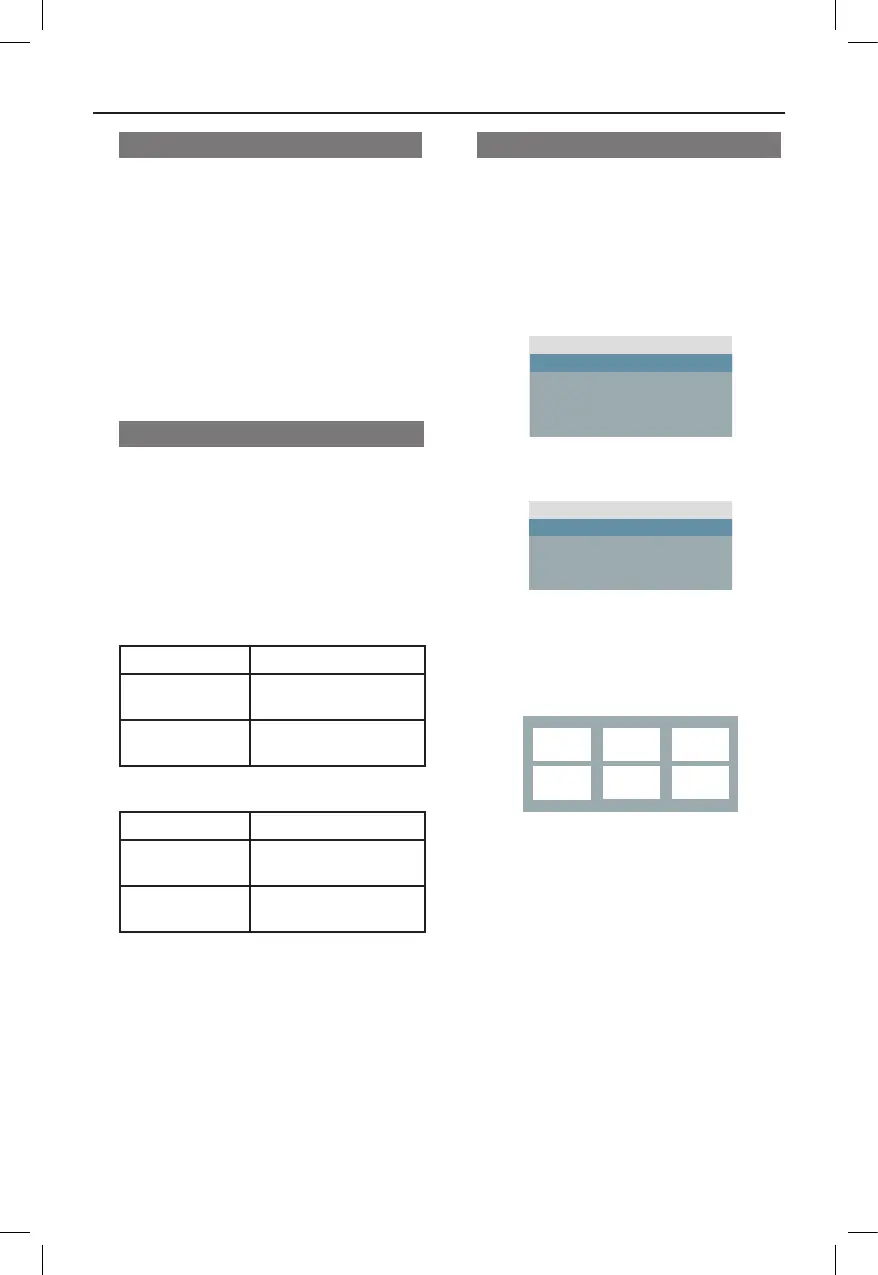
A Move to { Time Disp } in the display
menu and press .
The information and display are differ
depending on the disc type.
For DVD
Display Descriptions
Title/Chapter
Elapsed
Title or Chapter elapsed
playing time.
Title/Chapter
Remain
Title or Chapter
remaining playing time.
For VCD/SVCD
Display Descriptions
Total/Single
Elapsed
Disc or Track elapsed
playing time.
Total/Single
Remain
Disc or Track remaining
playing time.
Disc Operations (continued)
Preview function (VCD/SVCD/DVD)
This function allows you to preview the
contents of a VCD/SVCD/DVD disc.
A Move to { Preview } in the display menu
and press .
The preview menu appears.
(DVD)
B Use keys to select one of the
preview type and press OK.
Thumbnail pictures of each segment
appear on the TV.
l
To go to the previous or next page, press
./ M=.
C Use keys to select a thumbnail
picture and press OK to start playback
from there.



 To Next Page