Playing a MP3/ WMA disc
This unit can playback most of the MP3
and WMA les recorded on a recordable
disc or commercial CD.
Before you start ...
Turn on your TV to the correct Video In
channel. See ‘Finding the correct viewing
channel’ for details.
A Load a MP3/WMA disc.
The disc reading time may exceed 30
seconds due to the complexity of the
directory/le conguration.
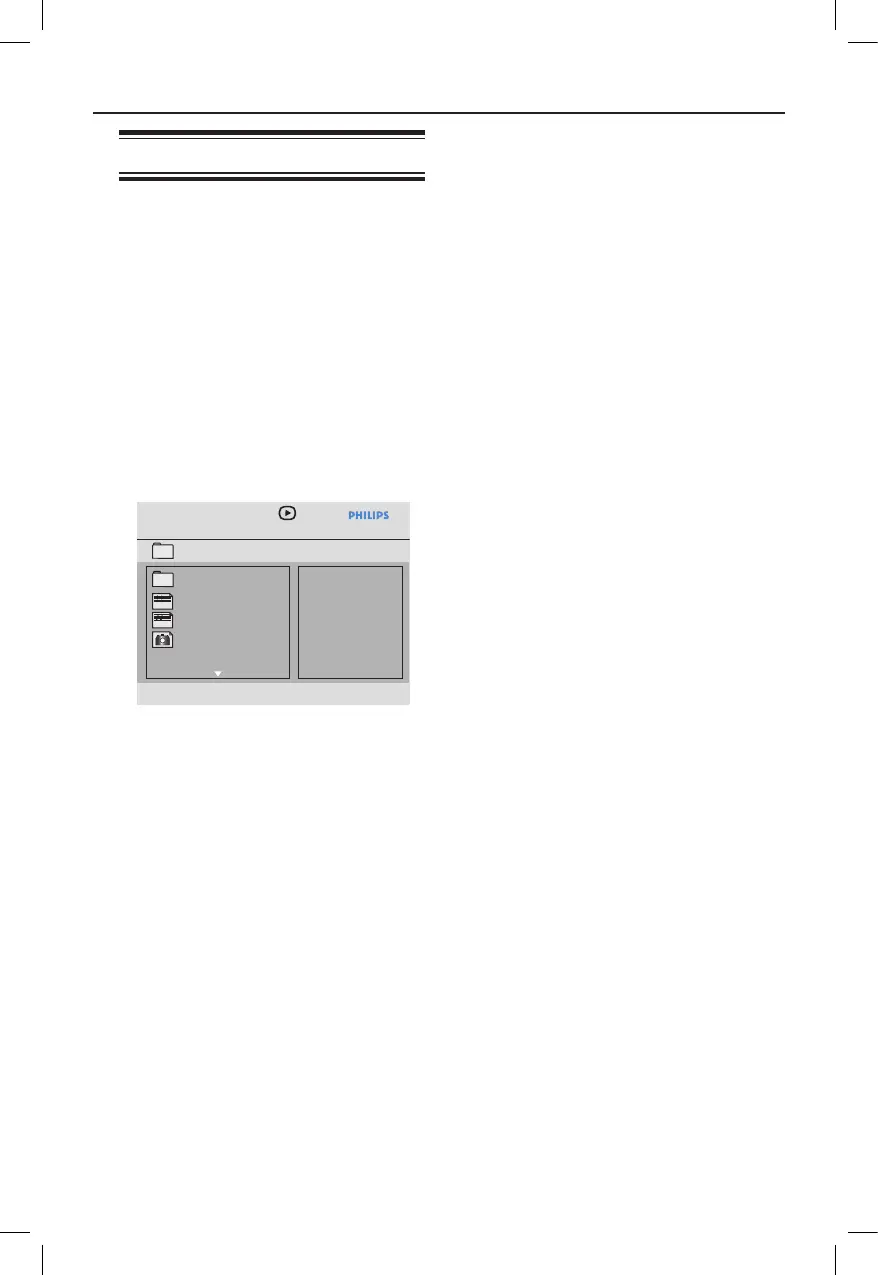
The disc menu appears on the TV.
B Use keys to select a desired folder
and press OK to open the folder.
C Use keys to select a le and press
OK to start playback.
Playback starts from the selected le
and continues through the end of the
folder.
During playback:
l
Press ./ M= to playback another
le in the current folder.
l
Press / repeatedly to fast backward/
forward search on the le.
l
To select another folder from current
disc, use keys to navigate back to
the root menu.
D To stop playback, press x.
Helpful Hints:
– You can set to display or skip the folders
when you load a MP3/JPEG disc. Press
SETUP, then go to { Preference Page > Mp3/
Jpeg Nav }.
– It is normal to experience an occasional
‘skip’ while listening to your MP3/WMA disc
due to poor clarity of digital contents during
internet downloading.
Disc Operations (continued)



 To Next Page