You can play or view the data les (JPEG,
MP3, WMA or DivX®) in the USB ash
drive. However, editing or copying the
data le is not possible.
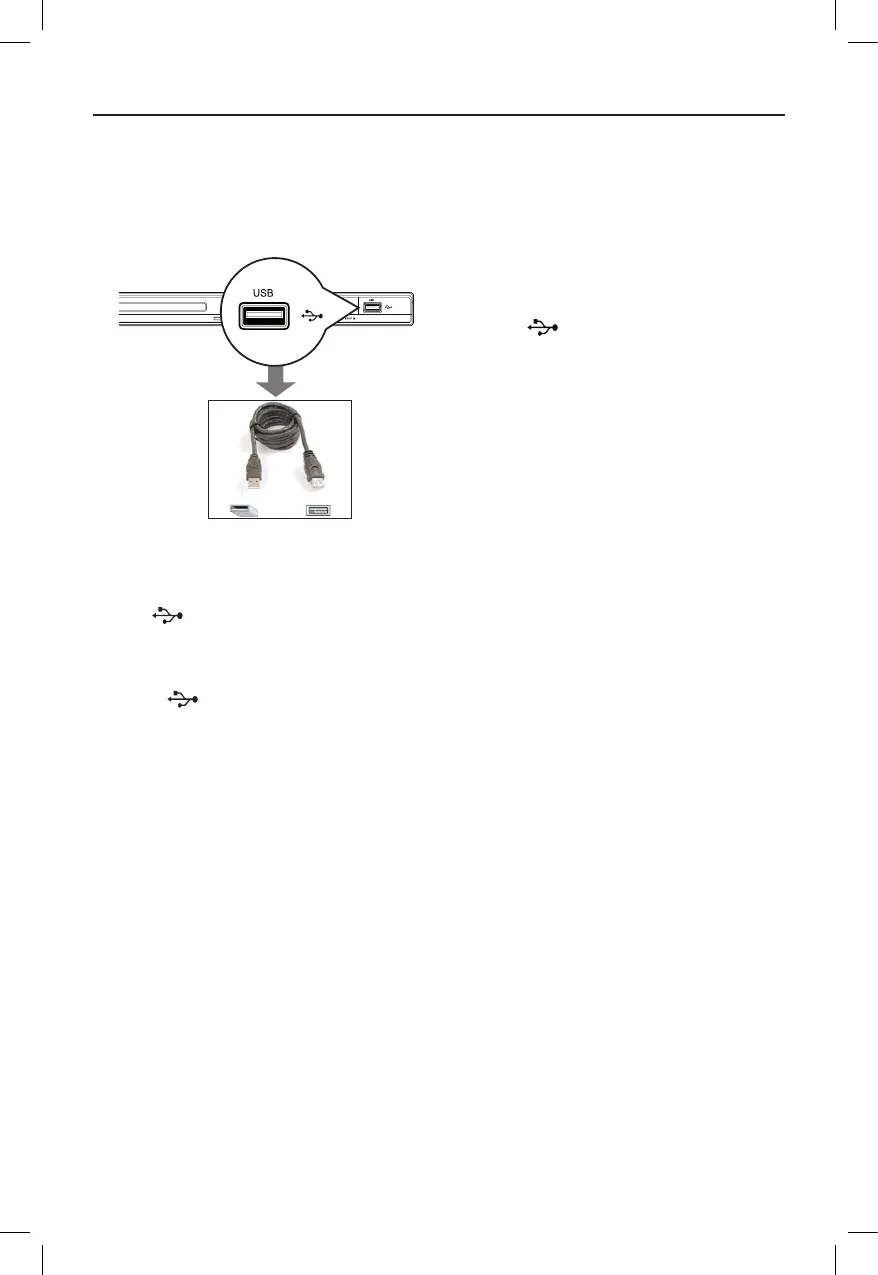
A Connect the USB ash drive directly to
the jack on this unit.
B A message appears on the TV when the
device is detected.
C Press on the remote control to
access the data in the drive.
D Use keys to select a desired le and
press OK to start playback.
l
For more playback information, see
‘Playing a DivX® disc’, ‘Playing a JPEG
photo disc (slide show)’ or ‘Playing a
MP3/WMA disc’ for details.
E Press x to stop playback.
F Press on the remote control to
exit from the menu and switch to disc
mode.
You can remove the USB device now.
Helpful Hints:
– The USB jack does not support the
connection of other USB devices except to a
USB ash drive.
– The unit can only support up to a
maximum of 300 folders and 648 les.
– When the USB device does not t into the
USB jack, a USB extension cable (not
supplied) is required.
– Copy-protected les are not playable.
USB Operation



 To Next Page