Your DVD Player
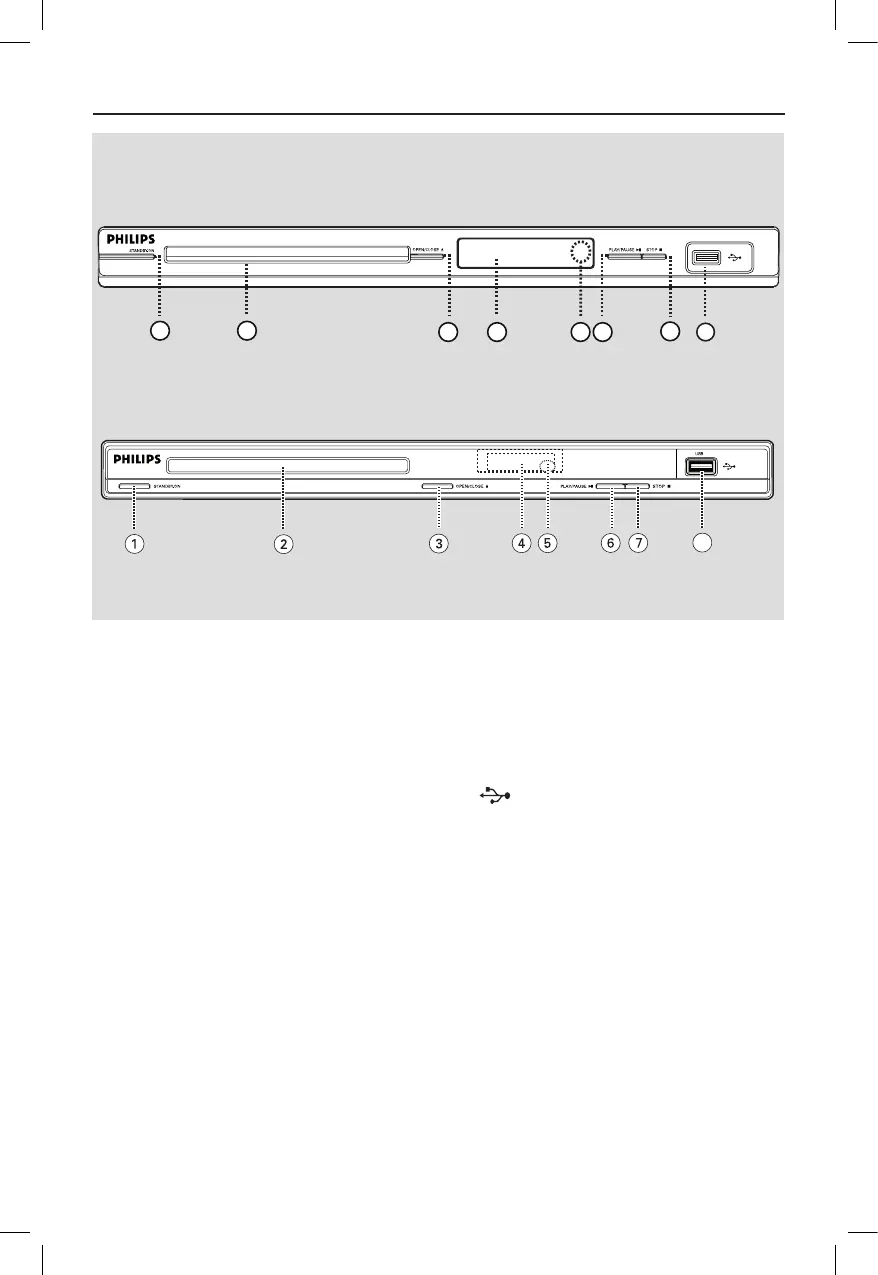
a STANDBY-ON
– Turns on this unit or turns off to normal
standby mode.
b Disc tray
c OPEN/CLOSE ç
– Opens/closes the disc tray.
d Display panel
– Shows information about the current
status of the unit.
e IR Sensor
– Point the remote control towards this
sensor.
f PLAY/PAUSE u
– Starts/pauses playback.
g STOPÇ
– Stops playback.
h (USB) jack
– Input for USB ash drive or digital
camera.
* Not all brands and models of digital
cameras are supported.



 To Next Page