Remote Control (continued)
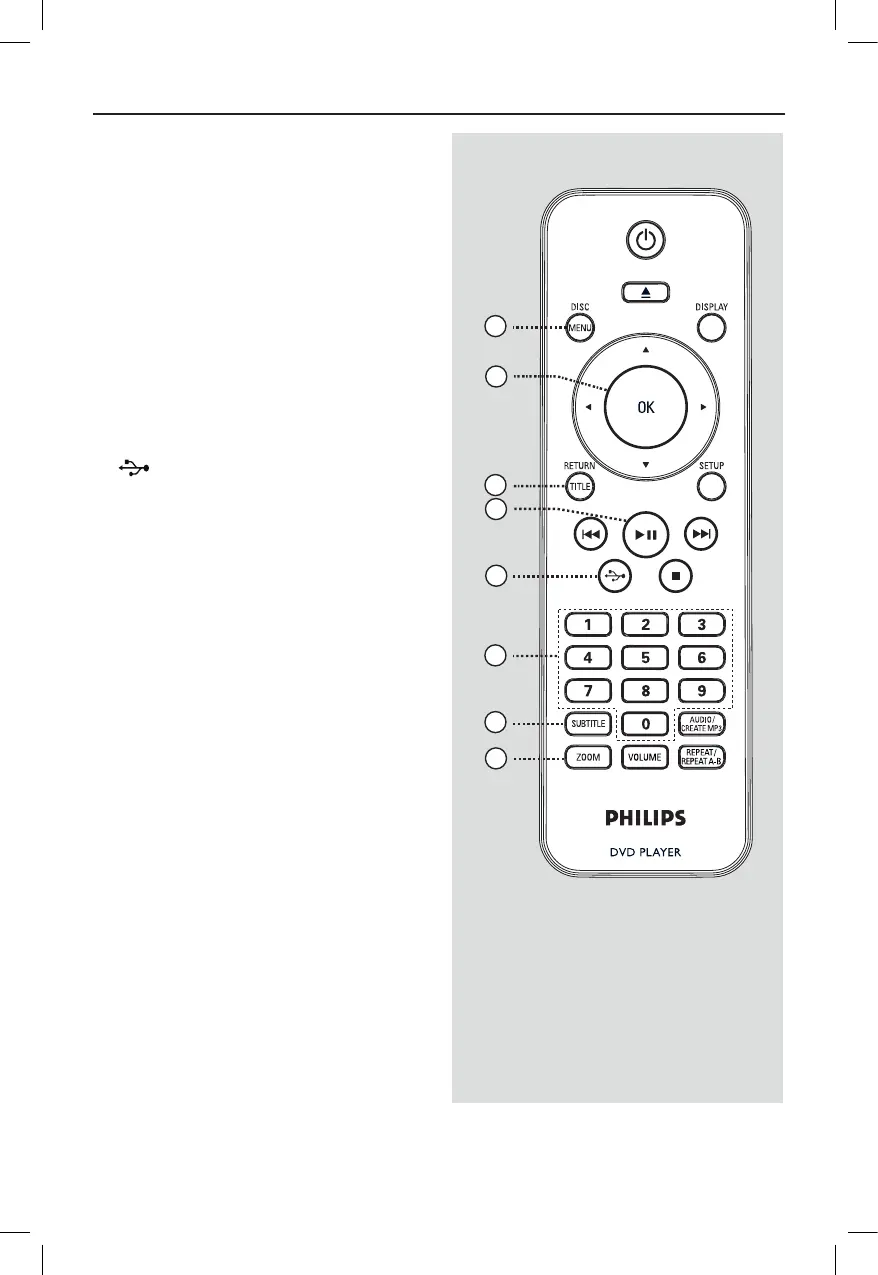
j DISC MENU
– Enters or exits disc contents menu.
– For VCD 2.0 and SVCD, turns on or off
the playback control mode.
k OK
– Conrms an entry or selection.
l RETURN/TITLE
– Returns to the previous menu or shows
title menu
m u (Play/Pause)
– Starts or pauses playback.
n (USB)
– Switches to USB mode and shows the
content of the USB device.
o Numeric keypad 0-9Numeric keypad 0-9
– Selects a track or chapter number of the
disc.
p SUBTITLESUBTITLE
– Selects a DVD subtitle language.
q �OOM�OOM
– Zoom the picture on the TV.



 To Next Page