D
B
B
VIDEO
O
P
T
I
M
A
L
J
A
Z
Z
R
O
C
K
T
E
C
H
N
O
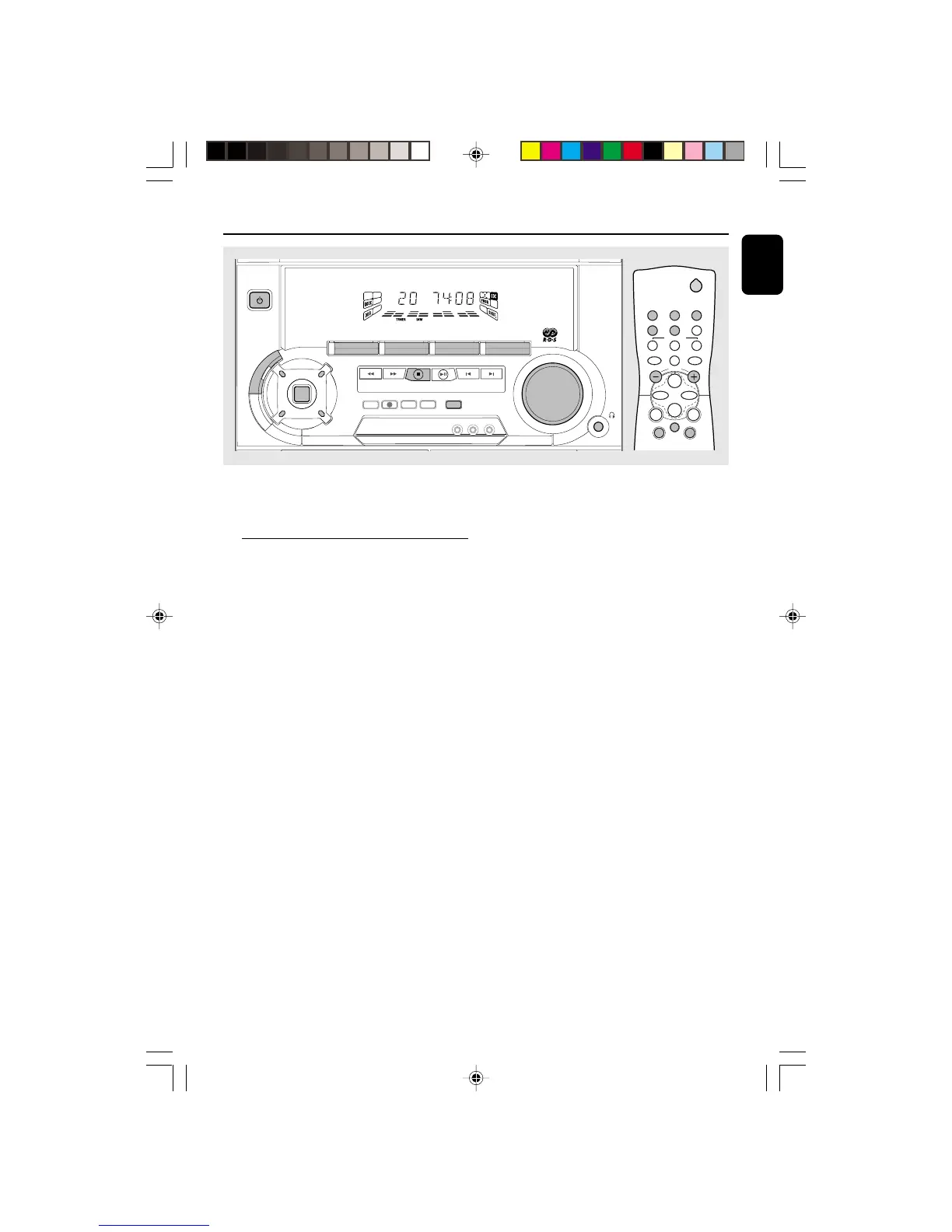
DSC
PROGRAM DIM
RECORD
DUBBING A.REPLAY
DIGITAL SOUND CONTROL
VOLUME
CLOCK•TIMER
DEMO STOP
NEWSRDS
Important:
Before you operate the system, complete
the preparation procedures.
Plug and Play
The system provides PLUG and PLAY feature
that allows you to store all available radio
stations and RDS stations automatically upon
power up.
If the PLUG and PLAY has not been
installed
1 Upon power up, “AUTO INSTALL - PRESS
PLAY” will be displayed.
2 Press PLAY (on the system only) to start
installation.
➜ “INSTALL” will be displayed and followed by
“TUNER” and then "AUTO".
➜ The PROGRAM starts flashing.
➜ PLUG and PLAY will start searching for all
RDS radio stations with sufficient signal strength
and then followed by radio stations on FM, MW
and LW band respectively. Weak RDS radio
stations may be stored in later presets.
➜ All available RDS and radio stations with
sufficient signal strength will be stored. Up to 40
presets may be stored.
➜ The last preset radio station or the first
available RDS station will appear on the display
when PLUG and PLAY is completed.
3 The system will proceed to set the RDS time
automatically with the stored RDS preset station.
● If no RDS station is available in the first preset
station, the program will exit automatically.
➜ After the RDS radio station is found,
“INSTALL” will be displayed and followed by
“TIME”
● When searching RDS time;
➜ “SEARCH RDS TIME” will be displayed.
➜ When RDS time is read, “RDS TIME” will be
displayed. The current time will be displayed for 2
seconds and stored automatically.
Note:
– If RDS station does not transmit RDS time
within 90 seconds, the program will exit
automatically and the display will show “NO RDS
TIME”.
To reinstall the PLUG & PLAY
1 In Standby or Demostration mode, press and
hold PLAY for 5 seconds (on the system only)
“AUTO INSTALL - PRESS PLAY” will be
displayed.
2 Press PLAY (on the system only) again to start
installation.
● To exit without storing the PLUG and PLAY,
press Ç button (on the system only).
2
21
3
TUNERTAPE 1/2CD
SLEEP AUXDIM
DSC DBB
MUTE
REPEAT
PAUSE
SHUFFLE
Å
CD DIRECT
VOLUME
á
à
ë
í
É
Ç
pg 01-28/C220/22-Eng 12/7/00, 1:43 PM11


 To Next Page