14
English
3139 115 20671
Compact Disc
Warning!
1) This system is designed for conventional
discs. Do not use any accessories such as
disc stabilizer rings or disc treatment sheets,
etc., which may damage the disc
mechanism.
2) Do not load more than one disc into each
tray.
3) When the CD changer is loaded with discs,
do not turn over or shake the system. This
may jam the changer.
You may load three discs in the CD
changer for continuous playback without
interruption.
Discs for playback
This system can play all digital audio disc,
finalized digital audio CD-Recordable and
finalized digital audio CD-Rewritable format
discs.
Loading the CD Changer
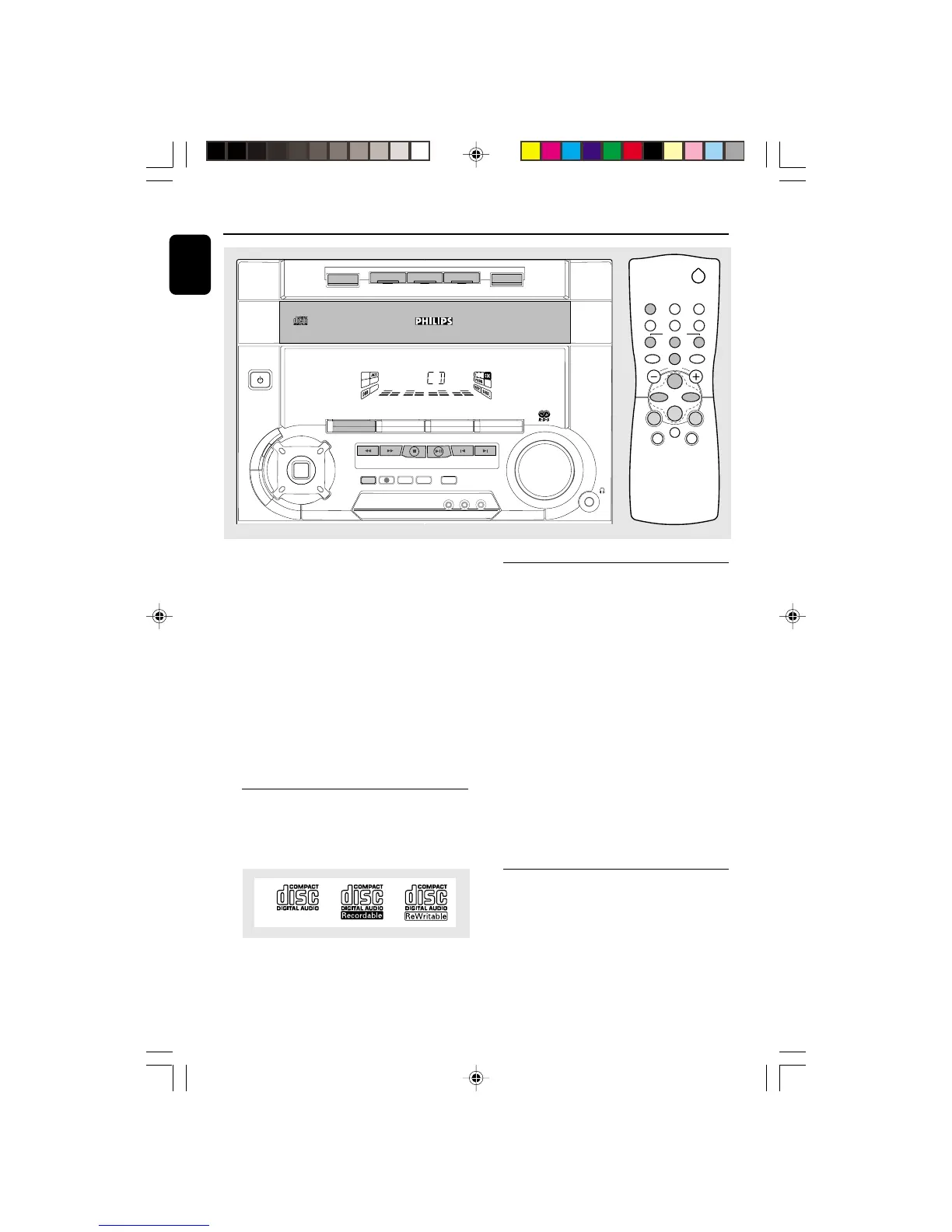
1 Press CD to select CD mode.
2 Press OPEN•CLOSE.
➜ The CD changer tray slides out.
3 Load a disc with the printed side up in the right
tray.
¶ You can load another disc in the left tray.
¶ To load the third disc, press the DISC
CHANGE button.
➜ The CD changer tray will rotate until the
empty tray is ready for loading.
4 Press OPEN•CLOSE to close the CD changer
tray.
➜ The total number of tracks and the playing
time of the selected disc appear on the display.
Note:
– To ensure good system performance, wait until
the CD changer completely reads the disc(s) before
proceeding.
Disc Direct Play
¶ You can play a disc directly by pressing the
DISC 1, DISC 2 or DISC 3 button. The CD
player will stop at the end of playback of the
selected disc.
➜ A lit button indicates that a disc is loaded in
the disc tray.
➜ A flashing button indicates that a disc is
playing.
DIGITAL
SOUND
CONTROL
3 CD ROTARY CHANGER SYSTEM


 To Next Page