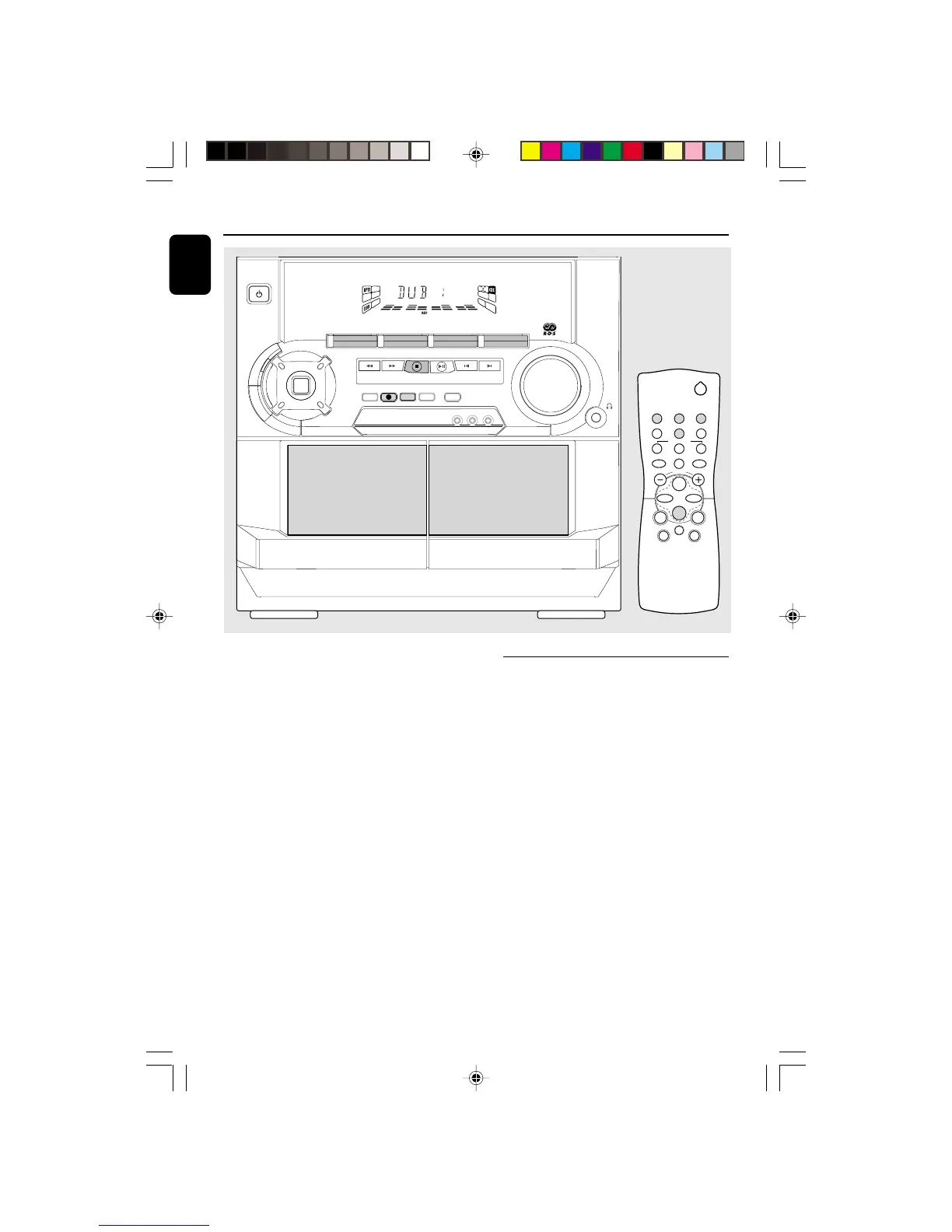
DIGITAL
SOUND
CONTROL
STANDBY
-
ON
FULL AUTO STOP
MINI HIFI SYSTEM
CD1 • 2 • 3 BAND
TAPE 1 • 2
TAPEC D TUNER
AUX
PRESET
▲
▲
TUNING
▲
▲
▲
▲
STOP• CLEAR
SEARCH
PLAY• PAUSE PREV NEXT
D
B
B
VIDEO
O
P
T
I
M
A
L
J
A
Z
Z
R
O
C
K
T
E
C
H
N
O
DSC
PROGRAM DIM
RECORD
DUBBING A.REPLAY
DIGITAL SOUND CONTROL
VOLUME
CLOCK•TIMER
▲ OPEN
TAPE 2
TAPE 1
▲ OPEN
DEMO STOP
NEWS
RDS
2
21
3
TUNERTAPE 1/2CD
SLEEP AUXDIM
DSC DBB
MUTE
REPEAT
PAUSE
SHUFFLE
Å
CD DIRECT
VOLUME
á
à
ë
í
É
Ç
Notes:
– For recording, use only tape of IEC type I
(normal tape).
– The tape is secured at both ends with leader
tape. At the beginning and end of tape, nothing
will be recorded for six to seven seconds.
– The recording level is set automatically,
regardless of the position of VOLUME, DBB or
DSC.
– To prevent accidental recording, break out the
tab on the left shoulder of the tape side that you
want to protect.
– If "CHECK TAPE" is displayed, the protection
tab has been broken. Put a piece of clear adhesive
tape over the opening.
One Touch Recording
¶ For One Touch Recording, as soon as you press
RECORD, the current source (CD, TUNER or
AUX) will be recorded on tape deck 2.
1 Load a blank tape in tape deck 2.
2 Press RECORD to start recording.
➜ The REC starts flashing.
3 Press Ç to stop recording.
Note:
– When you press RECORD while in TAPE mode,
"SELECT SOURCE" will be displayed. One Touch
Recording is not possible in TAPE mode.
pg 01-28/C220/22-Eng 12/7/00, 1:43 PM22


 To Next Page