Storing Preset Radio Stations
You can store up to 40 preset radio stations in
the memory.
Automatic Preset Programming
● Plug and Play setting (refer to “Basic Functions -
Plug and Play”).
OR
1
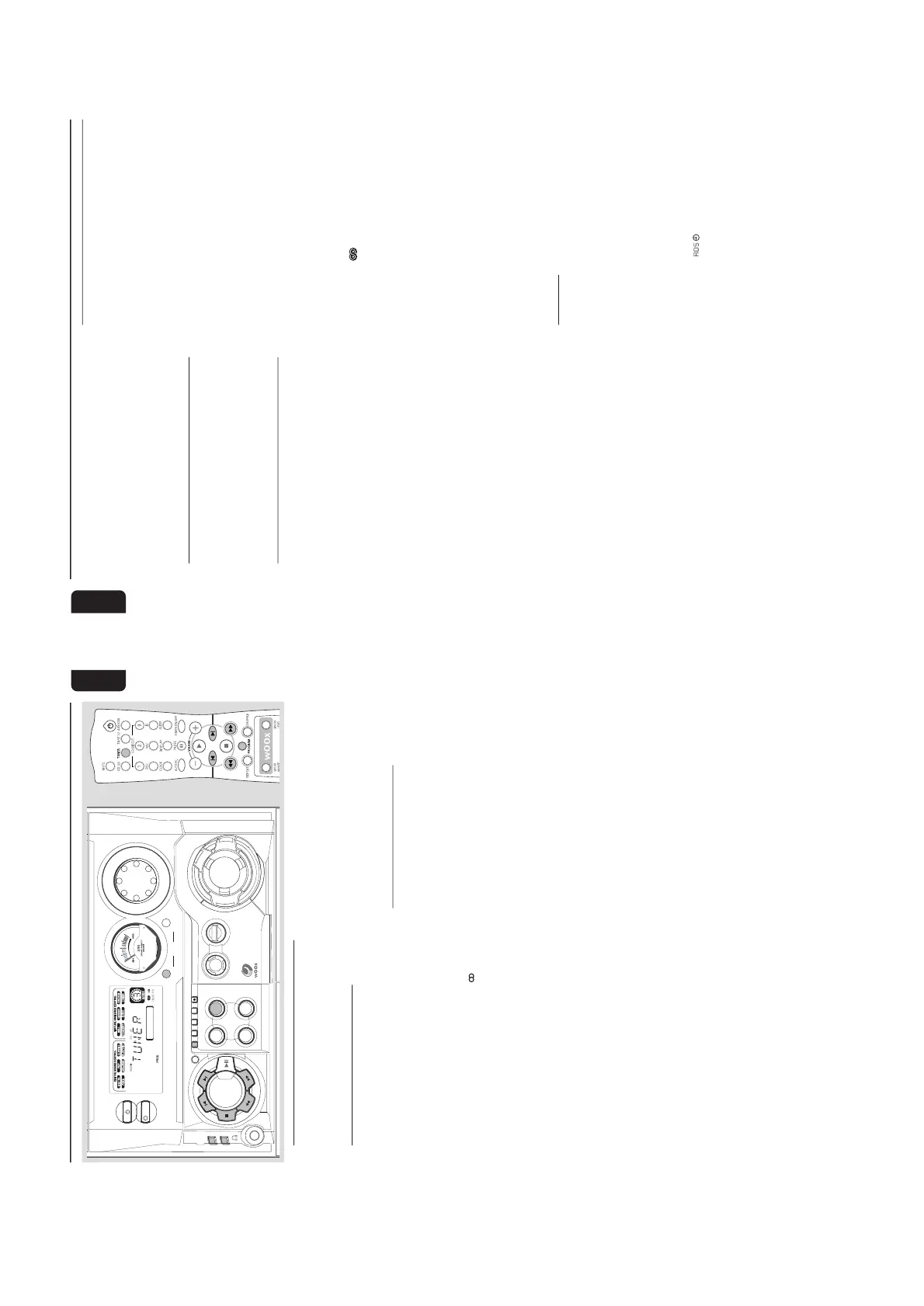
Press TUNER (BAND) to select TUNER mode.
➜ "TUNER" will be displayed. A few seconds
later, the current radio frequency will appear on
the display.
➜ If a FM station is received in stereo,
will
appear on the display.
To begin automatic preset from a desired
preset number
● Press í or ë to select the desired preset
number.
➜ For those radio stations that had been stored
in one of the preset will not be restored again to
another preset number.
2
Press and hold PROG until "AUTO" appears on
the display.
➜
PROG
will start flashing.
➜ The system will search for all RDS stations
and then continue with radio stations on FM,
MW and LW band respectively.
➜ All available radio stations with sufficient signal
strength will be stored automatically.
➜ The system will stop searching when all the
available radio stations are stored or when the
memory for 40 preset radio stations is used.
➜ The last preset radio station or the first
available RDS station will then be played when
completed.
To stop storing the automatic preset
● Press PROG or Ç on the system.
Note:
– If no preset number is selected, automatic preset
will begin from preset (1) and all your former
presets will be overridden.
Manual Preset Programming
1
Press TUNER (BAND) repeatedly to select the
desired waveband : FM, MW or LW.
2
Press PROG.
➜
PROG
will start flashing.
➜ The next available preset number will be
displayed for selection.
3
Press and hold à or á until the frequency
indication starts to change, then release.
➜ The display will show "SEARCH" until a radio
station with sufficient signal strength is found.
To store the radio station to another
preset number
● Press í or ë to select the desired preset
number.
4
Press PROG again to store the radio station.
➜
PROG
will disappear from the display.
● Repeat steps 2–4 to store other preset radio
stations.
Tuning to a weak radio station
● Press à or á briefly and repeatedly until the
optimal reception is found.
To stop storing the manual preset
● Press Ç
on the system.
20
English
Notes:
– If you attempt to store more than 40 preset
radio stations, "
PROGRAM FULL
" will be
displayed.
– During programming, if no button is pressed
within 20 seconds, the system will exit the
Programme mode automatically.
Tuning to Preset Radio Stations
● Once you’ve preset the radio stations, press í
or ë to select the desired preset number.
➜ The preset number, radio frequency, and
waveband will appear on the display.
Erasing a Preset Radio Station
1
Press í or ë to select the preset radio station
to be erased.
2
Press and hold Çon the system until “PRESET
DELETED” appears on the display.
➜ The radio frequency remain on the display.
➜ The preset numbers of all other preset radio
stations in the band with higher numbers are also
decreased by one.
● Repeat steps 1–2 to erase other preset radio
stations.
For Recording, please refer to “Tape
Operation/Recording”.
Radio Reception
RDS
RDS (Radio Data System) is a broadcasting
service that allows FM stations to send additional
information along with the regular FM radio
signal. This additional information can contain:
Station name: The radio station name is
displayed.
Programme type: The following programme
types exist and can be received by your tuner:
News, Affairs, Info, Sport, Educate, Drama,
Culture, Science, Varied, Pop M, Rock M, M.O.R.
(middle of the road music), Light M, Classics,
Other M, No type.
Radio text (RT): text messages appear on the
display.
Receiving RDS Radio Station
● Tuned to a radio station from FM band.
➜ If the radio station transmitting RDS signal,
the RDS logo (
) and the radio station name
will appear on the display.
To check the RDS information
● Press RDS repeatedly to scroll through the
following information (if available) : STATION
NAME
™™
™™
™ PROGRAMME TYPE
™™
™™
™ RADIO TEXT
™™
™™
™ TUNED FREQUENCY
™™
™™
™ STATION NAME ....
Notes:
– If the tuned radio station does not transmit RDS
signal or is a non RDS station, "
NO RDS
" will be
displayed.
– If the RDS text message is not available at the
RDS station, "
NO RDS TEXT
" will be displayed.
RDS Time
Some RDS station may be transmitting a real
clock time at an interval of every minute.
Setting the RDS time
1
Press CLOCK•TIMER twice.
➜ "00:00" or current time starts flashing.
2
Press RDS.
➜ "SEARCH RDS TIME" will be displayed.
➜ When RDS time is read, " RDS TIME" and
RDS time logo (
) will be displayed. The
current time will be displayed for 2 seconds and
stored automatically.
➜ If the RDS station does not transmit RDS
time within 90 seconds, "NO RDS TIME" will be
displayed.



 To Next Page