On-screen Programming
The new G3A software offers user-friendly On-screen
programming. A few common commands are shown
below. At the end of this section is a complete list of
user commands for your reference.
Saving a scene (Preset)
The G3 AutoDome lets you save up to 99 different scenes
and recall them instantly. A saved scene is called a Preset.
When you save a Preset, the position, zoom, and most
camera settings are stored.
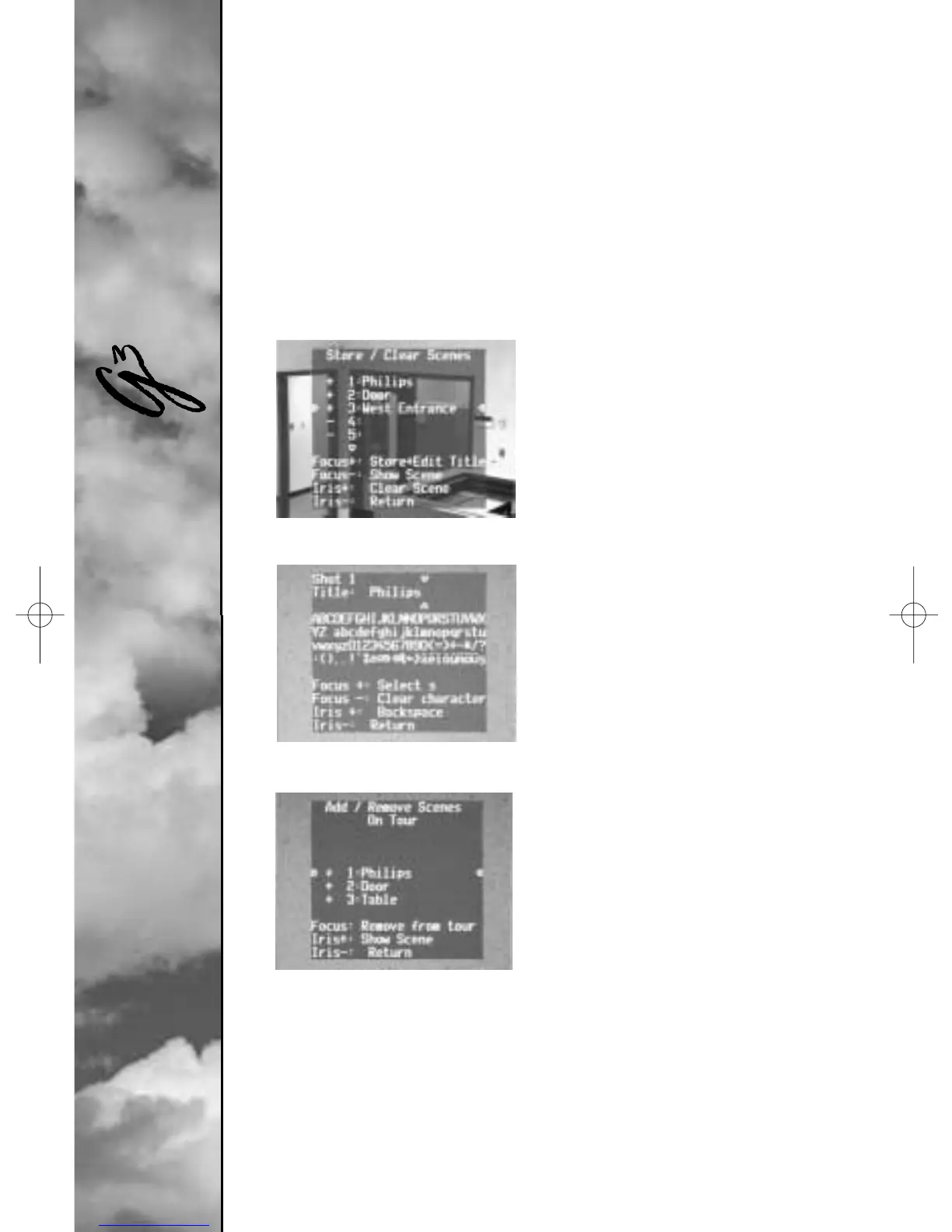
The “Set 100 Enter” command
displays the Preset menu (Fig.
1). From this menu, you can
store, delete, name, or edit a
Preset scene. You can save up
to 99 scenes and the system
will automatically select the
next available number. Once
you save a Preset, the system
lets you name that Preset
using the joystick, focus, and
iris buttons (see Fig. 2).The
name can be up to 16 charac-
ters long. This Preset can
later be viewed with the
“Shot # Enter” command,
where # is 1-99.
Preset Tour
Once you have stored Presets,
you can make the AutoDome
cycle through all the Presets or
selected Presets. This is called a
Preset tour. To include or
remove presets on a tour, type
“Set 900 Enter.” This will
display the current presets and
indicate if they are on the tour. You can follow the on-screen
instructions to include/remove Presets from the tour
(note: if you remove a Preset from the tour, you can still
call it up manually). To activate the preset tour, type
“On 8 Enter.” If you want to change how long it waits
between presets, type “On 15 Enter” and follow the
on-screen instructions.
I
User Manual
Figure 1. Preset menu
Figure 2. Naming a scene (Preset)
Figure 3. Preset tour menu



 To Next Page