16
7
Tap and hold Start for 3 seconds, the
All-in-One cooker starts working in the
selected mode.
8
When the All-in-One cooker reaches the
cooking pressure, the pressure keeping
time starts countdown.
9
When the pressure keeping time has
elapsed, the All-in-One cooker beeps and
releases the pressure automatically. Keep
your hands and face away from the hot
steam and steam valve.
10
The All-in-One cooker automatically
switches to keep warm mode after
pressure is released completely. You can
unlock and open the top lid.
Note
•
The pressure will be released automatically after
the cooking completes. You can open the lid
when it shows no pressure on the screen and
the lid unlocked indicator blinks.
•
After the cooking process is nished, unplug the
All-in-One cooker from the electrical outlet.
•
At the end of cooking process, unlock the set,
press the LID OPEN button, and slightly push
the lid to fully open the lid.
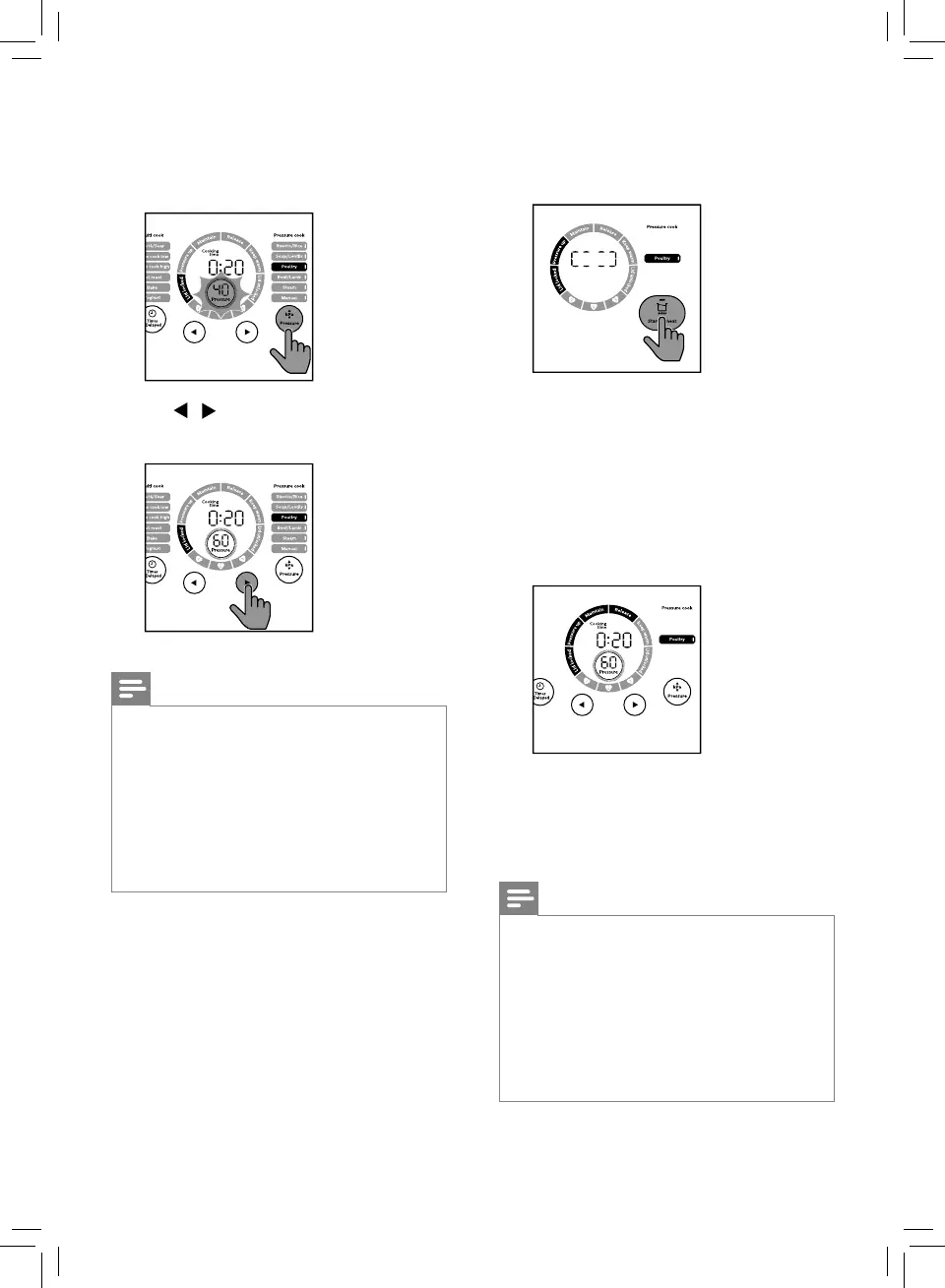
5
To set a dierent cooking pressure, tap
Pressure button.
» The pressure blinks on the screen.
6
Tap / to choose the pressure you
need.
Note
•
You may increase the cooking pressure to
achieve an even more tender result according
to your preference, while decrease the cooking
pressure if you nd the texture to be too soft.
•
Only the pressure level for the following
functions are adjustable: Soup/Lentils, Poultry,
Beef/Lamb and Manual.
•
Tap Keep warm/Cancel to cancel the pressure
setting.


 To Next Page