20
4
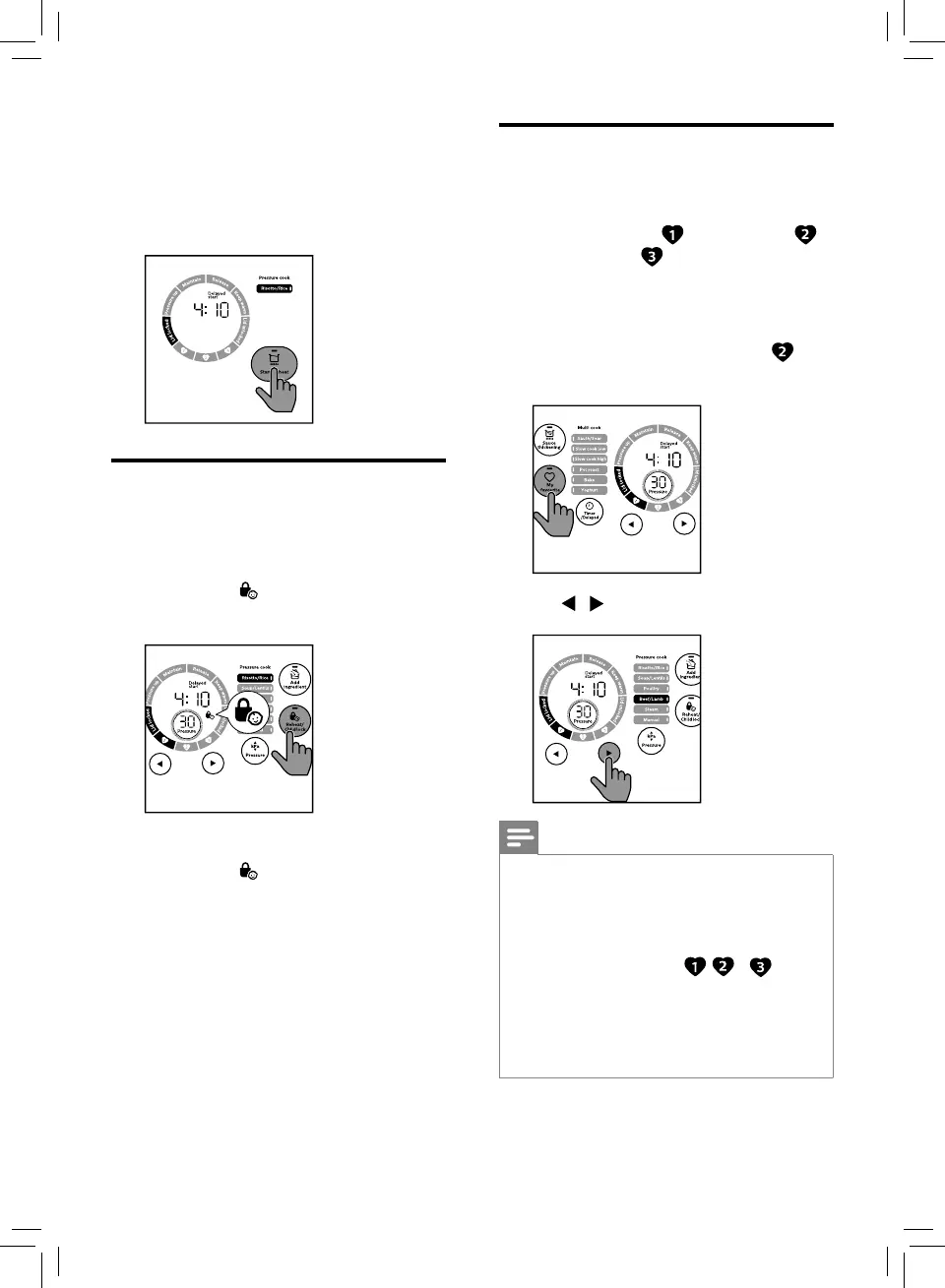
Tap Start for 3 seconds to conrm the
preset time.
» When preset time is elapsed, the
All-in-One cooker starts working in the
selected cooking mode automatically.
Setting up child lock
To protect your child from using the appliance,
or to avoid unexpected operations during
cooking, you can set up the child lock function.
1
Tap and hold for 3 seconds activate
child lock.
3S
» The other buttons are not responsive.
2
Tap and hold for 3 seconds again to
deactivate child lock.
Setting up My Favourite menu
You can set any three menus as "My Favourite".
Before you make any changes to the setting,
the default menus are " -Risotto/Rice", "
-Soup/Lentils" and " -Steam".
If you need to change the menu in "My
Favourite", for instance to change "Soup/
Lentils" to "Beef/Lamb", follow the steps below.
1
Tap My Favourite repeatedly until is
selected.
3S
2
Tap / to select Beef/Lamb.
Note
•
Refer to "Set the cooking time" and "Set the
cooking pressure" if you need to customize the
program. The new program will be saved in the
"My Favourite" menu.
•
If you want to save your own favourite menus,
1) rst, press any No. from , or .
2) second, select the menu you preferred from
the menu list.
3) third, adjust your preferred cooking time and
pressure. 4) then press and hold "My Favourite"
button to save it.


 To Next Page