EasyManua.ls Logo

Philips HTS-3510 - Page 11

Philips HTS-3510
60 pages
Print Icon
To Next Page IconTo Next Page
To Previous Page IconTo Previous Page
Loading...
- 2-4 -
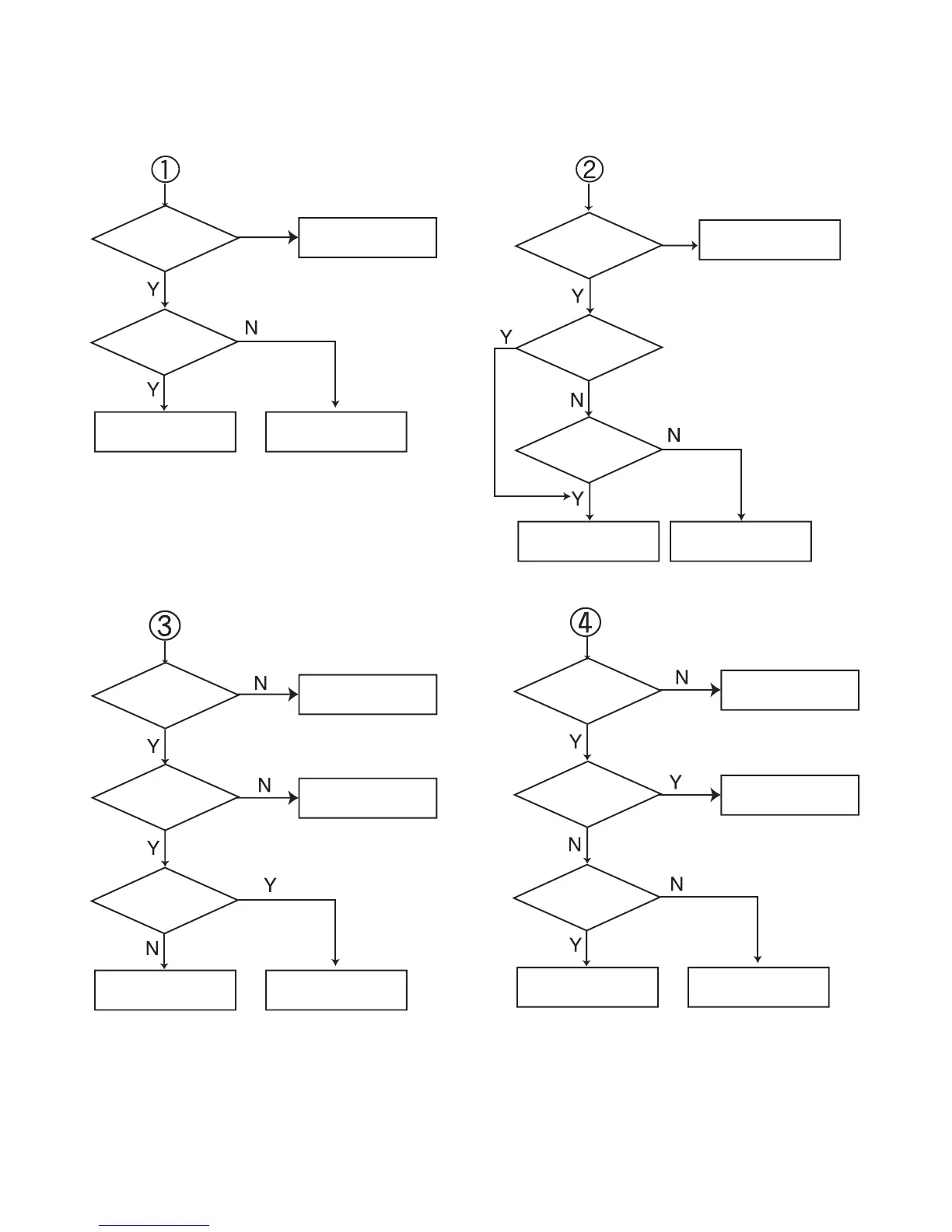
Front Circuit (2/2)
Check
if the Power part of the
Front is OK.
Check if the
Power part of the
Front is OK.
Check if
R027~R036
OK.
Check if
PN101 pin 12, 13
Waverfrom
OK.
Check if
R023, R024
OK.
Refer to Micom
Circuit
Refer to Micom
Circuit.
Refer to
power(SMPS).
Refer to
power(SMPS).
Refer to SMPS part.
Refer to SMPS.
Replace R027~R036
Replace R023, R024.
Check
if the Power part of the
Front is OK.
Check if the
Power Part of the
Front is OK.
Check if the
RMC001Volume
is OK (5V).
Check if the
Remocon waveform of the
PN101 pin
11
.
Check if the
PN101 pin19
is Low.
Check if
headphoneJack
in JK001 is
OK.
Refer to M-COM
Circuit.
Check Main B/D.
Replace RMC 001.
Check RMC Circuit.
Refer to Micom
Circuit.
Check JK001 Circuit.