12
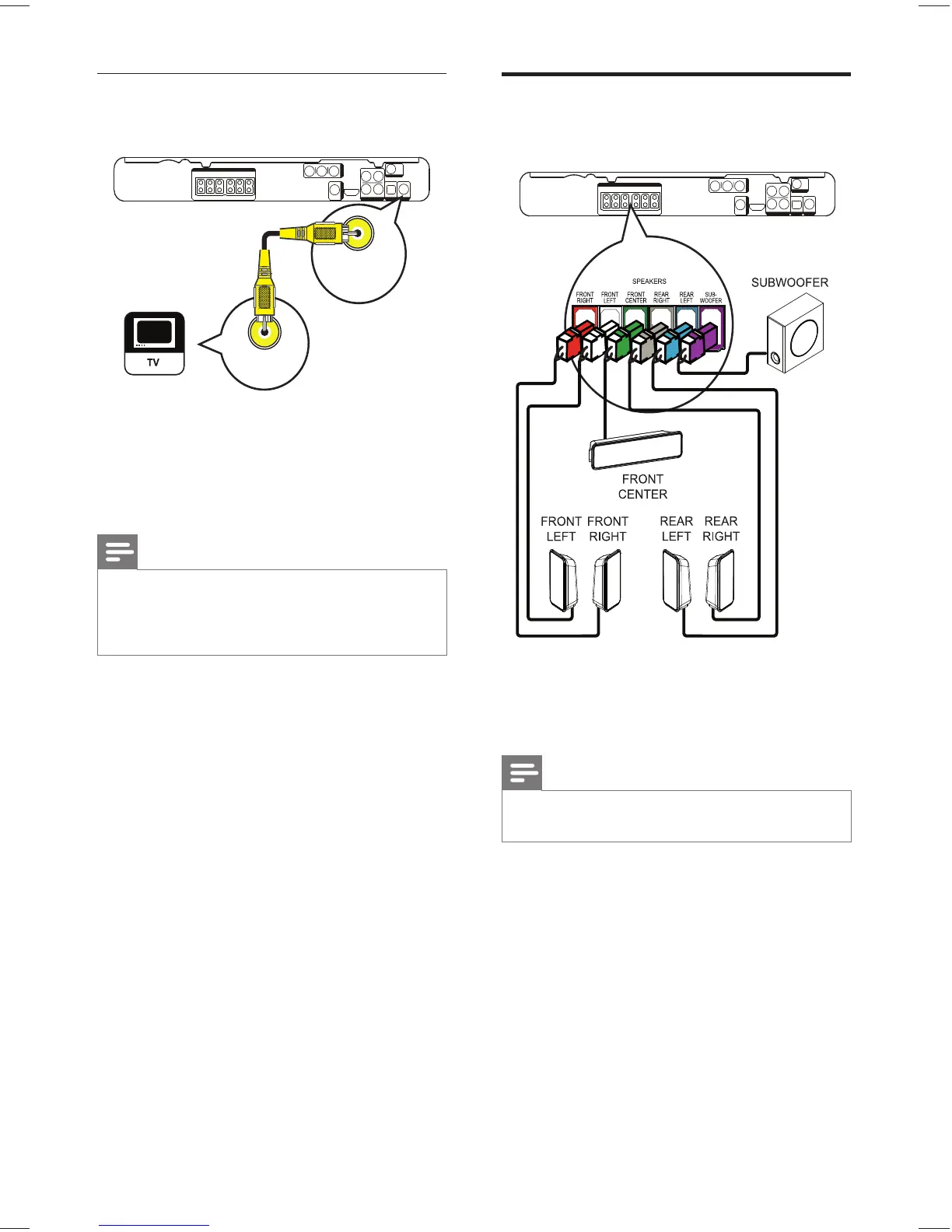
Connect speakers and
subwoofer
1 Connect the speakers and subwoofer to
the matching jacks on the Home Theater
System.
Note
Ensure that the colours of the plugs and jacks are •
matched.
Option 3: Connect to the Video
(CVBS) jack
1 Connect a composite video cable to
the VIDEO jack on this Home Theater
System and the VIDEO input jack on the
TV.
Note
The video input jack on the TV might be labelled as •
A/V IN, VIDEO IN, COMPOSITE or BASEBAND.
This type of connection provides standard picture •
quality.
VIDEO
VIDEO OUT
VIDEO IN
EN
1_hts3375_55_en.indd 121_hts3375_55_en.indd 12 12/29/2008 4:10:34 PM12/29/2008 4:10:34 PM



 To Next Page