40
[TV System]
Change this setting if the video does not
appear correctly. By default, this setting
matches the most common setting for TVs in
your country.
• [PAL] – For PAL-system TV.
• [NTSC] – For NTSC-system TV.
• [Multi] – For TV that is compatible with
both PAL and NTSC.
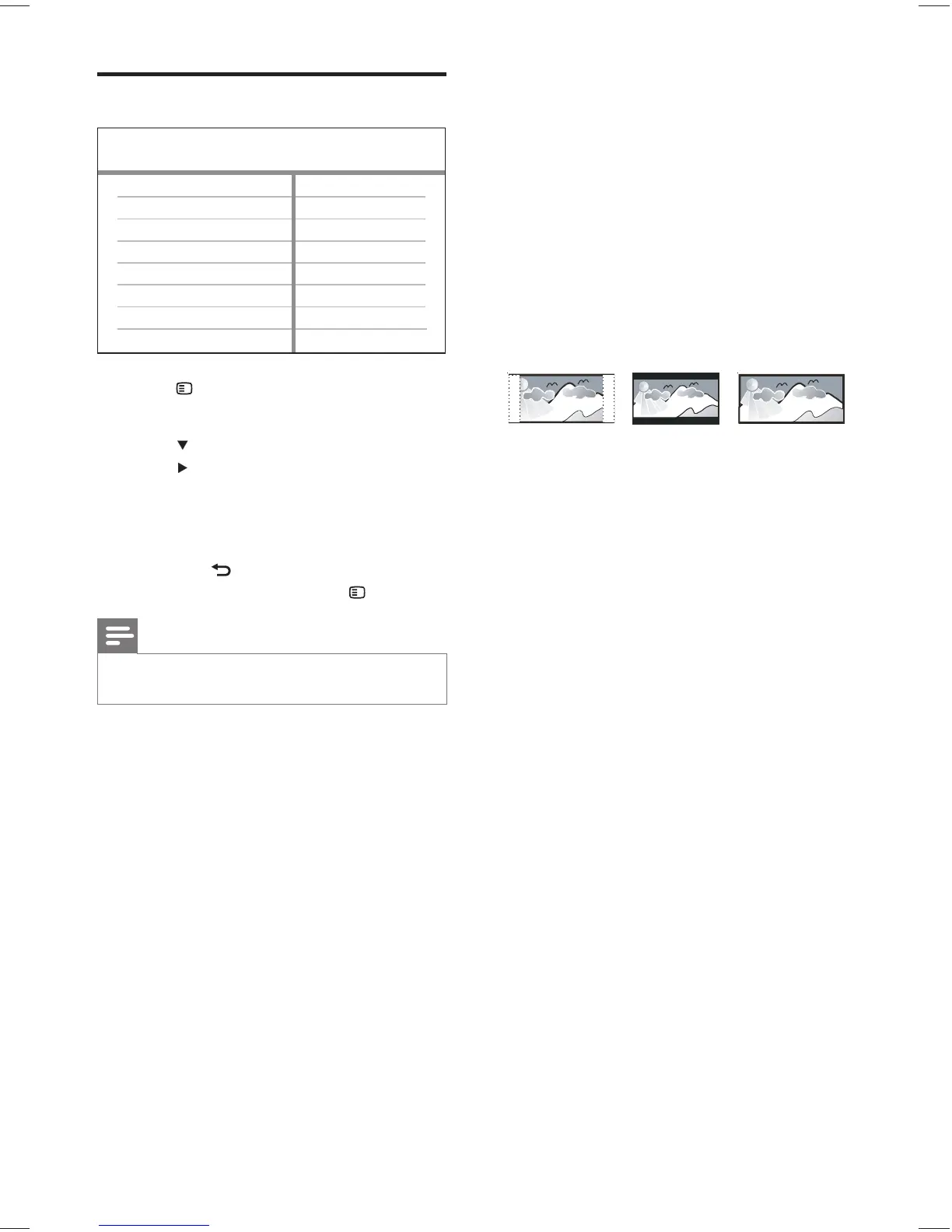
[TV Display]
Selects one of the following display formats:
• [4:3 Pan Scan] – For 4:3 screen TV: full-
height display with the trimmed sides.
• [4:3 Letter Box] – For 4:3 screen TV:
wide-screen display with black bars on
the top and bottom of the screen.
• [16:9 Wide Screen] – For wide-screen
TV: display ratio 16:9.
[Screen Fit]
Fits the picture format to the TV screen to
enjoy watching disc play in full screen mode.
• [Select] – Displays various types of full
screen format, press OK to select a
suitable picture format that best fi ts to
the TV screen.
• [Off] – Returns to normal screen display.
4:3 Letter Box (LB)
4:3 Pan Scan (PS)
16:9 (Wide Screen)
Video setup
1 Press SETUP .
» [General Setup] menu is displayed.
2 Press to select [Video Setup] , then
press
.
3 Select an option, then press OK
4 Select a setting, then press OK .
To return to the previous menu, •
press
BACK .
To exit the menu, press •
SETUP .
Note
See the explanations of the above options in the •
following pages.
Video Setup
Picture Setting
Closed Caption
Progressive
HDMI Setup
TV Display
TV System
Screen Fit
EN
1_hts3375_55_en.indd 401_hts3375_55_en.indd 40 12/29/2008 4:10:39 PM12/29/2008 4:10:39 PM



 To Next Page