16
Discs
Your home theater can play DVDs, VCDs, CDs,
and Blu-ray discs. It can also play discs that you’ve
made at home, such as CD-R discs of photos and
music.
What you need
For audio or 2D video:
• Audio and video connection between your
home theater and the TV.
• An audio or a video disc.
Play discs
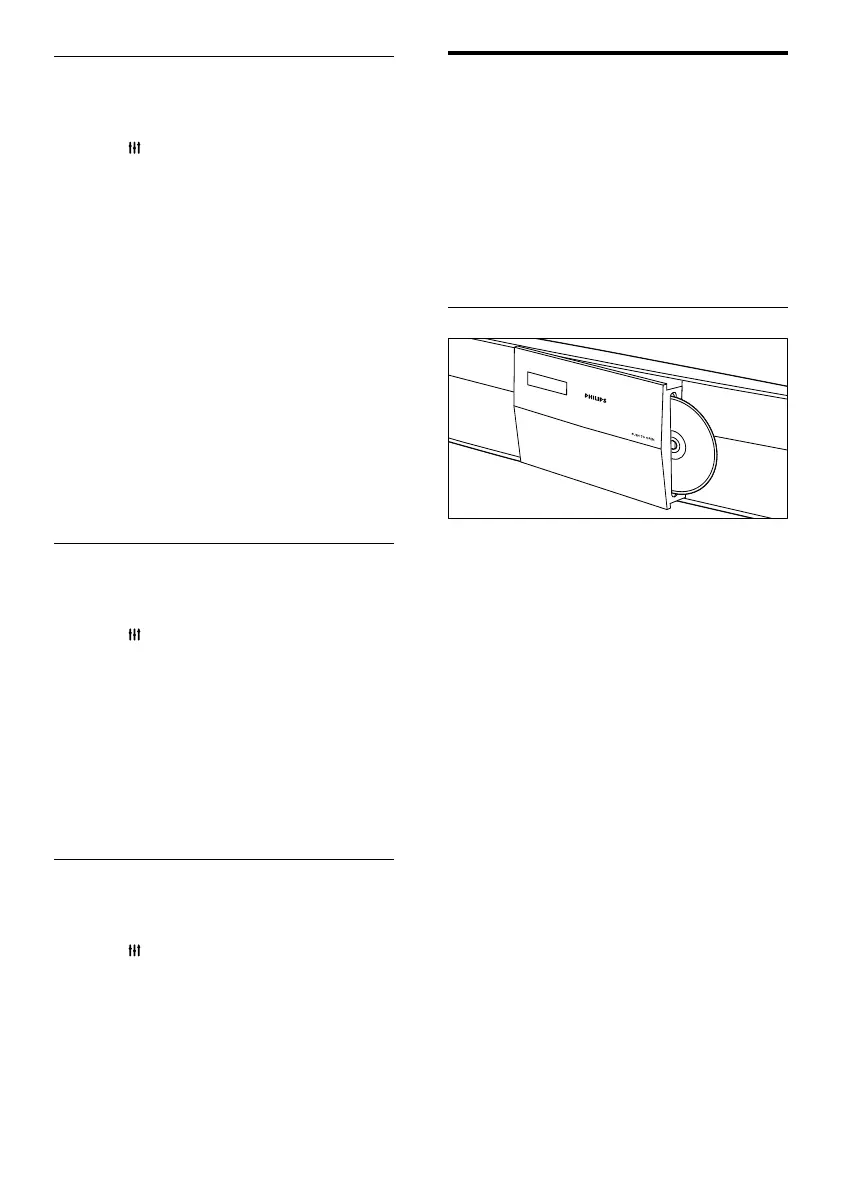
1 When you switch on your home theater,
press PUSH TO OPEN to open the disc
compartment.
2 Insert a disc, and then close the disc
compartment.
» Your TV switches to the correct source
and the disc plays automatically.
3 If the disc does not play automatically, press
DISC or select [play Disc] in the home
menu, and then press OK.
4 Press the play buttons to control play (see
‘Play buttons’ on page 17).
Sound mode
Select predened sound modes to suit your
video or music.
1 Press SOUND SETTINGS.
2 Select SOUND, and then press OK.
3 Press the Navigation buttons (up/down) to
select a setting on the display:
• MOVIE: Enjoy a cinematic audio
experience, specially enhanced for
movies.
• MUSIC: Recreate the original recording
environment of your music, in the
studio or at a concert.
• ORIGINAL: Experience the original
sound of your movies and music,
without added sound effects.
• NEWS: Hear every word with
optimized speech and clear vocals.
• GAMING: Enjoy thrilling arcade
sounds, ideal for action-packed video
games or loud parties.
4 Press OK to conrm.
Surround sound mode
Experience an immersive audio experience with
surround sound modes.
1 Press SOUND SETTINGS.
2 Select SURROUND, and then press OK.
3 Press the Navigation buttons (up/down) to
select the following settings:
• AUTO: Surround sound based on the
audio stream.
• V SURR: Virtual Surround.
• STEREO: Two-channel stereo sound.
Ideal for listening to music.
4 Press OK to conrm.
Equalizer
Change the high frequency (treble) and low
frequency (bass) settings of the home theater.
1 Press SOUND SETTINGS.
2 Select TREBLE or BASS, and then press
OK.
3 Press the Navigation buttons (up/down) to
change the frequency.
4 Press OK to conrm.
EN



 To Next Page