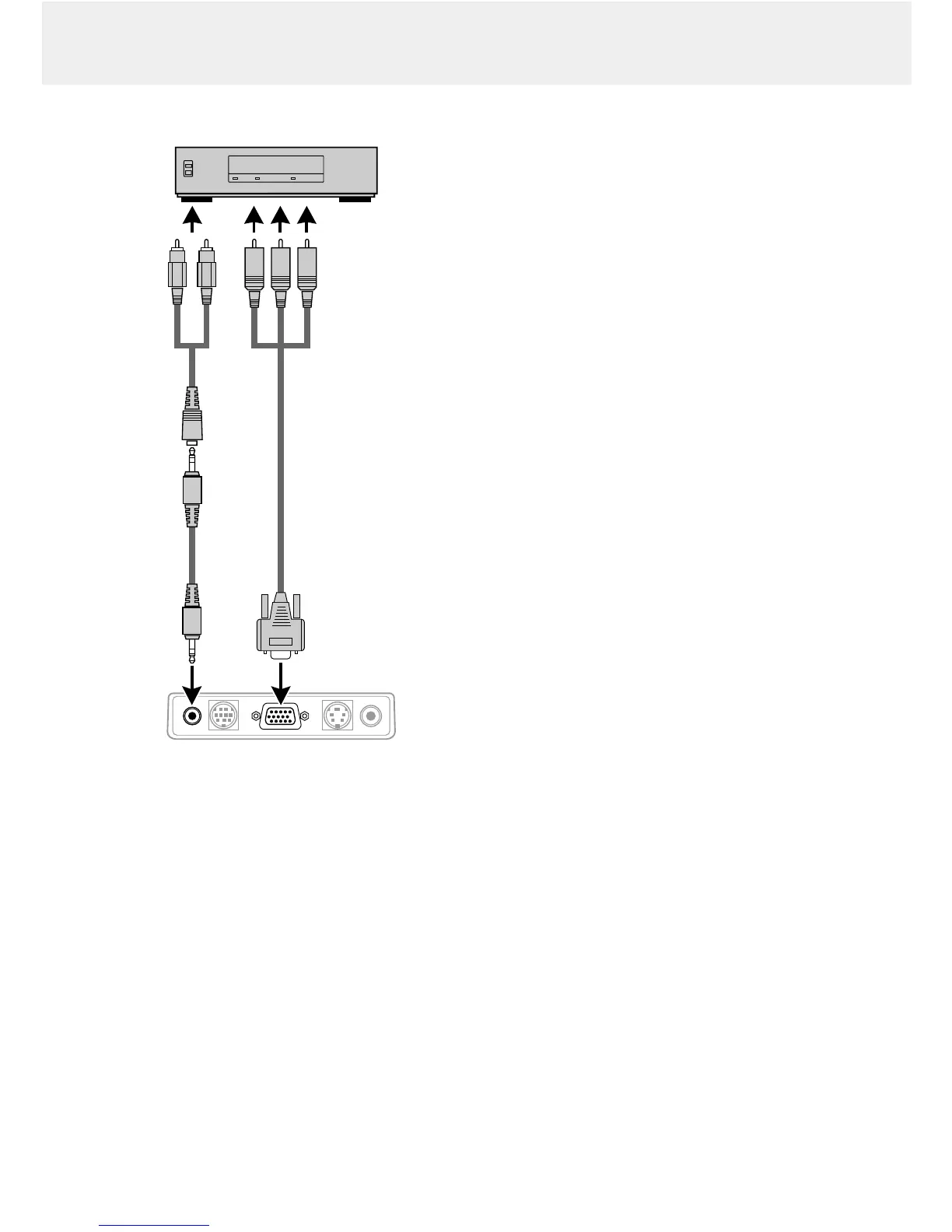
COMPONENT VIDEO SIGNAL (YCbCr)
1.
To use YCbCr component video input, set ‘SOURCE
CHANGE’ under ‘COLOR’ in the Advanced menu to ‘YCbCr’
(see page 20).
2.
Connect the Y (green), Cb (blue) and Cr (red) connectors of a
DVD player or other component video equipment to the
corresponding Data/YCbCr connector % of the projector.
For this, use a YCbCr Component cable
(optional).
3.
To use the built-in audio system, connect one end of the
computer audio cable
(3)
to the Audio in terminal # on the
projector. Connect the other end
(4)
to the Audio output
terminal on the video source.









 To Next Page