10 User manual
4.6.1 Menu list
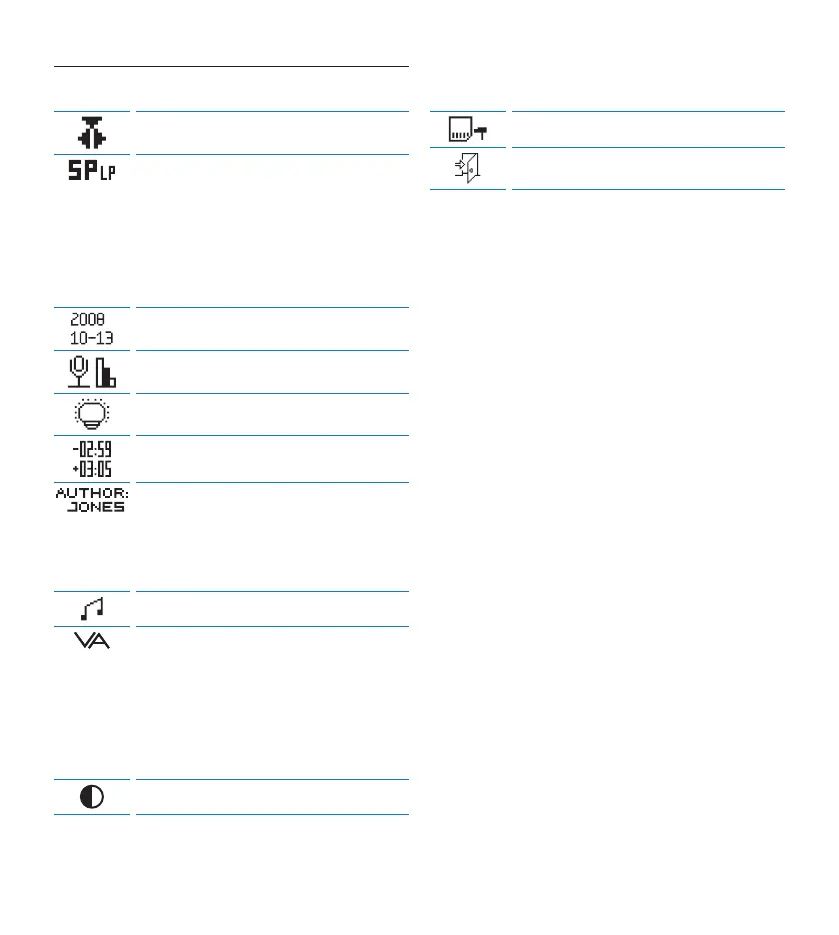
Switch to insert recording mode to make
additions to a recording.
The recording format determines the audio
quality of recordings and aects the number of
audio files that can fit on the memory card.
• Standard Play (SP) requires 1 megabyte for
10 minutes of recording.
• Long Play mobile (LPm) requires 1 megabyte
for 15 minutes of recording.
Set the date and the time
Set the microphone sensitivity for the
environment and your recording preferences.
Display backlight
Display the remaining (–) or used-up (+)
recording time
One or more keywords, such as the author’s
name, can be assigned to every recording.
Keywords can be used to identify recordings
and automatic file routing in Philips SpeechExec
software.
Device beep
Voice-activated recording is a convenience
feature for hands-free recording. When voice-
activated recording is enabled, recording will
start when you begin speaking. When you stop
speaking, the Digital Desktop will automatically
pause recording after three seconds of silence,
and resume only when you begin speaking again.
Display contrast
Format memory card
Exit the menu


 To Next Page