English
15
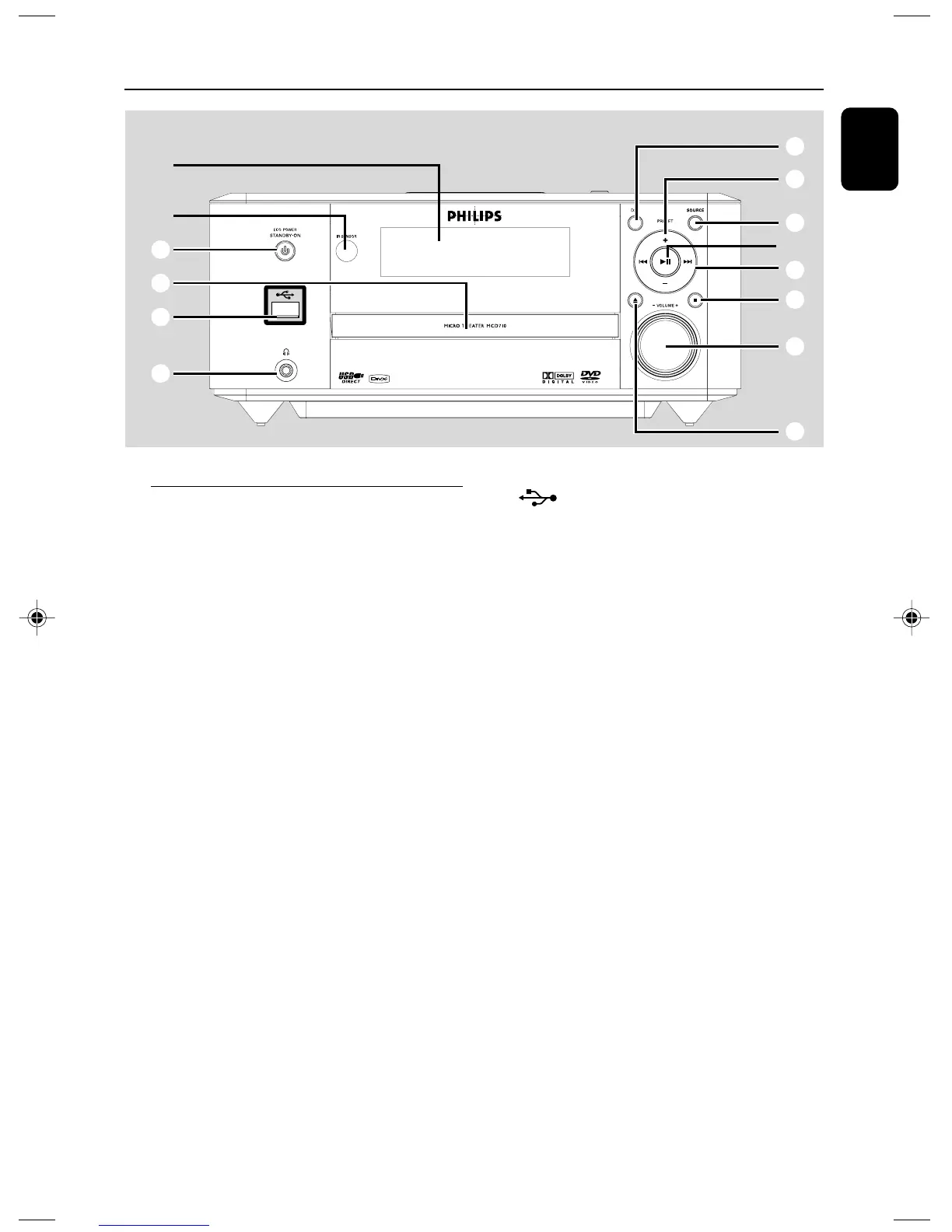
Functional Overview
DVD player and power amplifier
1 ECO POWER/STANDBY-ON y
– switches on the system or puts it on to Eco
power/normal standby mode.
2 Display
– shows the current status of the DVD player.
3 ÉÅ
–starts or interrupts disc playback.
4 PRESET +/-
– in tuner mode, selects a preset radio station.
5 9
– stops disc playback or erases a program.
– in Demo mode (on the system only), activates/
deactivates the demonstration.
6 ¡1 / 2™
Disc:
– skips to the previous/next chapter/title/track.
Tuner:
–tunes to a higher/lower radio frequency.
– press and hold, then release the key to start
automatic search for a radio frequency
downward/upward.
7 ç
– opens or closes the disc tray.
8 USB DIRECT
– is the jack for the external USB mass storage
device.
9 SOURCE
– to select the respective sound source : TUNER,
DISC, USB or AUX.
– switches the system on.
0 IR SENSOR
– point the remote control towards this sensor.
! VOLUME -/+
– adjusts the volume upward/downward.
– adjusts the hours and minutes in clock/timer
setting mode.
– switches the set timer ON or OFF.
@ Disc door
# n
– connects a headphone.
$ DSC
– selects different types of preset sound equalizer
settings (CLASSIC, JAZZ, ROCK, POP or FLAT).
1
8
@
#
7
!
5
6
9
4
$
0
2
3
pg 001-022_MCD710_12_Eng 2007.11.29, 14:2615













 To Next Page