25
English
Night mode – turning on/off
When activated the night mode, the high
volume outputs will be softened and low
volume outputs will be brought upward to an
audible level. It is useful for watching your
favourite action movie without disturbing
others at night.
This function can also be accessed via the
NIGHT button on the remote.
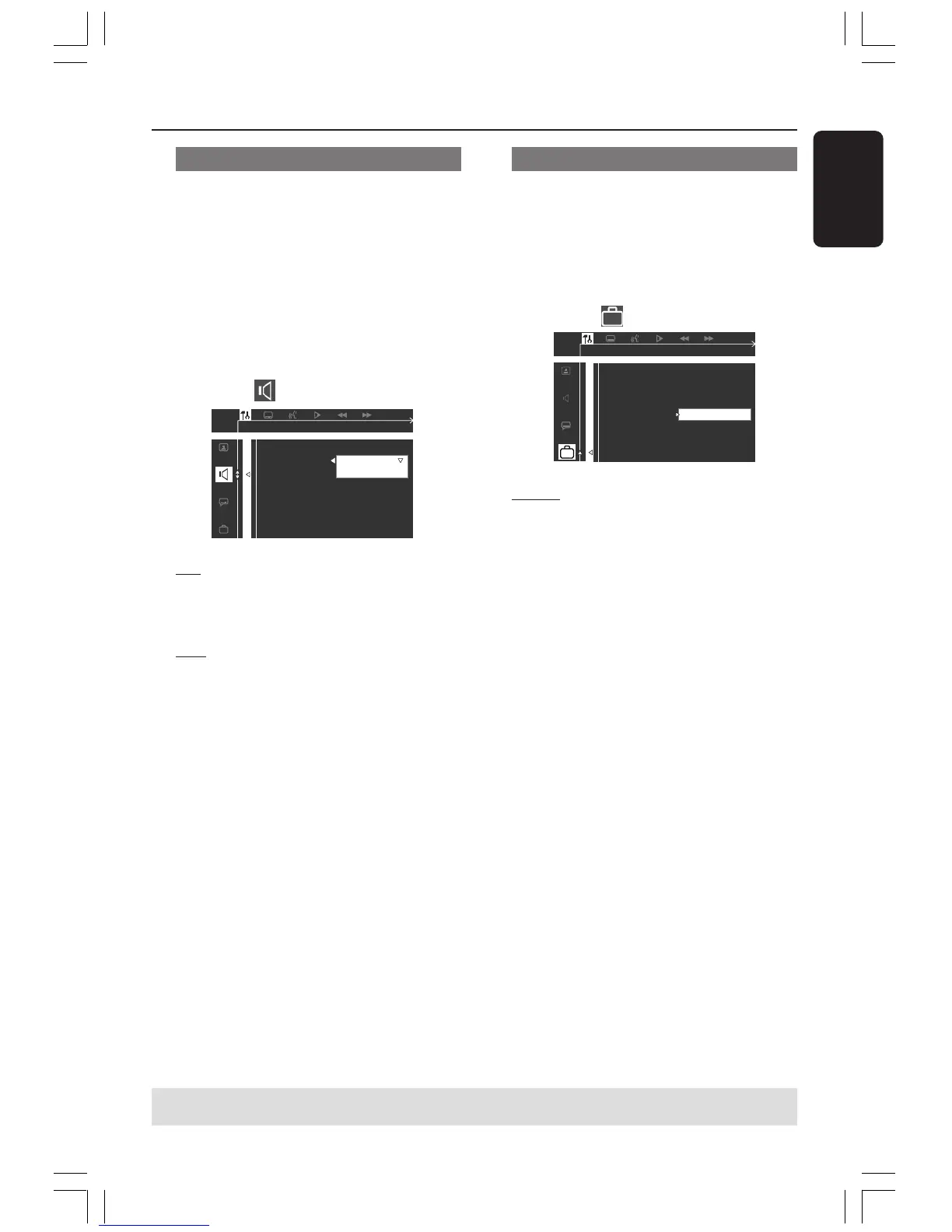
Follow the steps of “Using the Setup Menu”
and select :
> NIGHT MODE
SET NIGHT MODE
CNTR DELAY
REAR DELAY
TEST TONE
OFF
ON
DIGITAL OUT
NIGHT MODE
ON
Select this to level out the volume.
This feature is only available for movies with
Dolby Digital mode.
OFF
Select this when you want to enjoy the full
dynamic of surround sound.
Restoring to original settings
Setting the DEFAULT function will reset all
options and your personal settings to the
factory defaults, except your password for
Parental Control.
Follow the steps of “Using the Setup Menu”
and select :
> DEFAULTS
RESET
Pressing 2 to select {RESET}, all settings will
now reset to factory defaults.
TIPS: To return to the previous menu, press 1.
To remove the menu, press SYSTEM MENU.
DVD Setup Menu Options
001-035-MX2500-00-Eng 9/16/04, 10:4825


 To Next Page