10 EN
6 Use the dock
You can enjoy audio from a compatible iPod/
iPhone through this product.
Note
• During play, no audio signals are transferred through
the headphone socket of your iPod/iPhone.
• Once your iPod/iPhone is connected and recognized,
the product synchronizes its clock with the iPod/iPhone
automatically.
Compatible iPod/iPhone
models
This product supports the following iPod and
iPhone models.
Made for
• iPod touch (2nd, 3rd, and 4th generation)
• iPod classic
• iPod nano (2nd, 3rd, 4th, 5th, and 6th
generation)
• iPhone 4S
• iPhone 4
• iPhone 3GS
• iPhone 3G
Enjoy audio through the dock
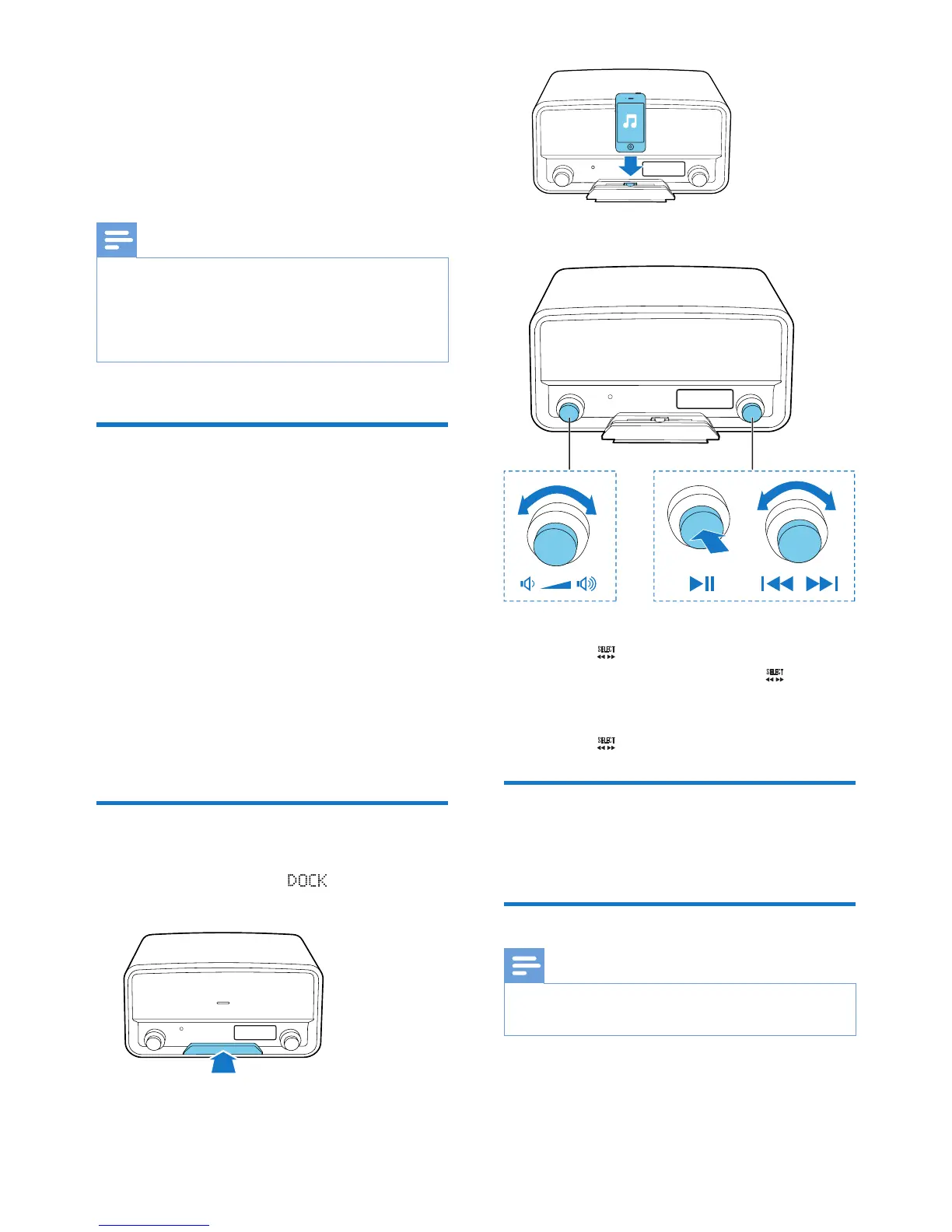
1 Switch the source to .
2 Push the dock tray to eject it.
3 Connect your iPod/iPhone to the dock.
4 Play a track on your iPod/iPhone.
• To start, pause. or resume play, press
the knob.
• To skip to a track, turn the knob.
• To switch the iPod/iPhone to sleep
mode or wake it up, press and hold
the knob.
Charge your iPod/iPhone
Once the iPod/iPhone is docked and
recognized, the charging starts.
Undock your iPod/iPhone
Note
• Risk of damage to the dock or your iPod/iPhone: Do
not twist or shake your iPod/iPhone.
1 Disconnect the iPod/iPhone from the dock.
2 Push the dock tray inwards until you hear a
"click" to store it.



 To Next Page