20 EN
DOCK mode
Buttons Functions
To start, pause, or resume play,
press it.
To switch the iPod/iPhone to
sleep mode or wake it up, press
and hold it.
/ To skip to a track, press
repeatedly.
/ To rewind a track or search
forward fast, press and hold.
MENU To select a track from the library,
1 Press MENU to access the
iPod/Music (iPod/Music) menu
of your iPod/iPhone.
2 Press MENU repeatedly to
toggle through the categories.
3 Press / to toggle
through sub-categories or
select a track.
4 Press to enter lower-level
menu or start the selected
track.
Volume
Buttons Functions
VOL+/VOL- To increase or decrease the
volume, press repeatedly.
MUTE To mute the product or release
it from mute status, press the
button.
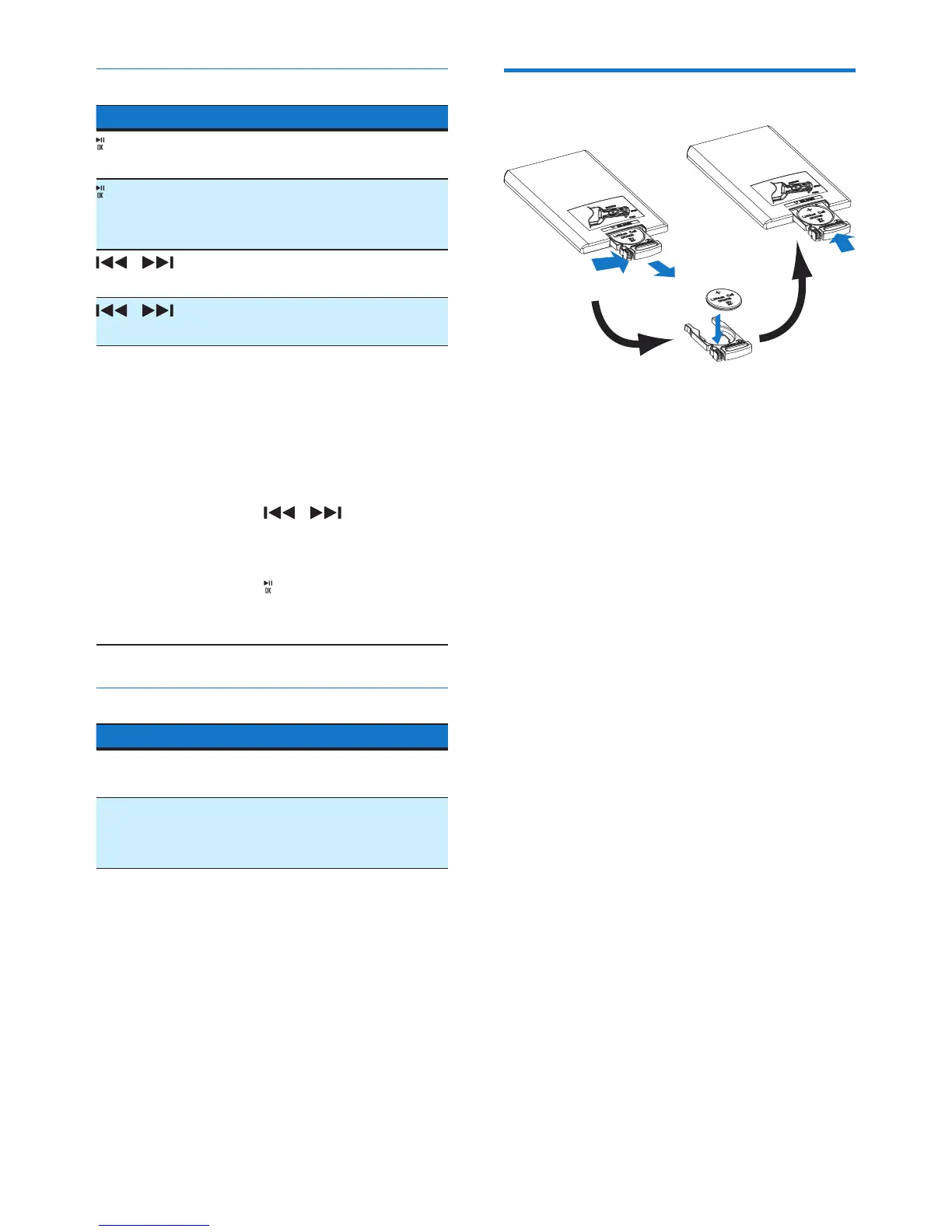
Replace the battery
1 Pull out the battery tray and then remove
the at battery.
2 Insert one CR2025 battery with correct
polarity (+/-) as indicated.
3 Insert the battery tray.



 To Next Page