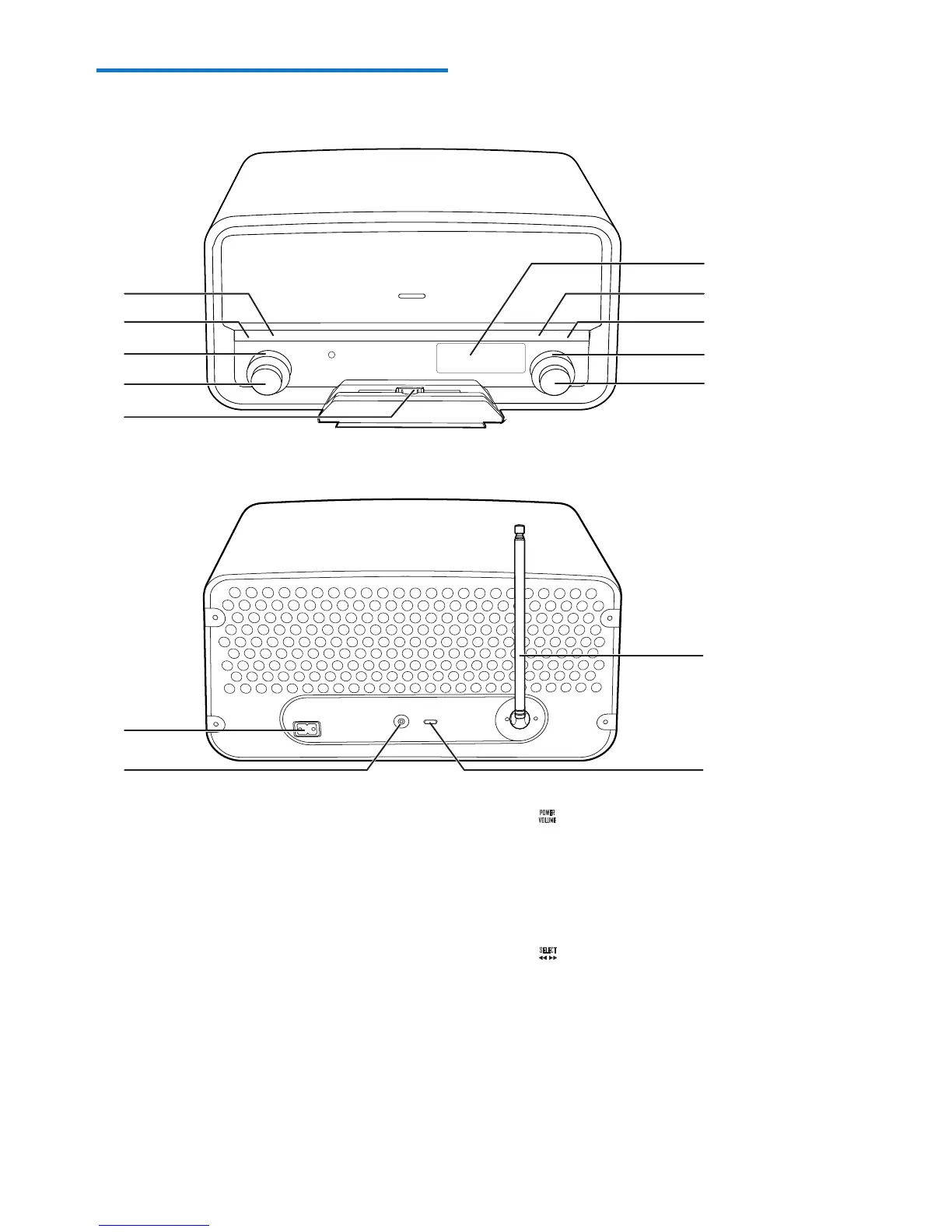
a INFO
• Press repeatedly to display available
information.
b SCAN
• Press to activate the search for the
next strong FM radio station.
• Press and hold to activate the
automatic search for and storage of
FM radio stations.
c SOURCE
• Turn to select a source.
• Turn to switch the system from
standby mode to normal mode.
a
b
c
d
e
k
l
g
h
i
j
f
m
n
d
• Press to switch the system between
standby mode and normal mode.
• Turn to adjust the volume.
e Dock for iPod/iPhone
f
• In FM mode, turn to tune to a radio
station manually.
• Turn to toggle through FM or DAB
menus.
• Under FM or DAB menus, press to
enter lower level menus or conrm an
option.



 To Next Page