Eng
Installation
Priority mode setting
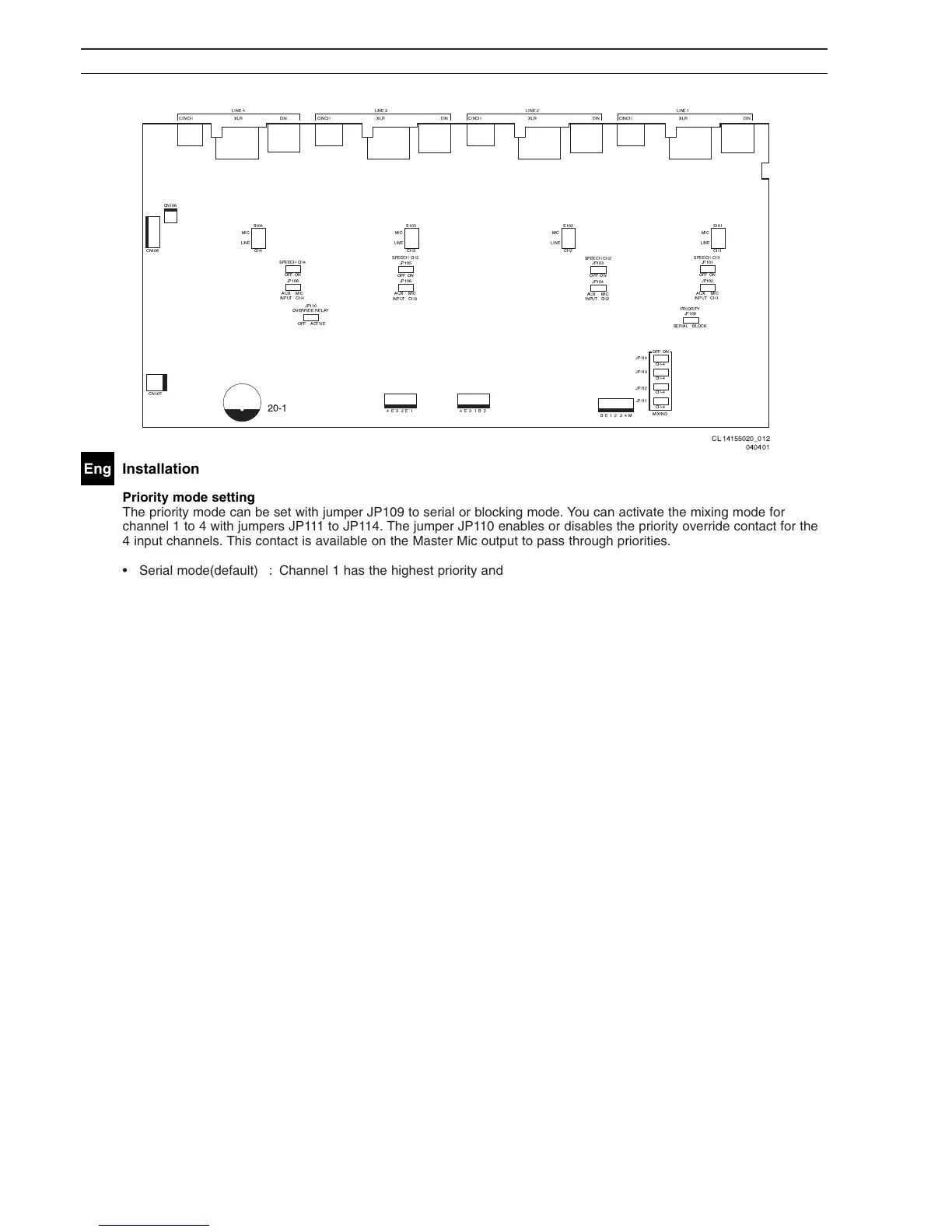
The priority mode can be set with jumper JP109 to serial or blocking mode. You can activate the mixing mode for
channel 1 to 4 with jumpers JP111 to JP114. The jumper JP110 enables or disables the priority override contact for the
4 input channels. This contact is available on the Master Mic output to pass through priorities.
• Serial mode(default) : Channel 1 has the highest priority and channel 4 the lowest.
• Blocking mode : The first activated input channel has the highest priority and blocks all other channels.
• Mixing mode : The channel is mixed to the master output irrespective of priority.


 To Next Page