Overview 5
2Overview
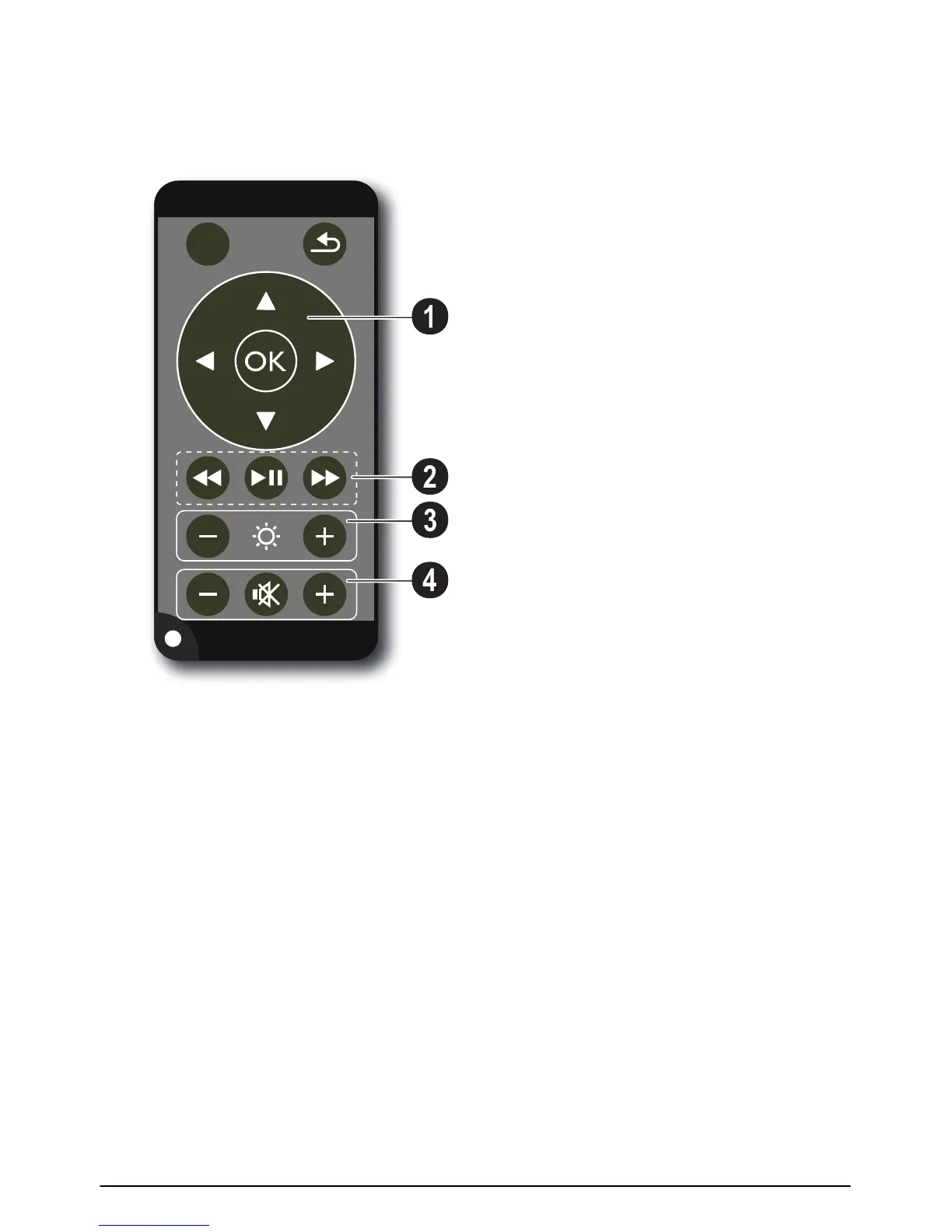
Remote Control
Remote P3
¾—Magnify still. Pan using the navigation keys (/
, À/Á).
¿—One menu step back, one directory level back;
select memory (USB medium, SD card, internal mem-
ory) in the main menu / cancelling a function
Navigation keys
à—Confirms the selection
/, À/Á—Navigation keys / navigate the menu /
modify settings
/—During video playback calling settings / modify
settings
À/Á—During music playback select previous, next
title / during video playback review, cue
Playback keys
:—During video playback review
T—Start / stop playback
;—During video playback cue
Brightness keys
N ß O—Decrease / increase the brightness
Volume keys
N—Decrease the volume
—Deactivate sound
O—Increase the volume













 To Next Page